
PART 4
The double closing and the wholesaler.
Two names on the same parcel usually means one entity bought and sold it the same day. I read the rows, label the wholesaler and the flipper, then keep working the same neighborhood until I know who operates in it. By the end of this part I have names, an agent to call and a habit I can repeat every month.
The double closing in the history.
Read the Transaction History rows on the property detail panel.
HHI properties, and then Gold Coast Equity. Two investor names sit on the same parcel, so I read both before I touch anything else.
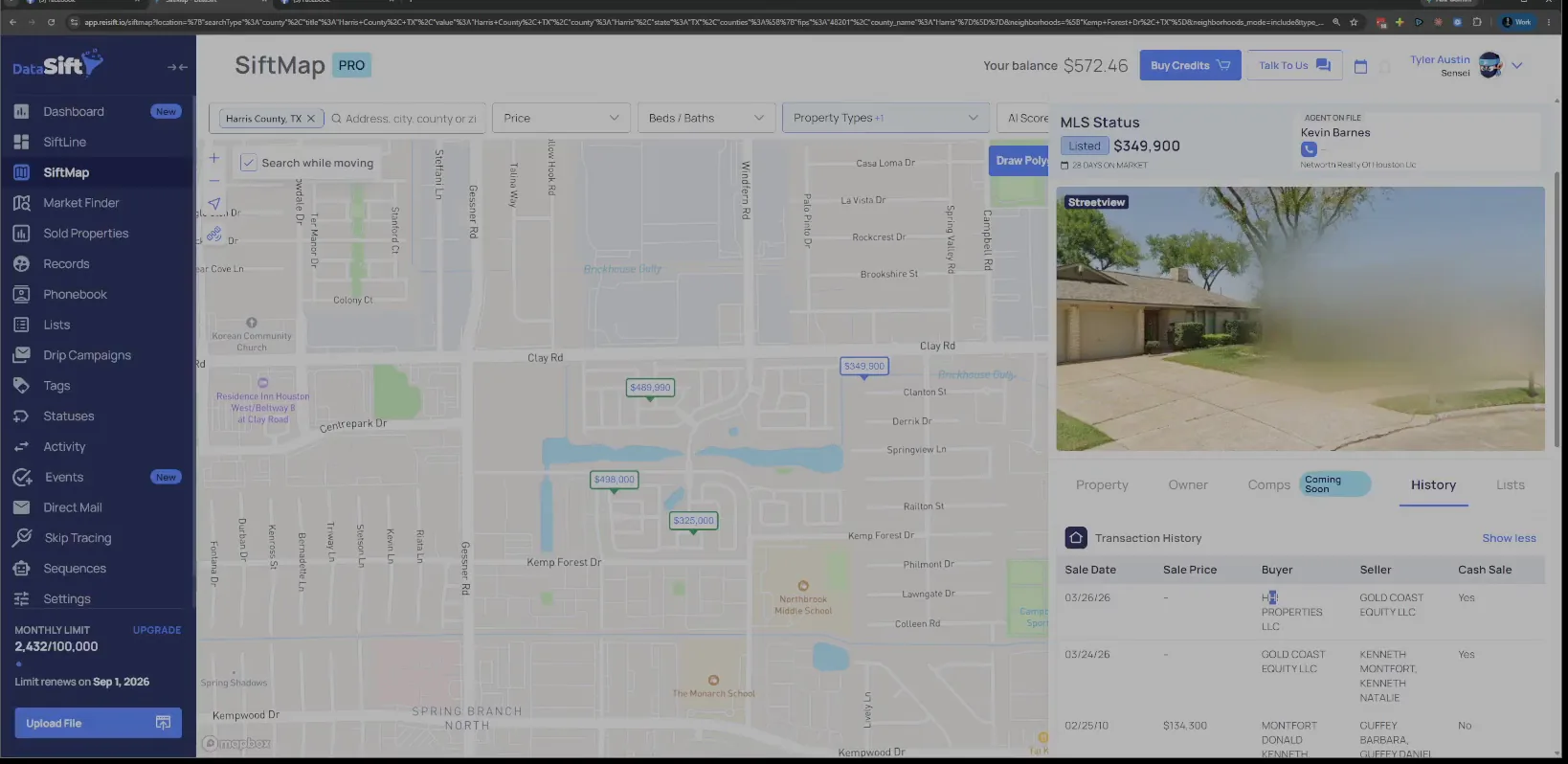
Check the buyer and seller order in those two rows.
So in this case, we can see a double closing has happened. One entity bought and sold the same property, and the other one ended up holding it.
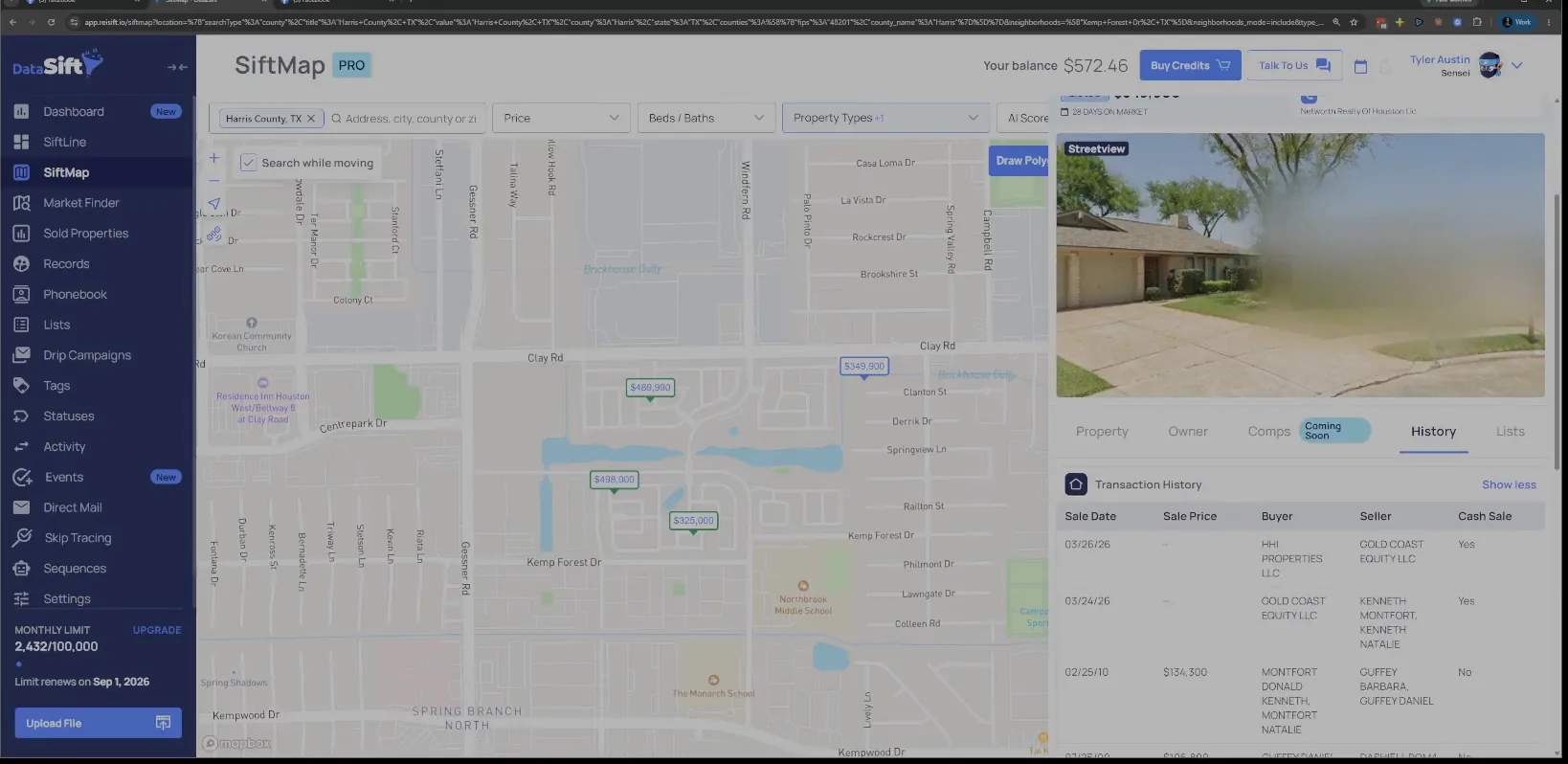
Copy both names and label one a possible wholesaler.
So I grab both of these. I'm going to put this one as possible wholesaler, and make sure I can spell properly.
Then I grab this one and put them up here, because I know that's the flipper. Two names off one deal, two different labels.
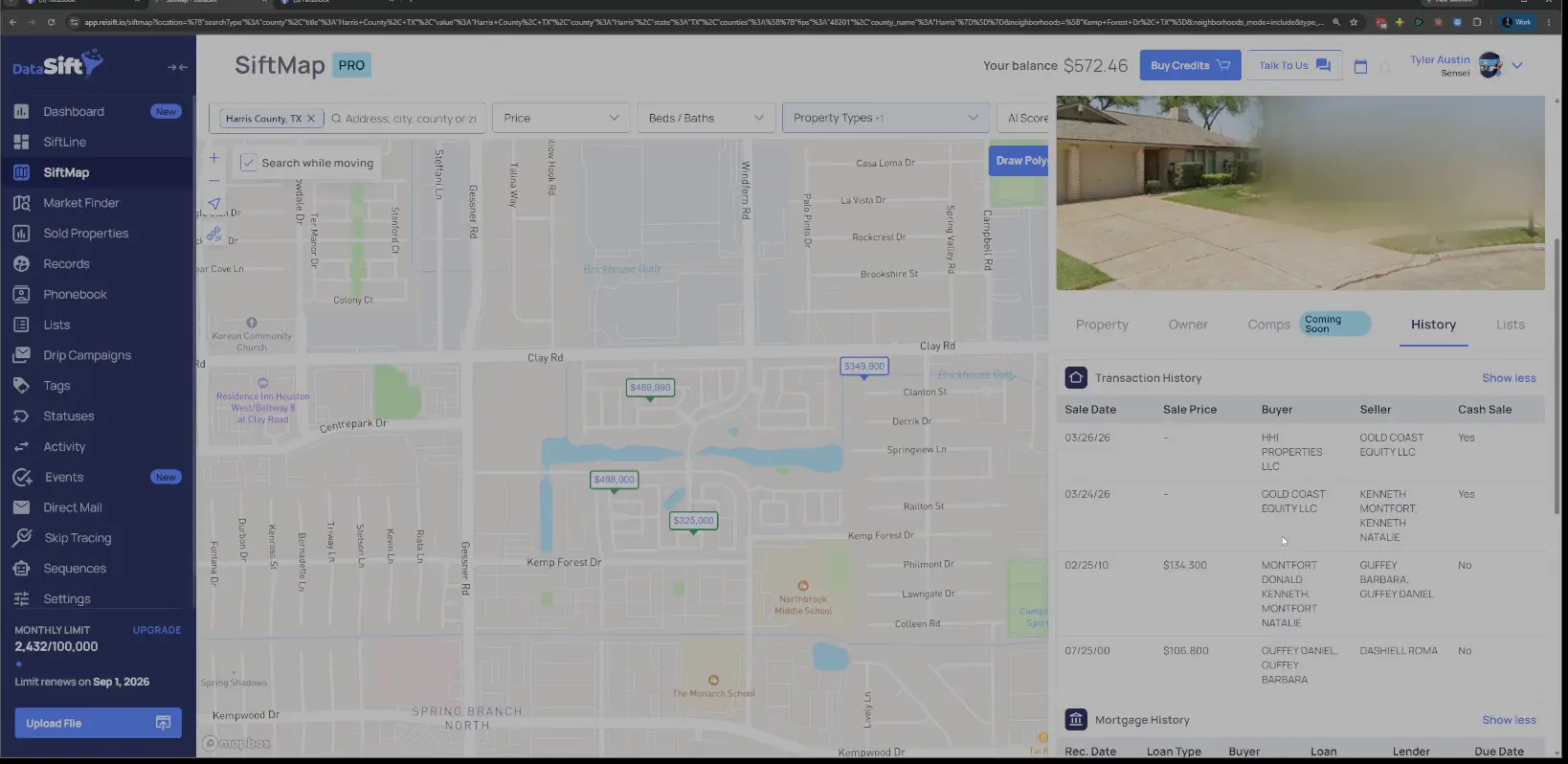
Scroll down to the mortgage history under transaction history.
Here's a trick in Texas. The mortgage table sits right below the sales, and that is where I go next.
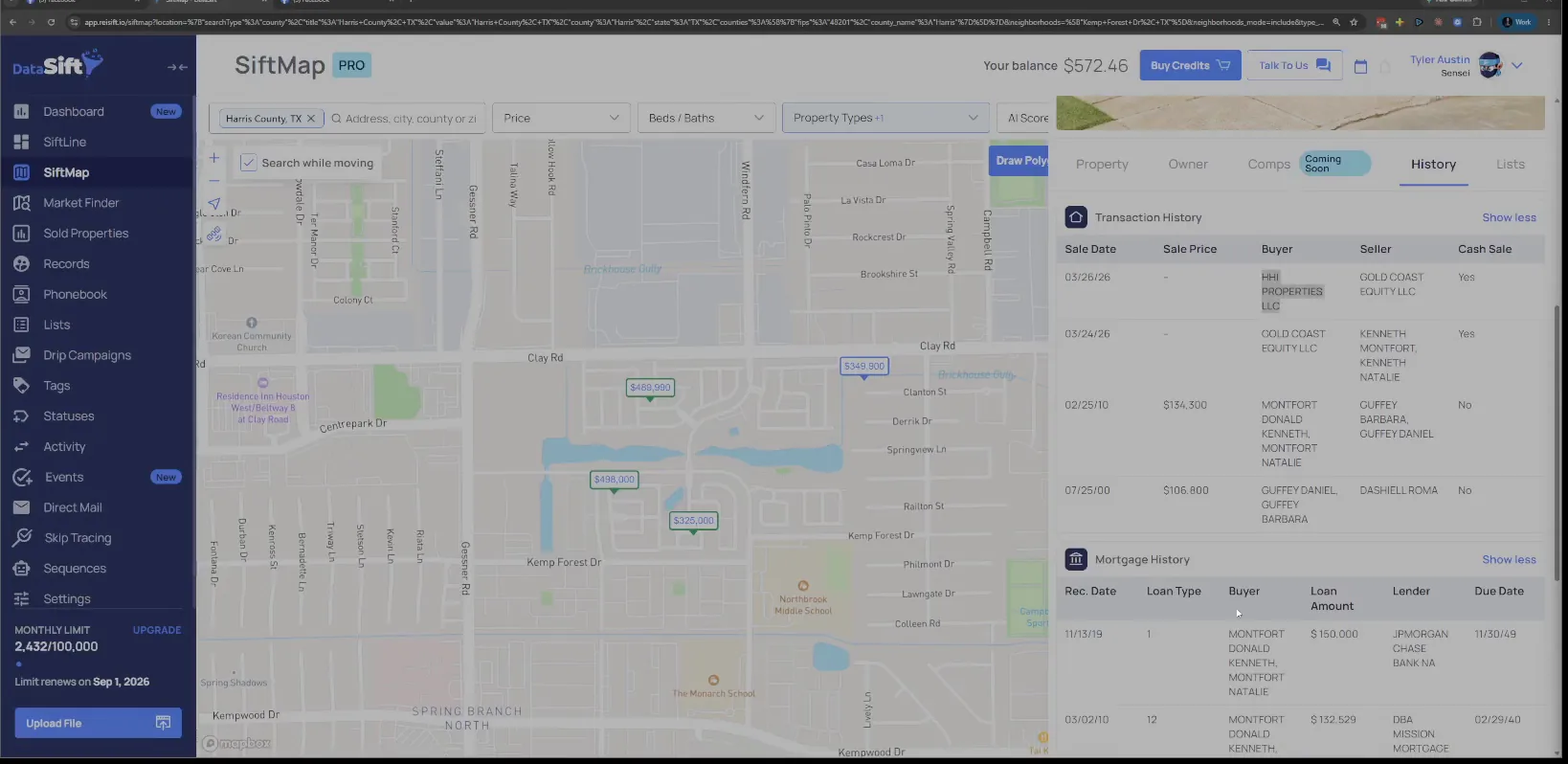
Look for a mortgage on the deal, then read the listed price.
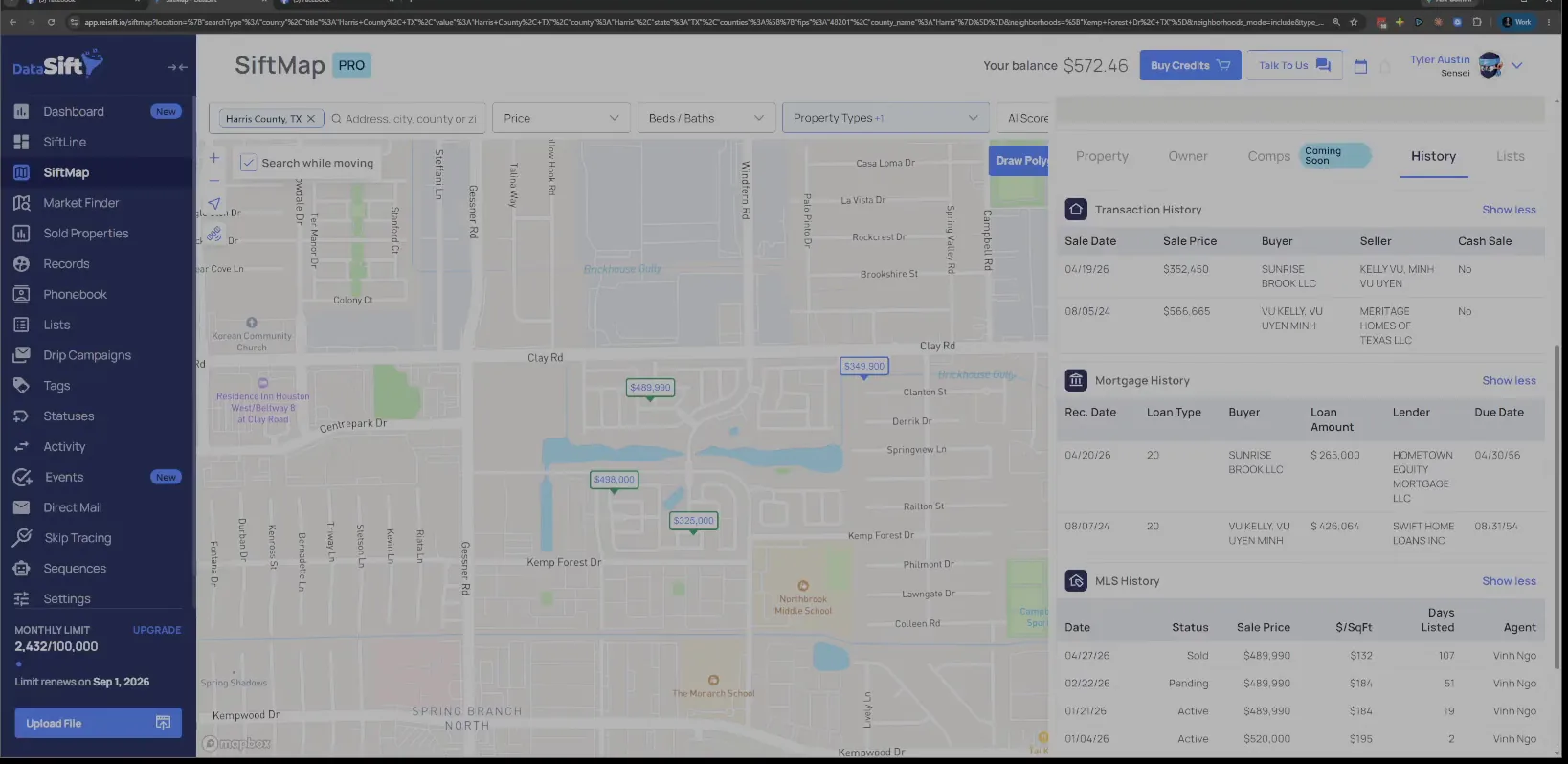
Oftentimes in Texas you're not going to know what they bought it for. But if it's not just cash, and they used private money that gets filed against the deal, it's gonna be here. That gives me an idea of what they're buying the properties for.
Now this one is showing listed right now at $3.49 by this Kevin person.
Read the listing agent name on the property details panel.
The panel shows the MLS status as listed, with the agent's name beside it and the History tab still open. Sometimes Kevin is the owner of HHI, so keep that in the back of the mind too.
So now we have two possible flippers, and we have a possible wholesaler, and then these kind of who knows what those are. I'm still inside the same neighborhood, because I'm trying to understand this neighborhood really well.
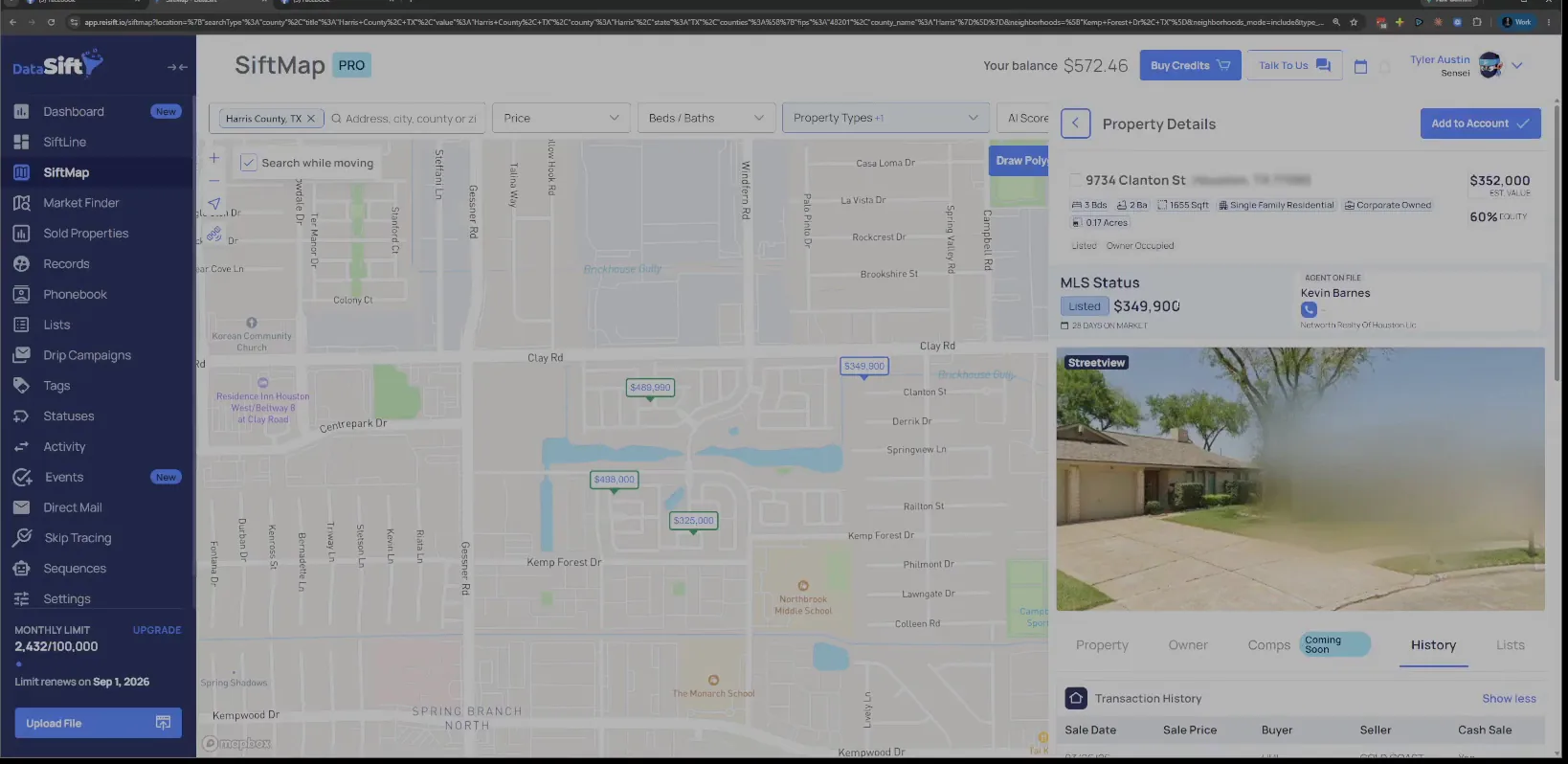
Read the loan amount in Sunrise Brook LLC's mortgage history.
The transaction rows name the entity and the mortgage table underneath carries the loan they put against it. The MLS history sits below that with the price they are asking.
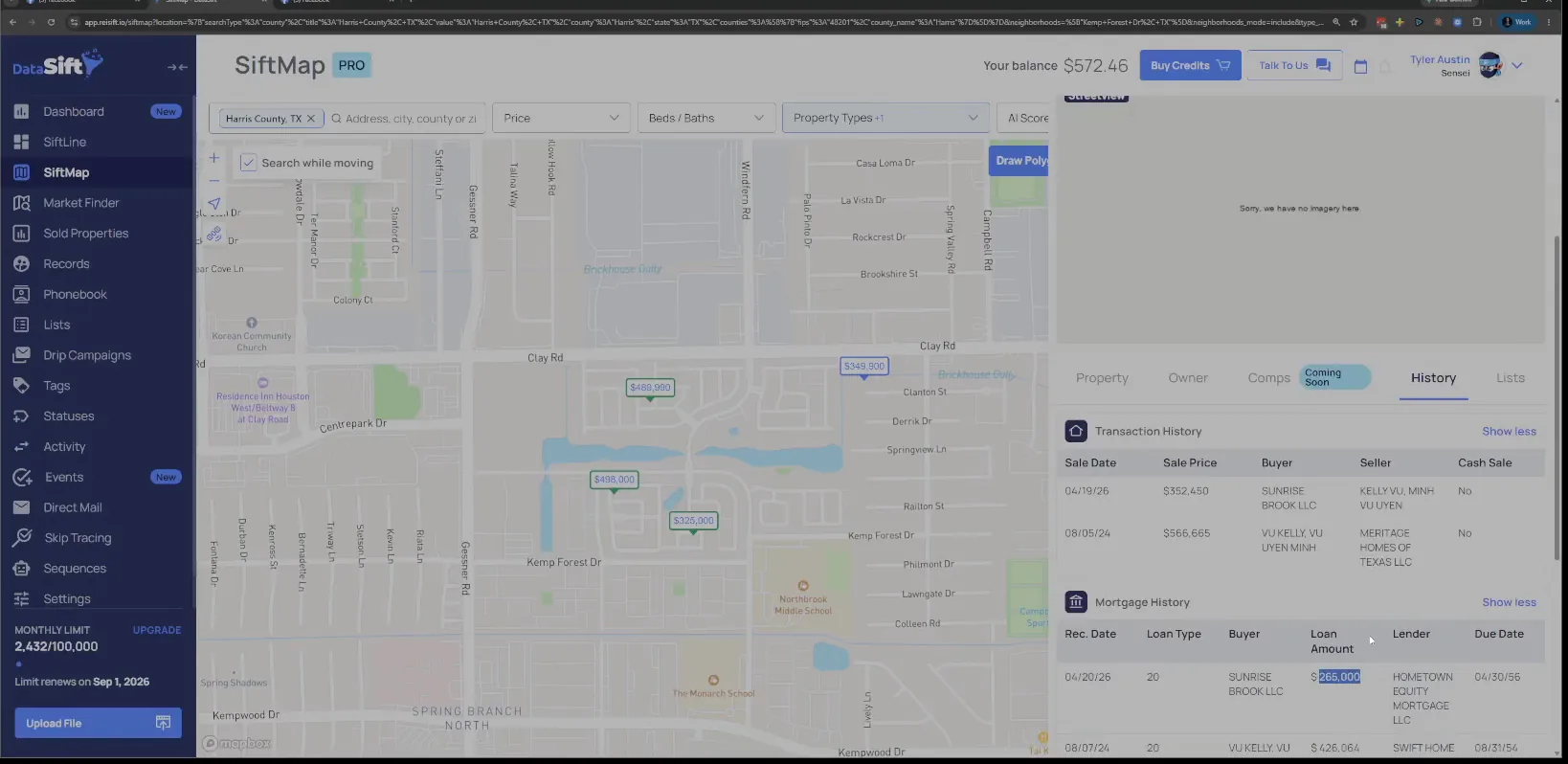
Sunrise Brook LLC, we can see that they got a loan against it for 265,000, and they have it listed at $4.89.
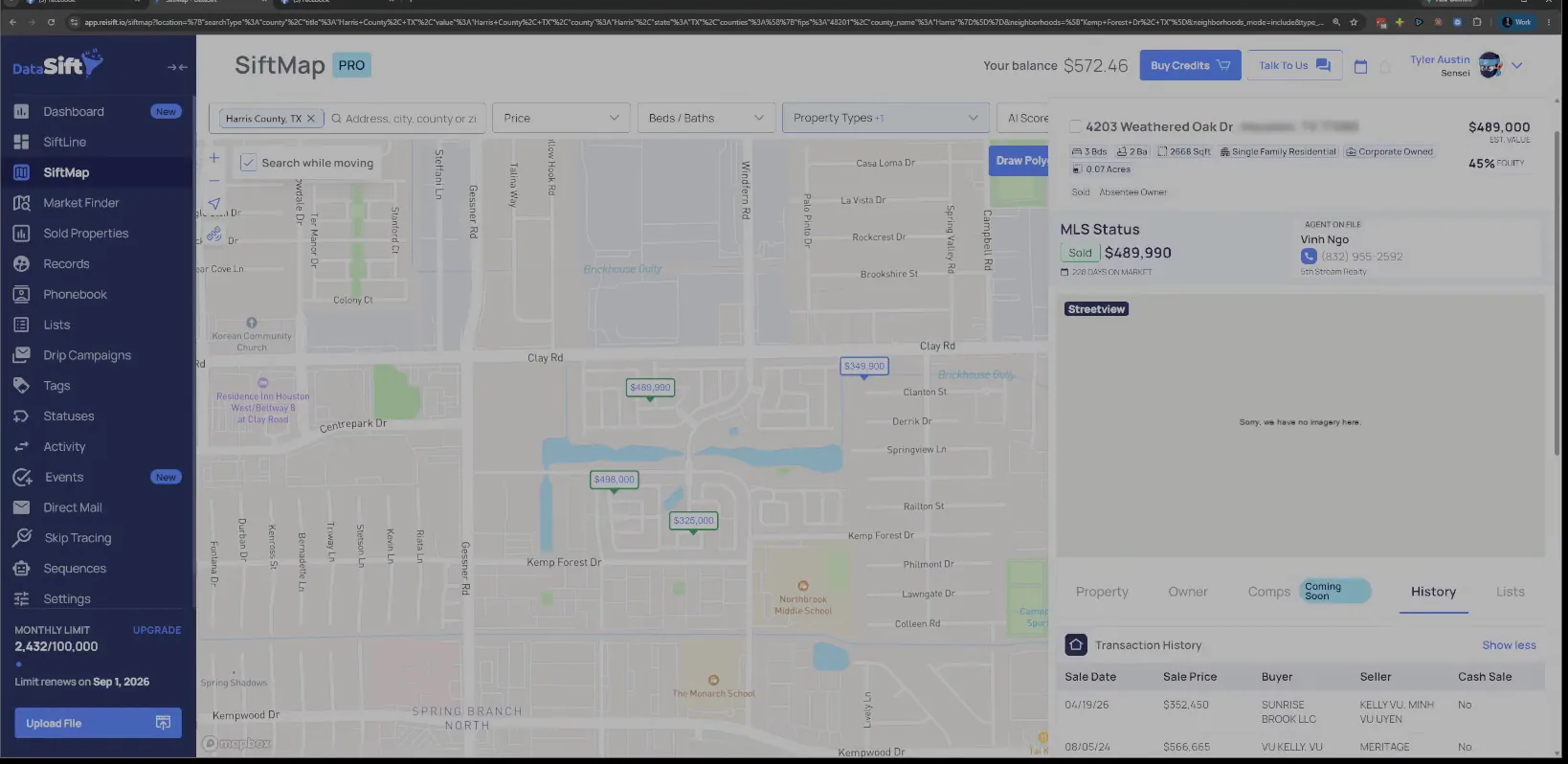
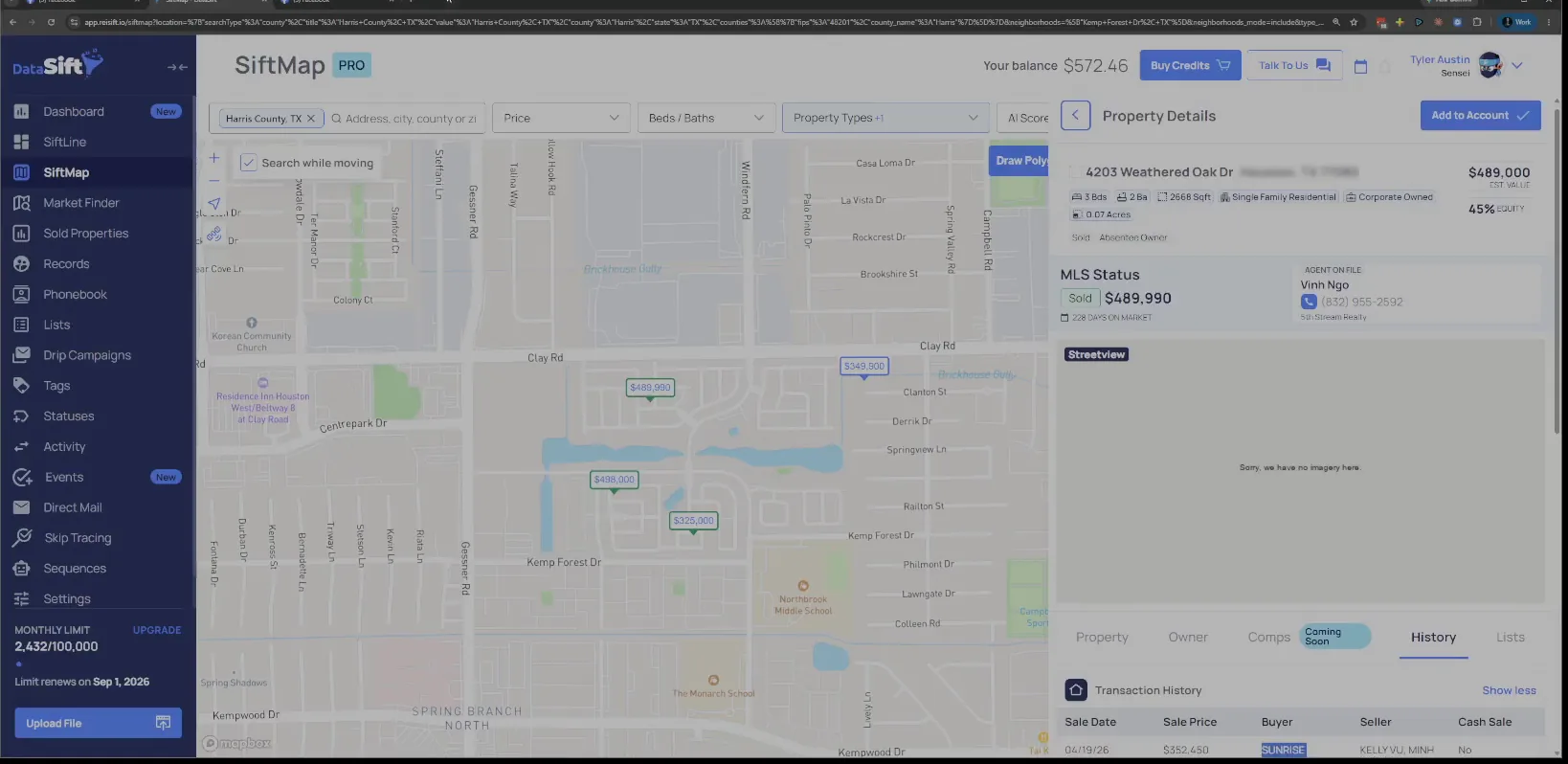
Check the MLS status on that property, now showing sold.
The detail panel shows the status as sold with the price next to it, and the transaction history table underneath. So this right away is great potential, because they already are trying to sell it right now.
Read the loan row again before you trust the county record.
In fact, it might have already sold, but it might not be filed yet at the county. That is why the history here and the listing outside can disagree.
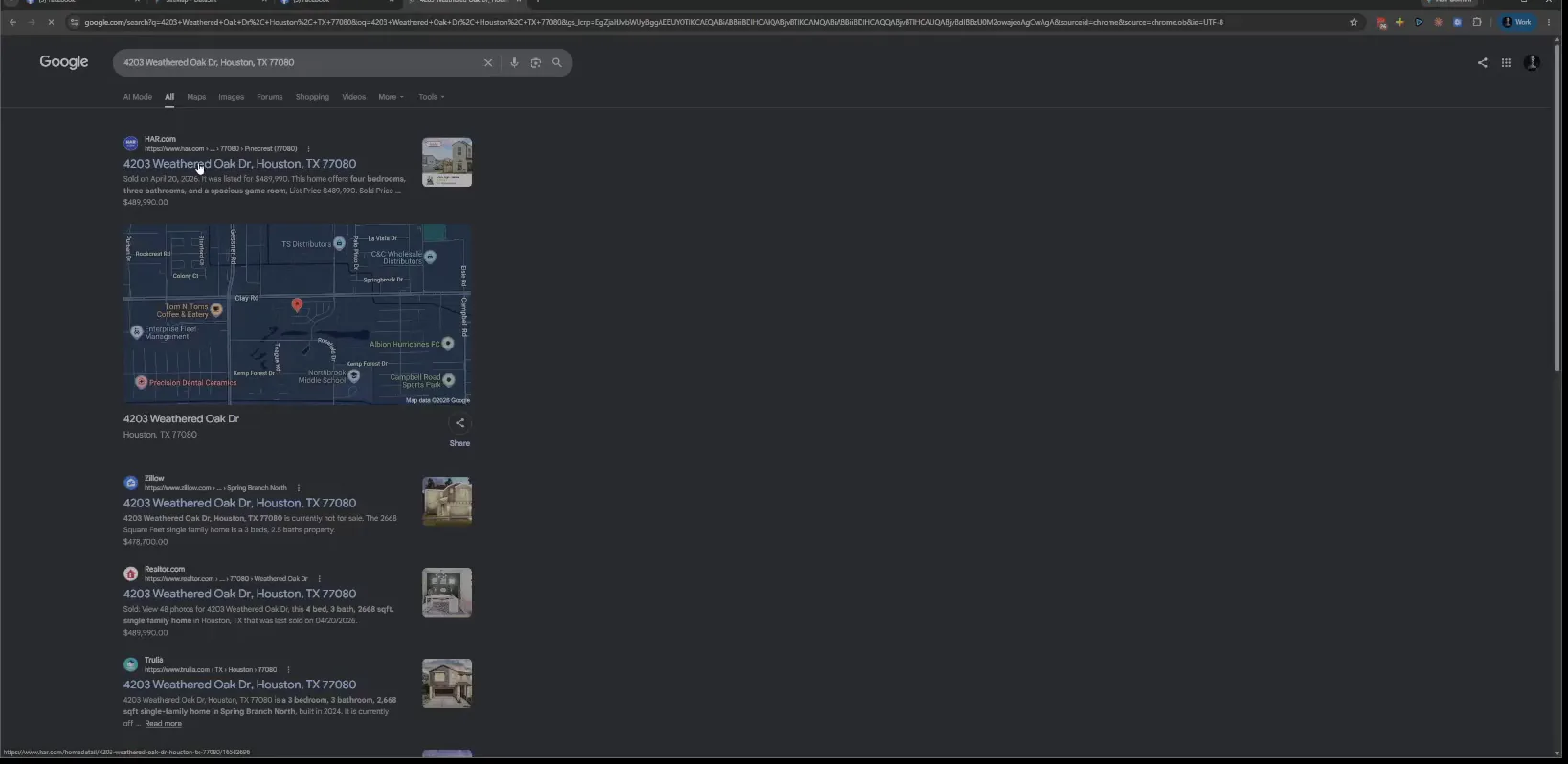
Search the property address in Google and read the results.
The results come back with HAR, Zillow, Realtor and Trulia for that address. And we can take a look. Yeah, it looks like it did sell.
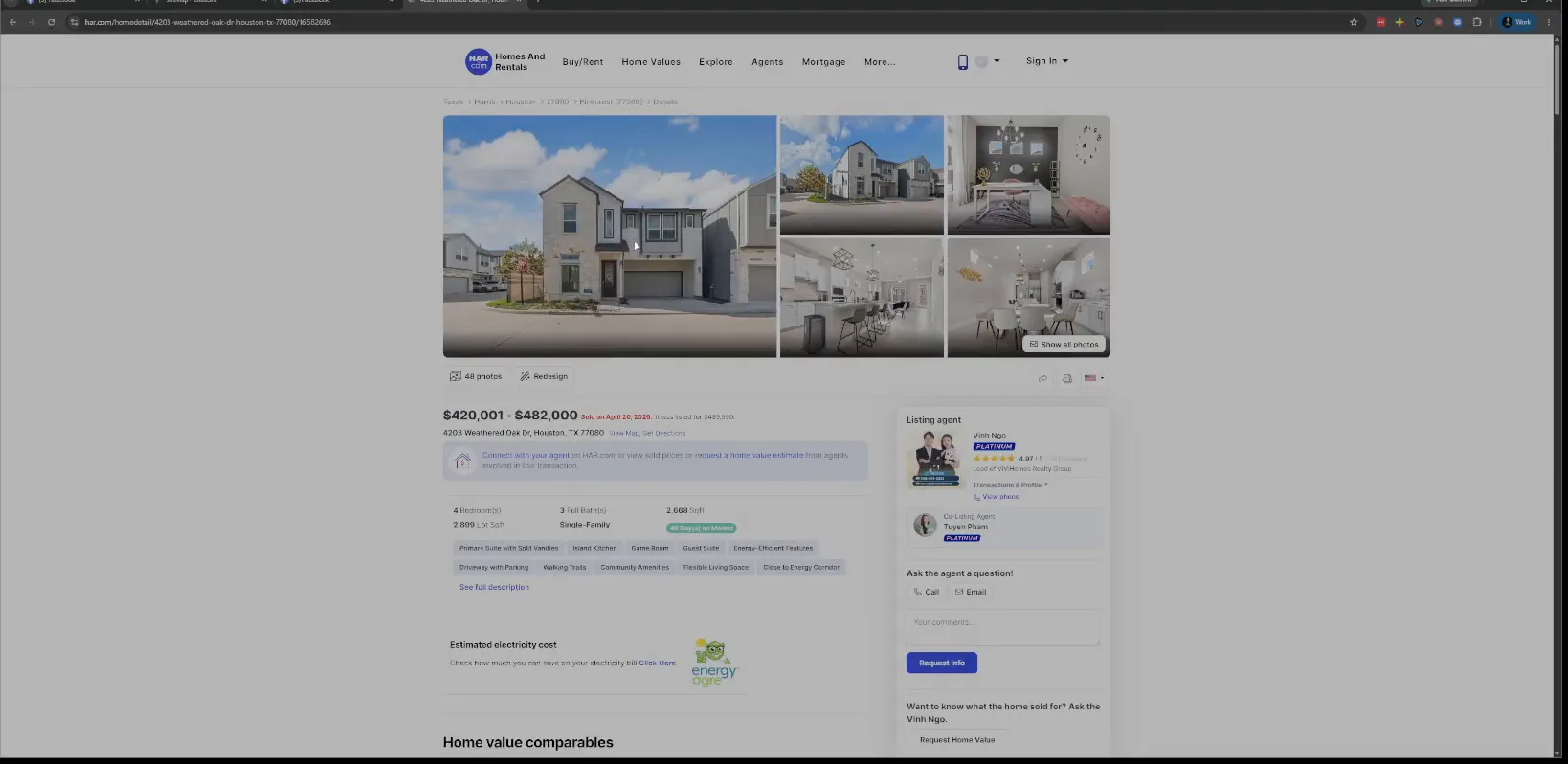
Open the HAR listing and read the price and agent.
The listing page carries the address, the price and the agent information. It looks like this would be new construction more than anything. They buy the land.
So I go looking for the age of the property, and the year built comes back 2024. That changes how I read what they paid for it.
Go back to the History tab and read the MLS history.
All three tables are here, the transactions, the mortgages and the MLS history. I wonder if there's another short sale or something, because it's interesting.
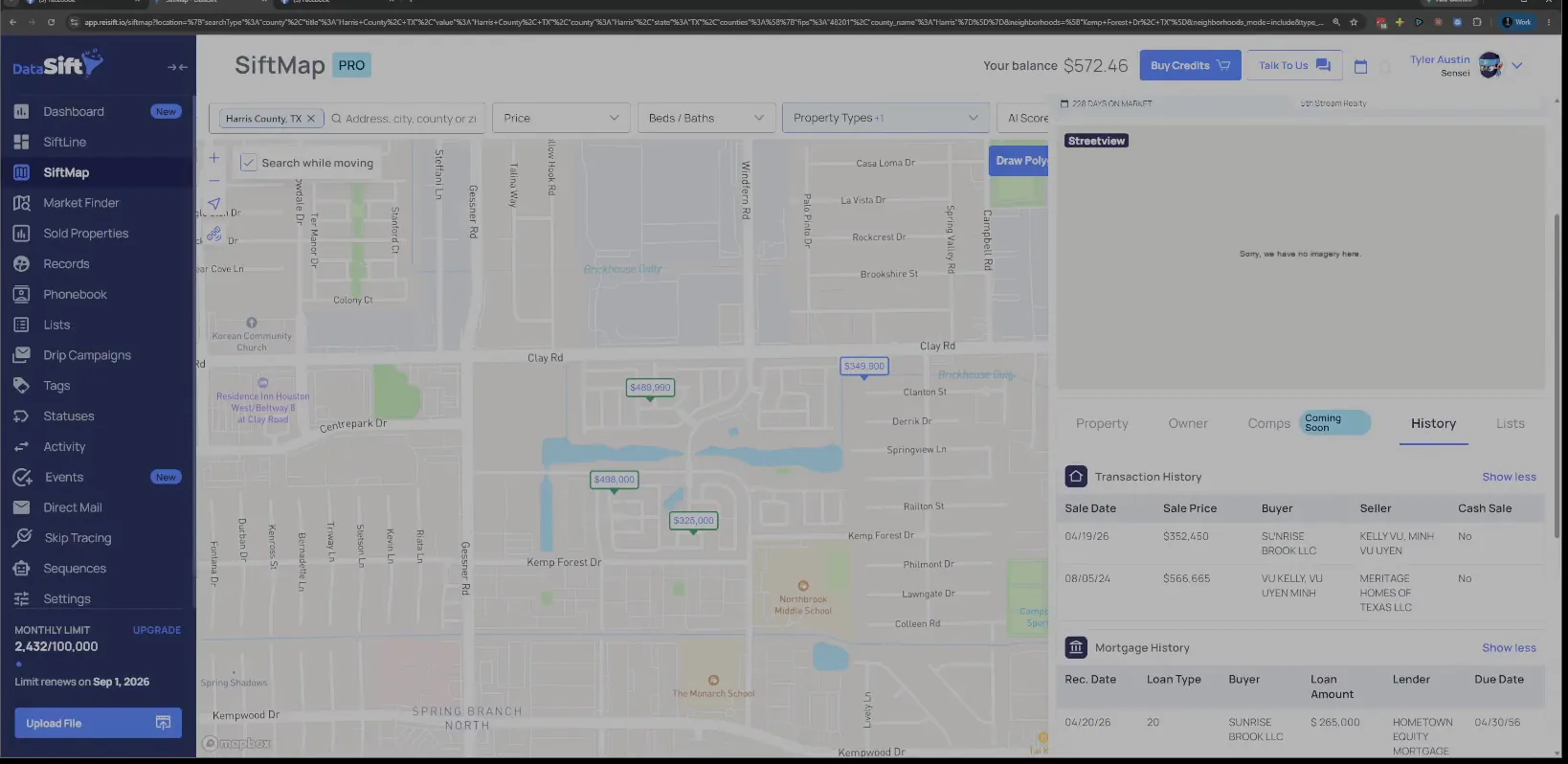
Compare the purchase row with the resale row for that LLC.
Either way, I'd take a look at them. I'd look in the LLC and see what it is.
Clearly, they bought it and they have resold it. That is enough to keep the name.
Read the sold price on the details panel against the listing.
Let's look at this price and make sure it aligns. What is this website? Give me Zillow, I'm going to go see the listing.
Open the Zillow price history for that address.
So they did list it, and it is removed. And when pending, I can't tell what's happened, to be honest with you.
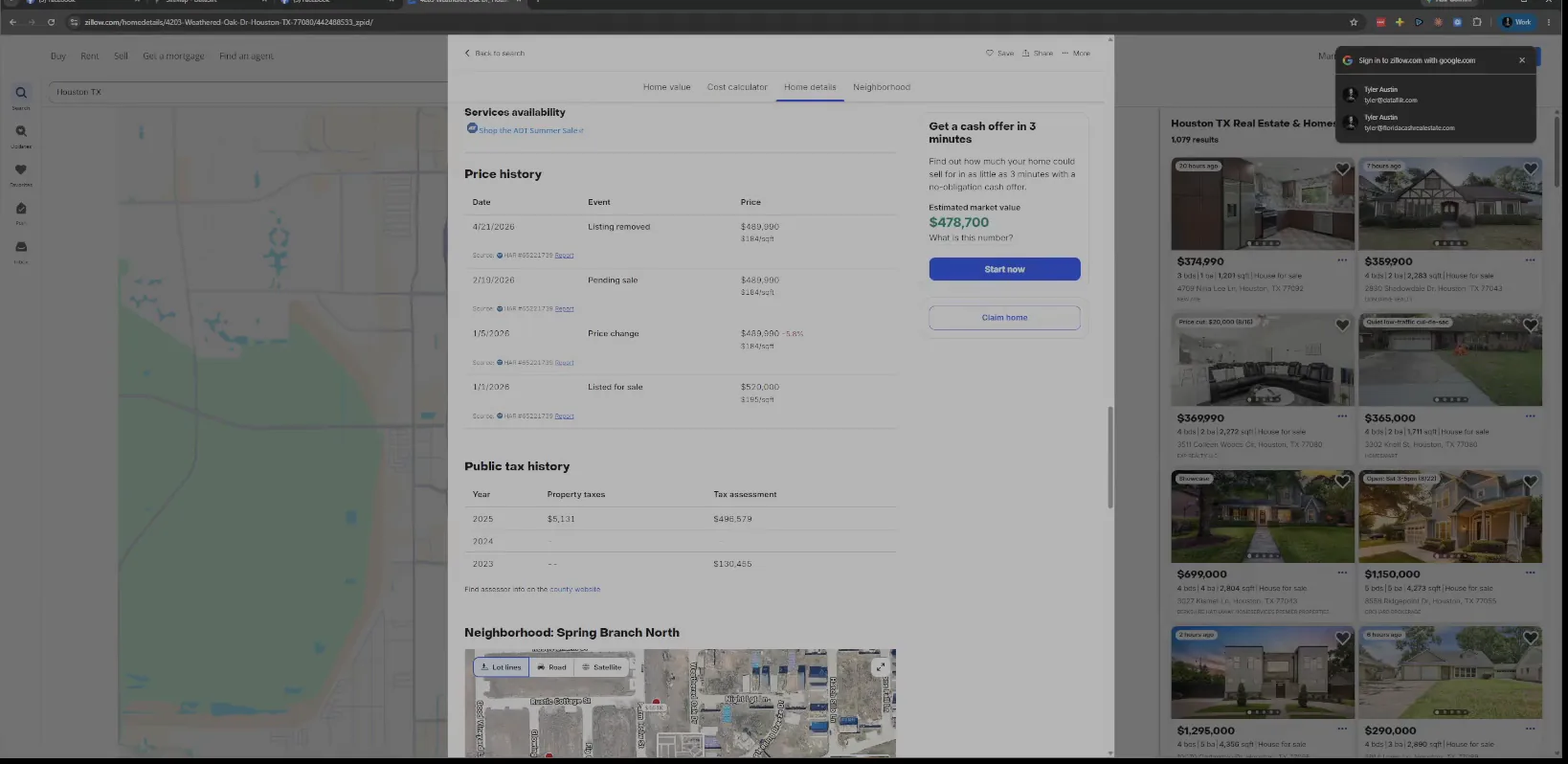
Return to the History tab and note the neighborhood name.
So now if I have a buyer again, what was this neighborhood called? I want the name because the next thing I do is filter on it.
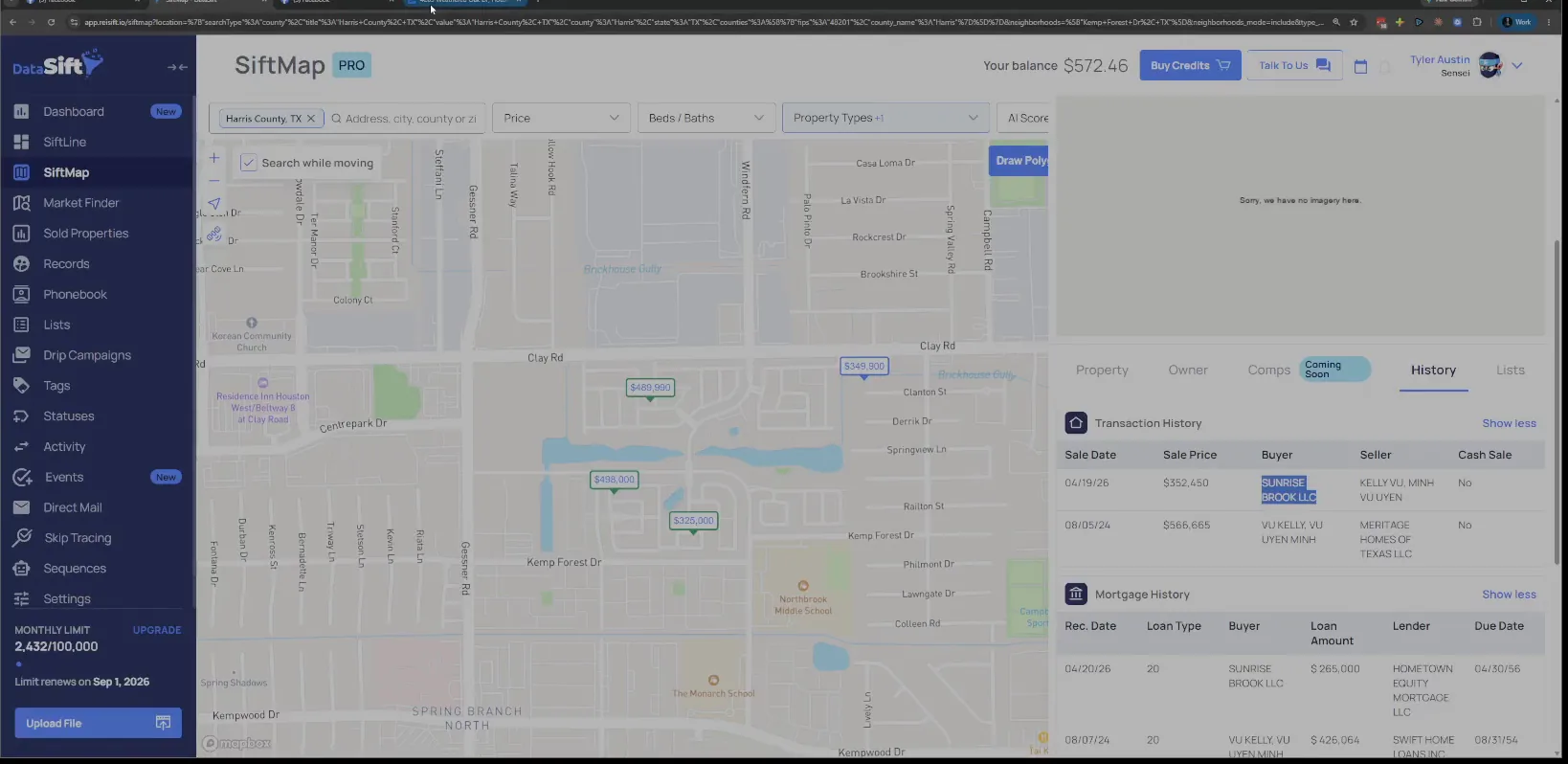
Pick Hillmont Drive in the filter, then click apply.
Let's just only do that neighborhood real quick in our filter here, click apply, and then cancel that. Now you can see I'm filtered by that neighborhood and the results panel only carries its properties.
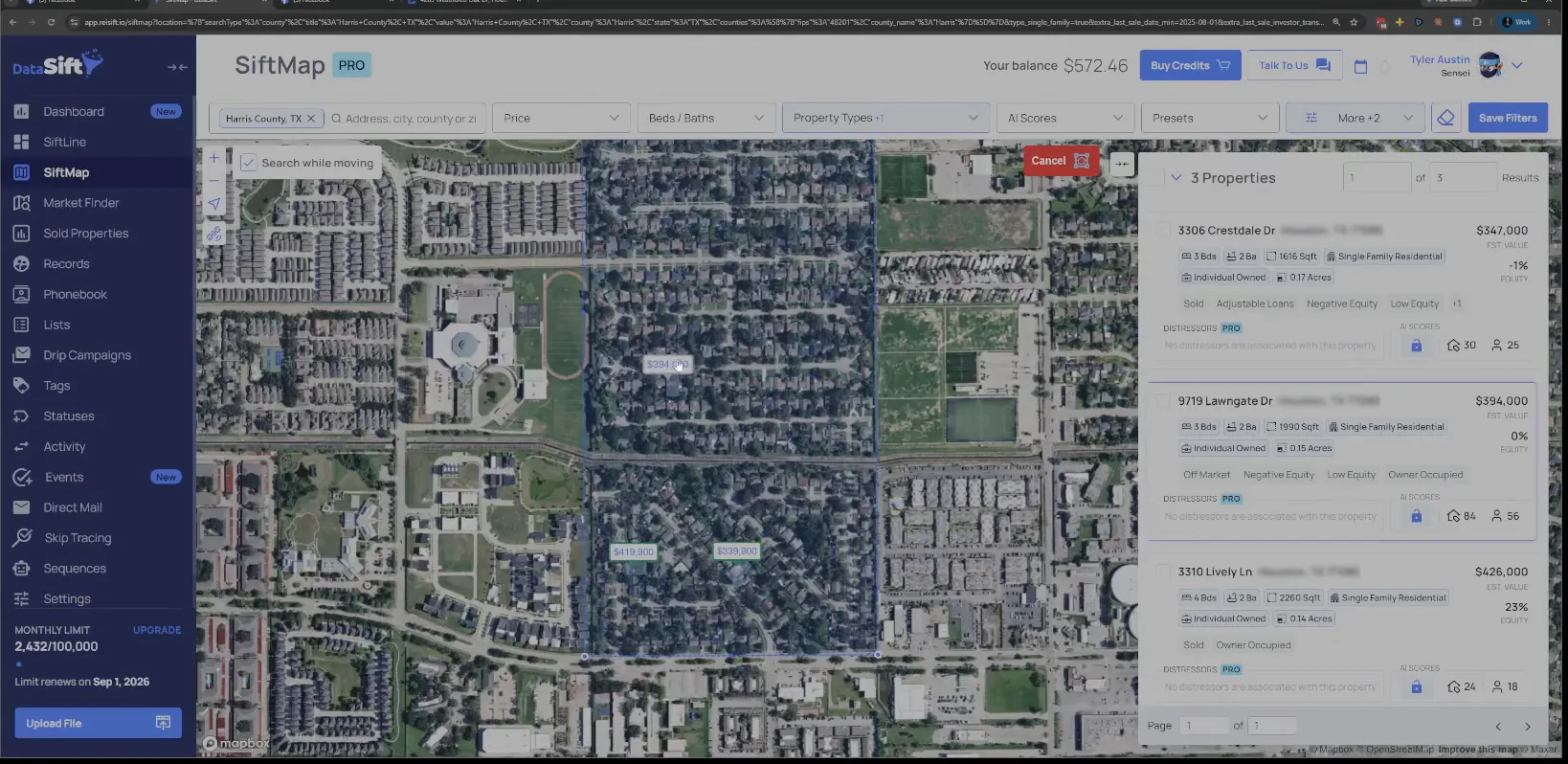
Read the investor transactions in the filtered results panel.
The panel now shows only what sits inside that neighborhood, and those are the investor transactions in it. Next I want to see how many actual properties exist and have sold since August.
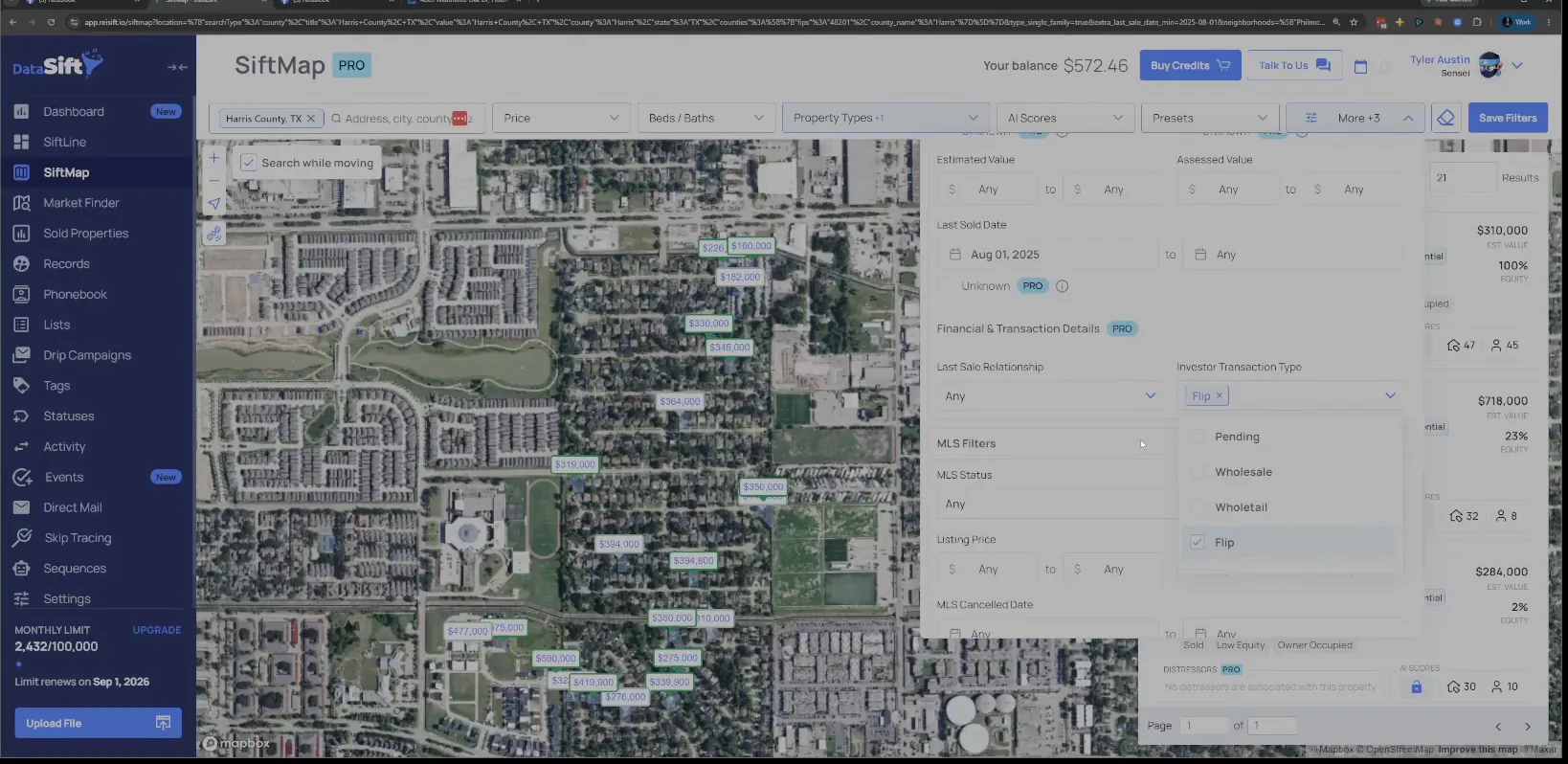
Set the last sold date to August and transaction type to Flip.
That is a whole year of sales in this neighborhood. Some of this area is split, so there's some up north that is part of this neighborhood, and some that is not.
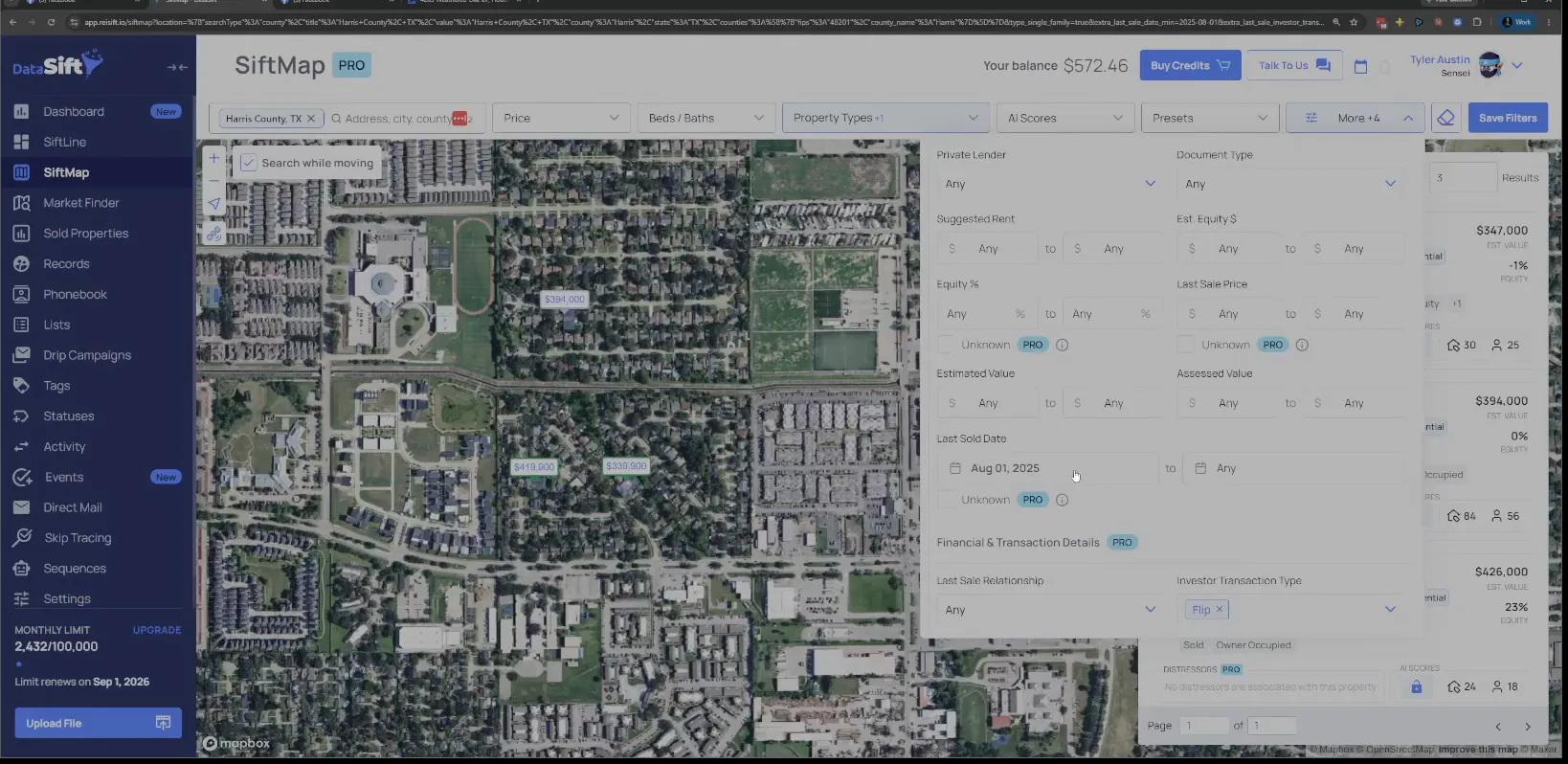
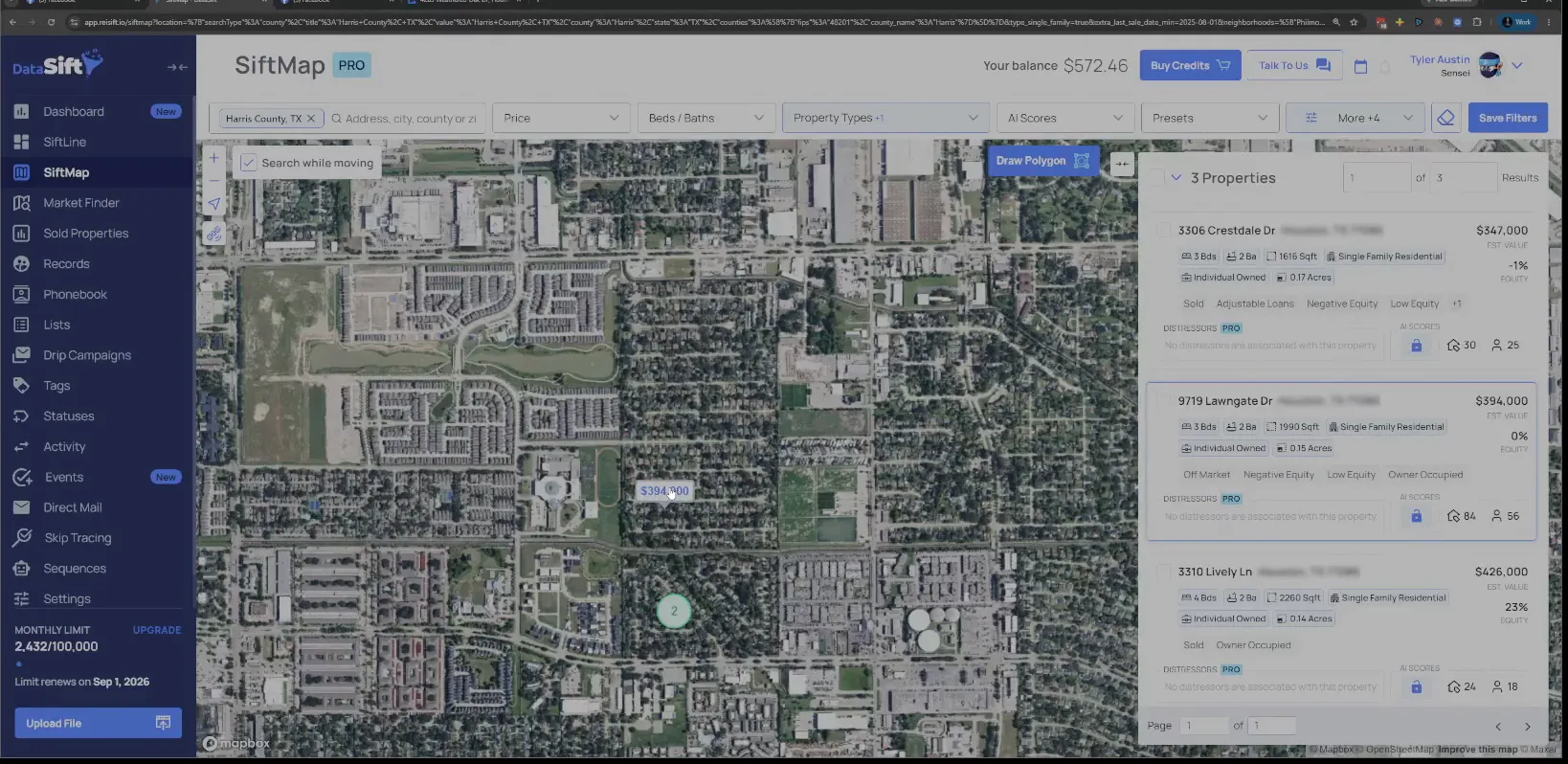
Scan the price tags across the filtered map.
There's like a sliver of these properties that are part of that other neighborhood, but there's quite a few that are separating across. Interesting.
So anyway, let's go back and filter by the flip again. I just want to click on a couple of those addresses and take a look at them.
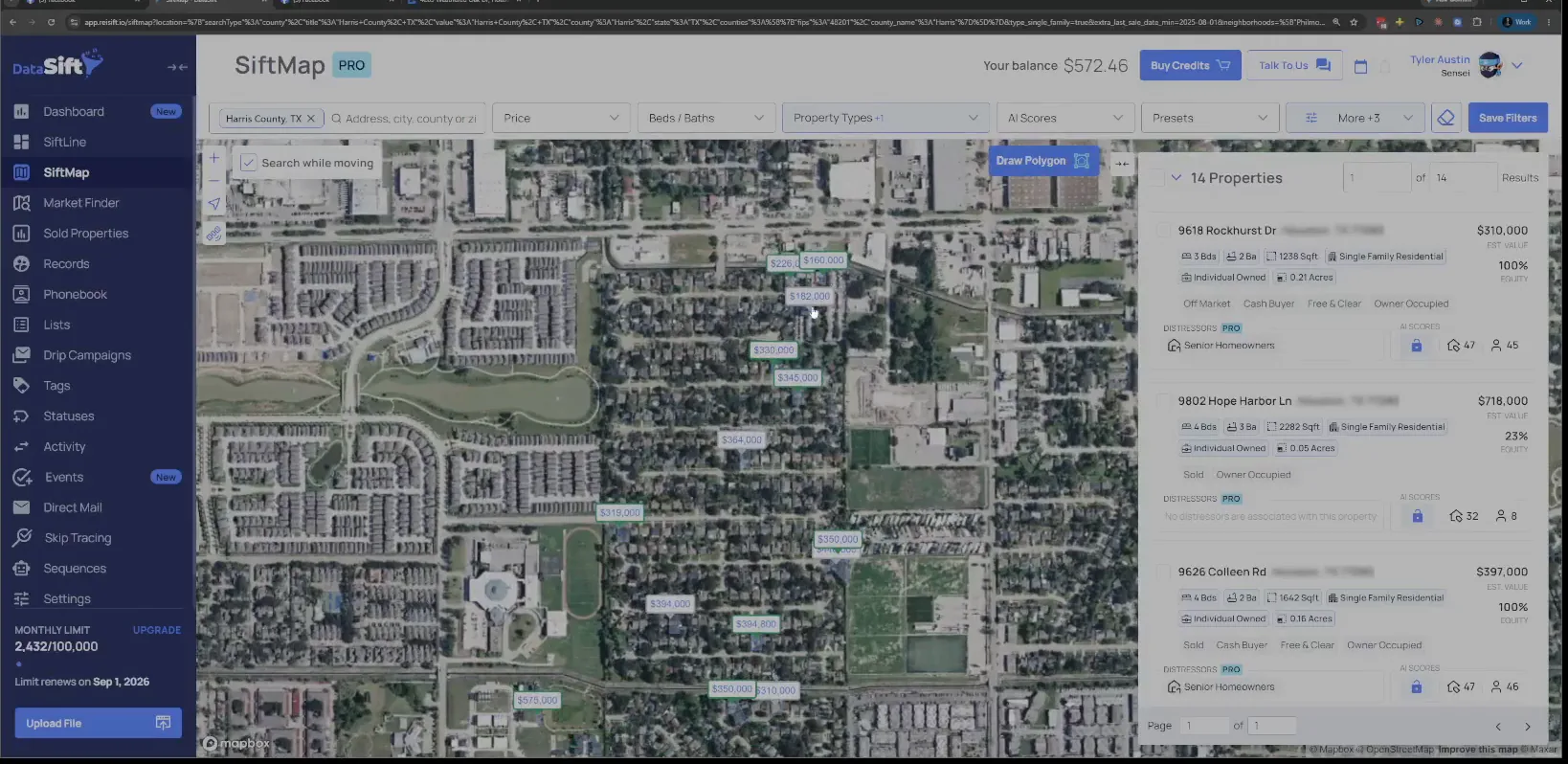
Set Investor Transaction Type back to Flip.
With the flip filter back on, the map holds only the flips in this neighborhood. So let's open that one up.
Open the address, then click the History tab.
The details panel comes up with the address, the sold status and the owner. History is where the names are.
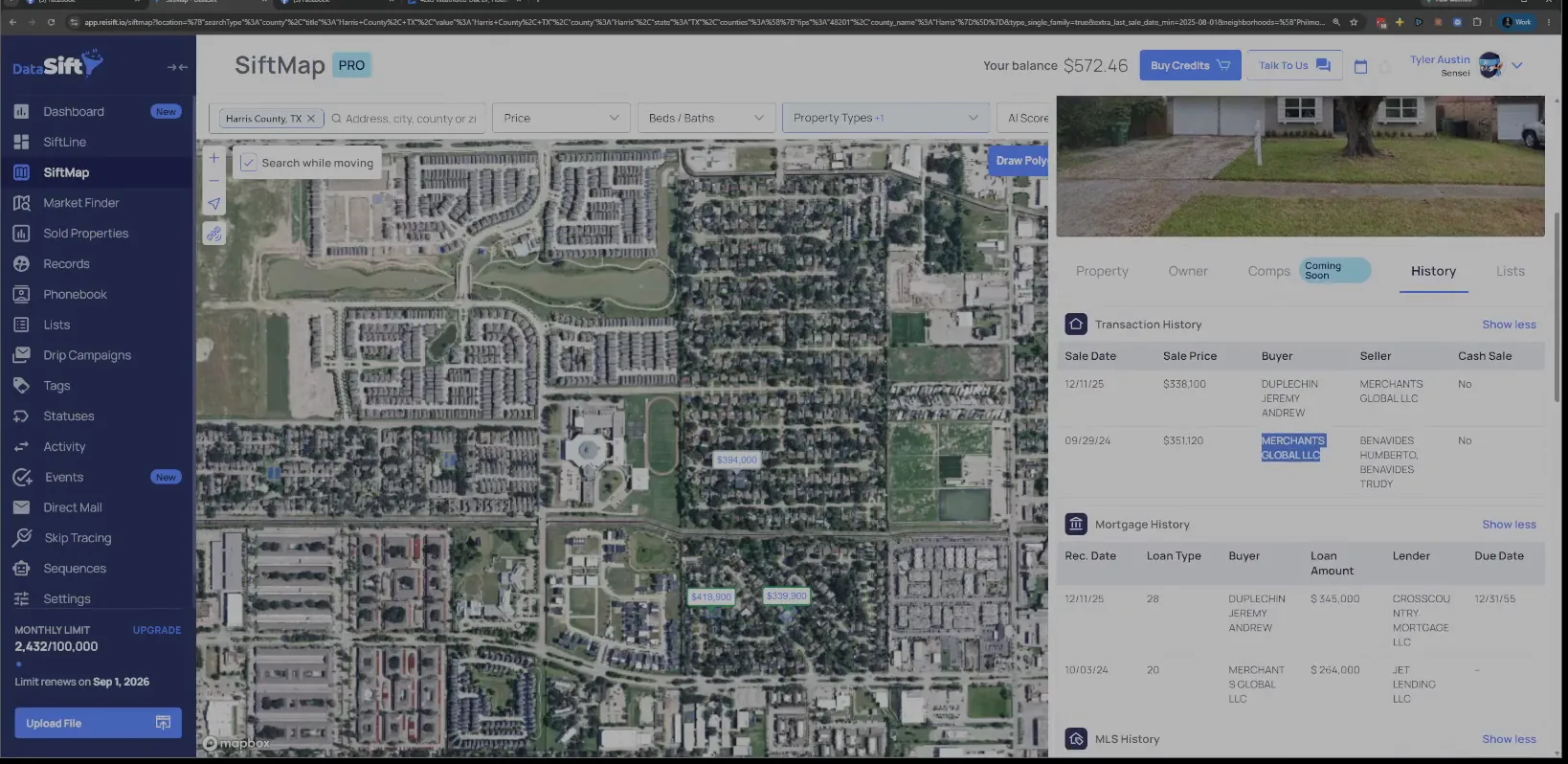
Read the Merchants Global LLC purchase and sale rows.
Merchants Global LLC purchased it and then sold it. They put a loan against it, and that amount shows in the mortgage history below.
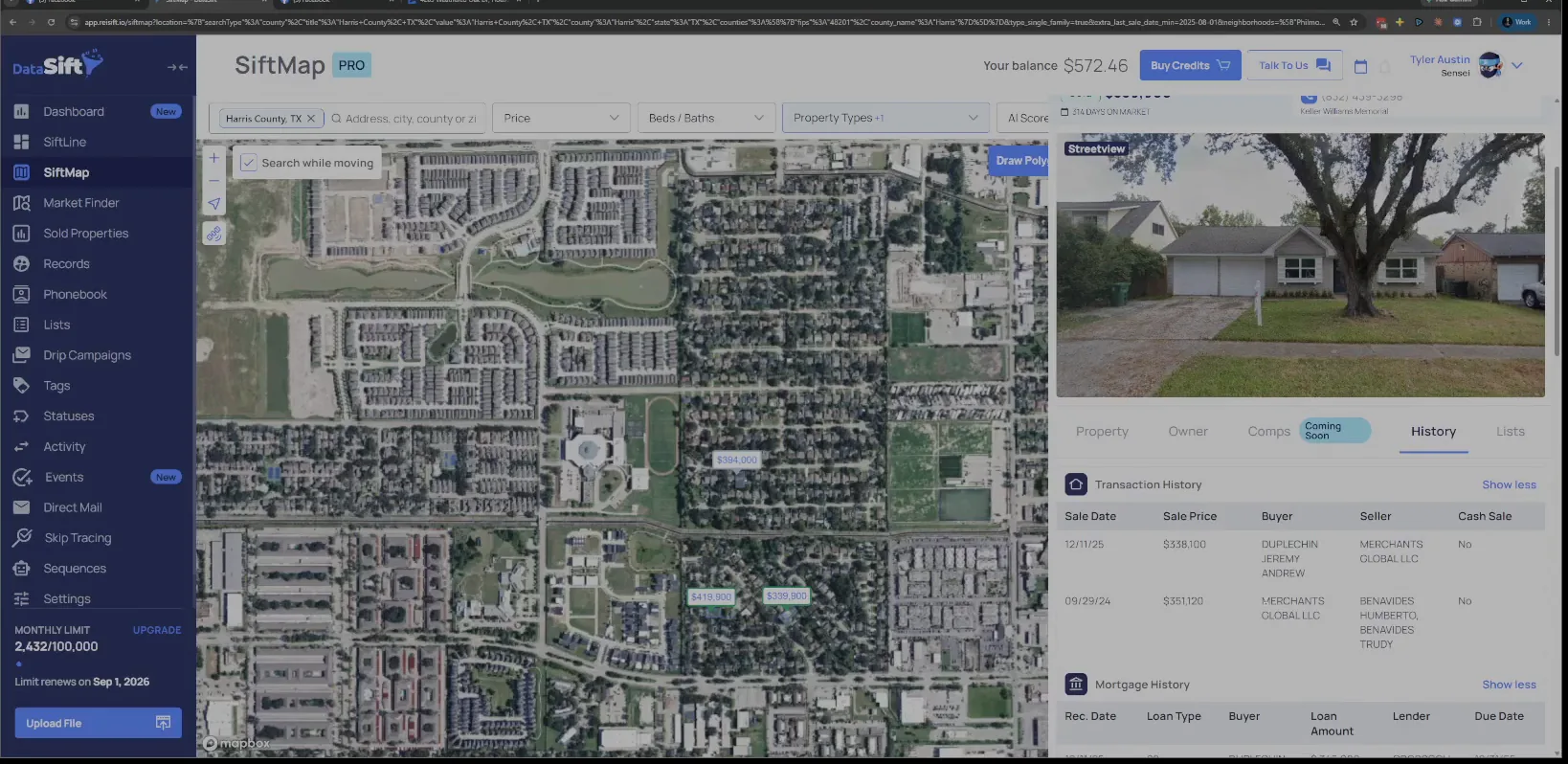
Grab the entity name and the listing agent's information.
So remember, Merchant Global is the flipper. How they flip and what they do, I don't know, but I'm just gonna grab their name.
I see that this agent knows who they are, so I'm gonna grab their information too. Then I go back to the map.
Open the next address and read its Transaction History rows.
Harker Homes LLC and a second LLC both sit in this table. Oh, we got a double closing here.
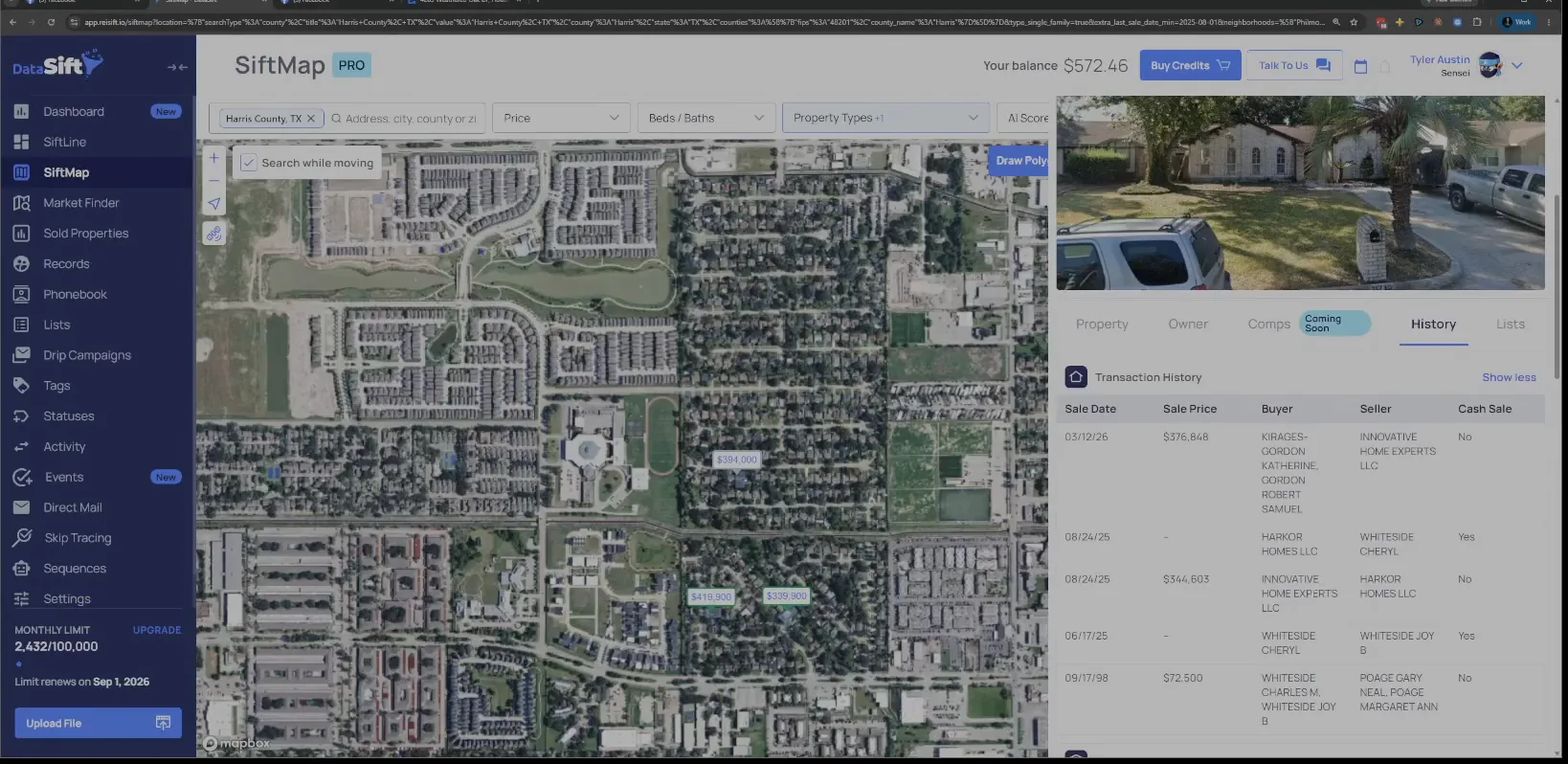
Read the buyer names down the transaction and mortgage history.
The panel carries several names across the two tables, including Harker Homes and the LLC that bought from them. That buyer is the flipper.
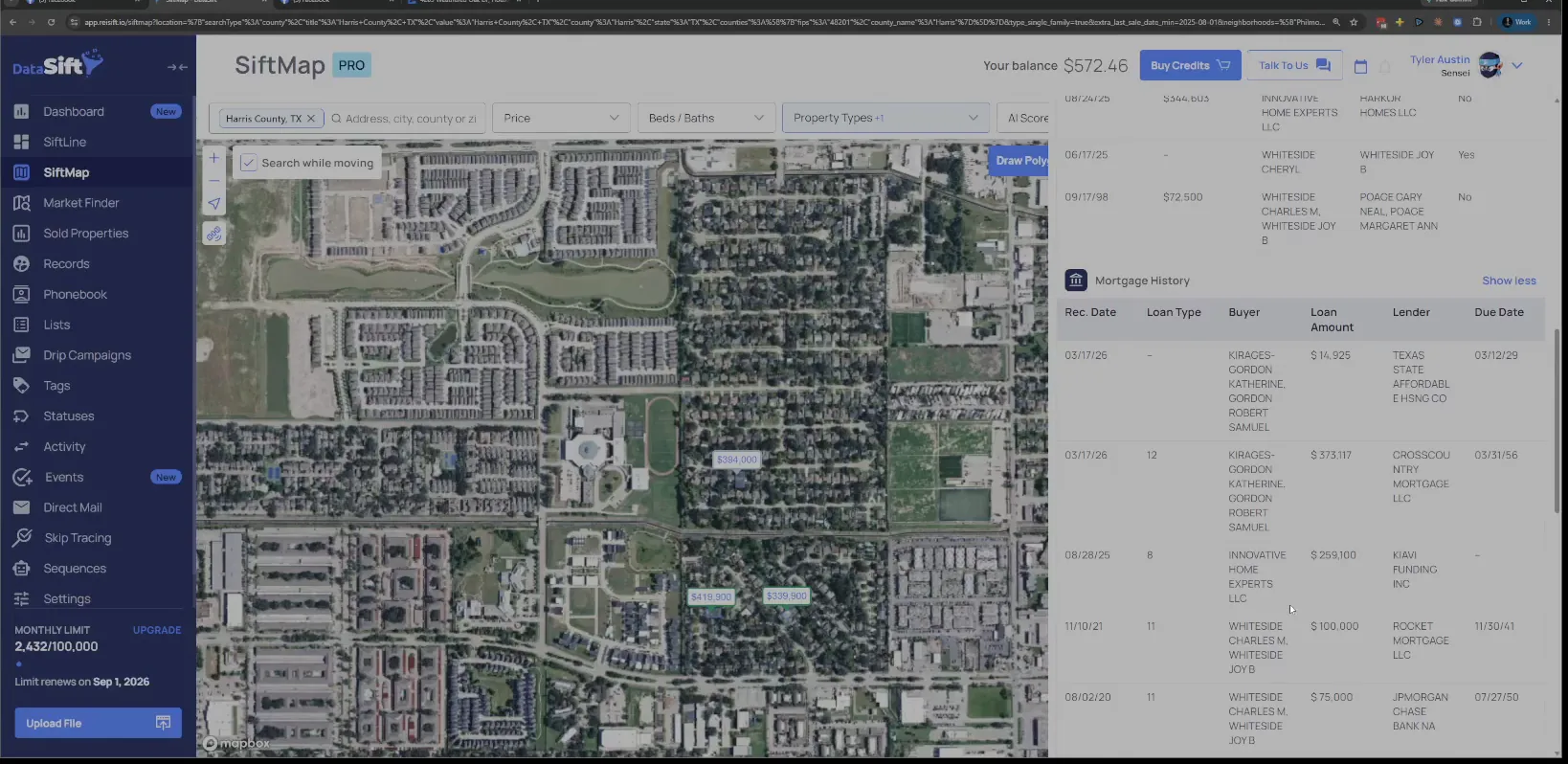
Read the row where Harker Homes sells to the other LLC.
Harker Homes is the one who wholesaled it, so Harker Homes, they are a wholesaler. Now they could buy deals too, but they definitely double closed this one.
And the LLC that bought from them is a flipper. Because they already sold it, I would open that up and see who listed it.
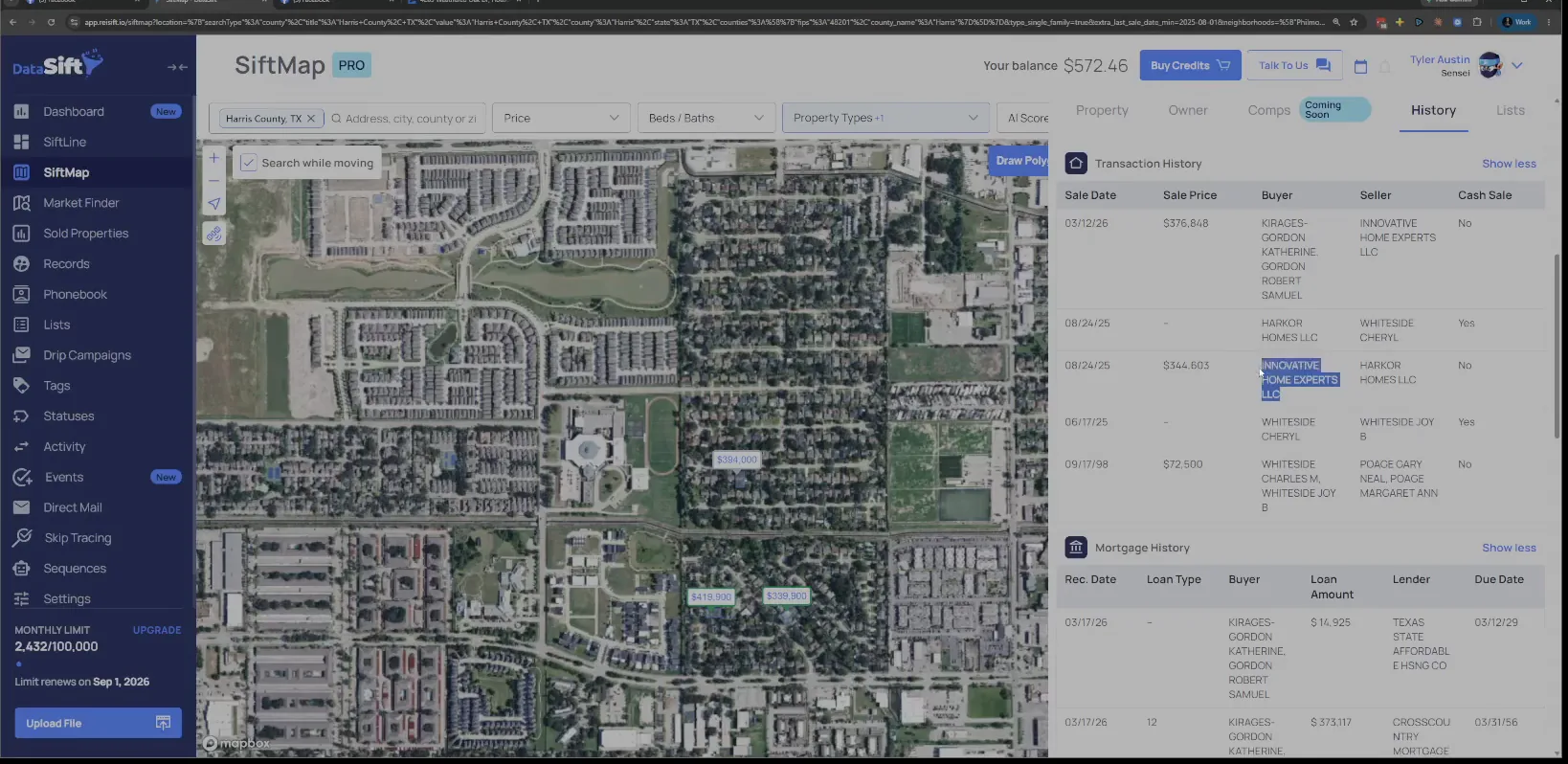
Open the sold listing and find who is the listing agent.
The panel shows the MLS status, the photo and the buyer and seller data on the History tab. That agent is who I would reach out to.
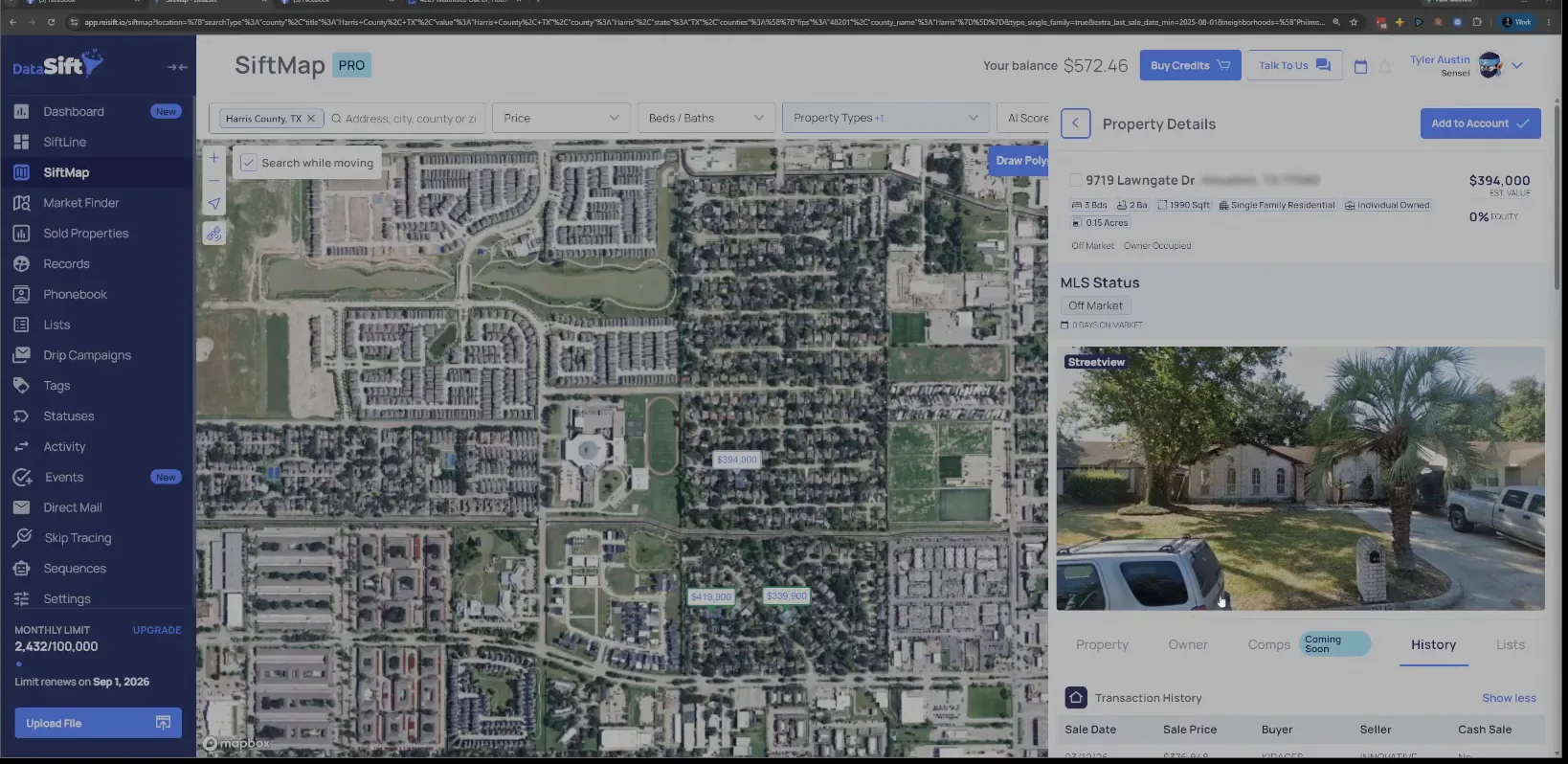
Open the last address and read the buyer and seller columns.
The transaction history comes up with buyer, seller and sale price side by side. Let's check this last one here.
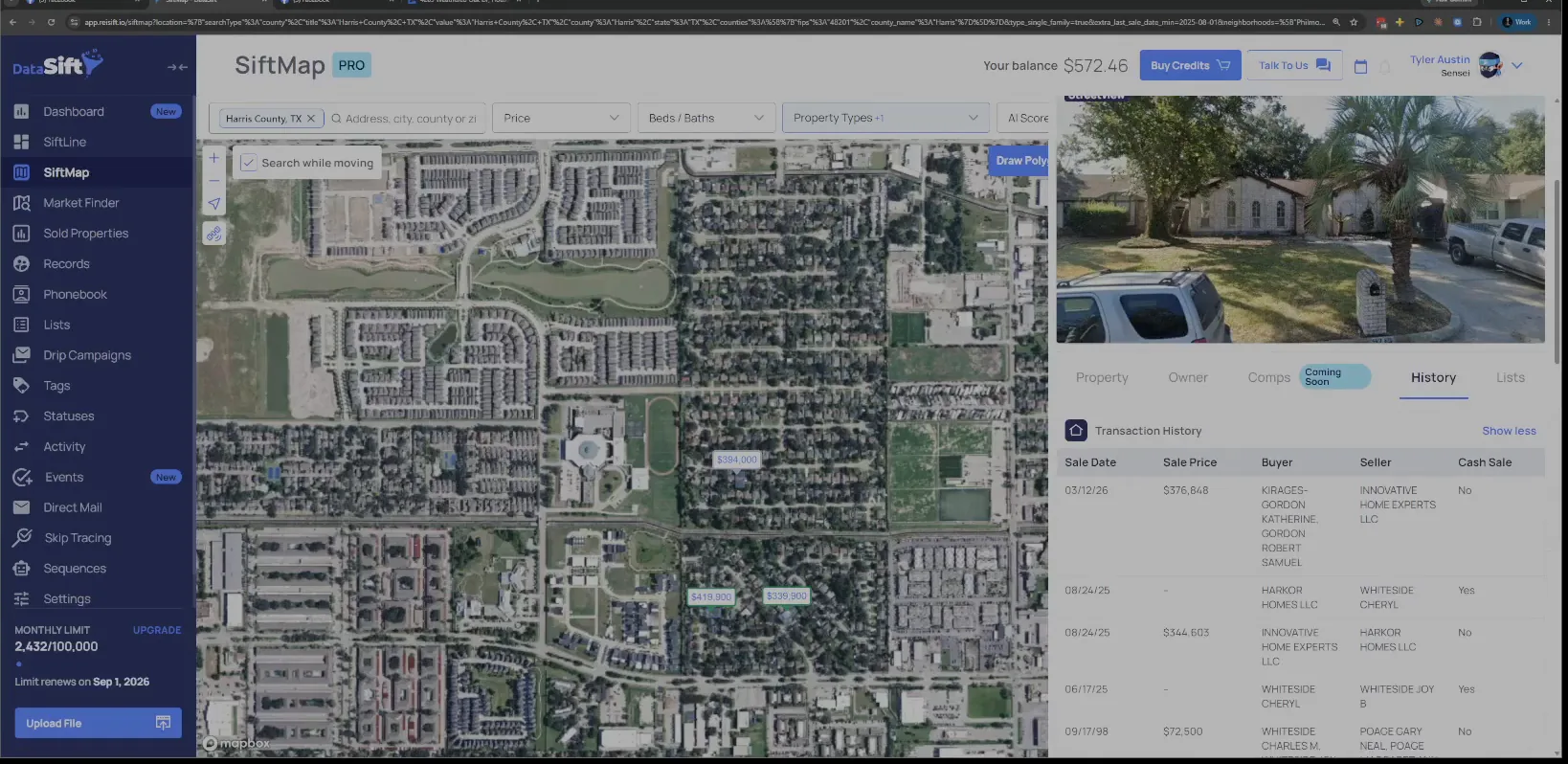
Check the cash sale column on the Gold Coast Equity row.
Oh, look. Gold Coast equity. Didn't we see them earlier?
They're that so now we just got double validation that Gold Coast equity is some form of this was back in 2021.
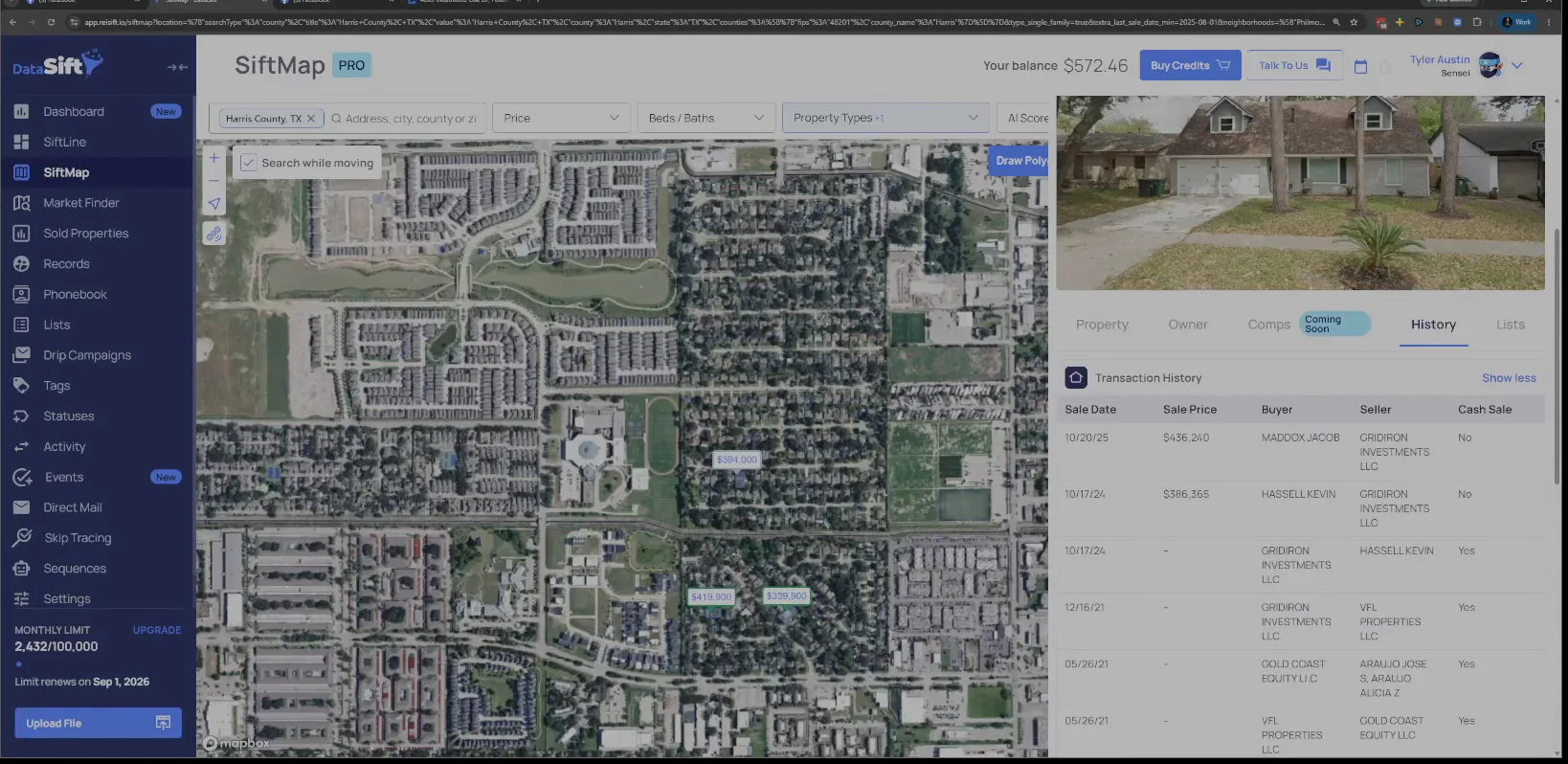
Read the Gridiron Investments rows under Gold Coast Equity.
They got something going on in this neighborhood. What we're really looking for is Gridiron Investments here.
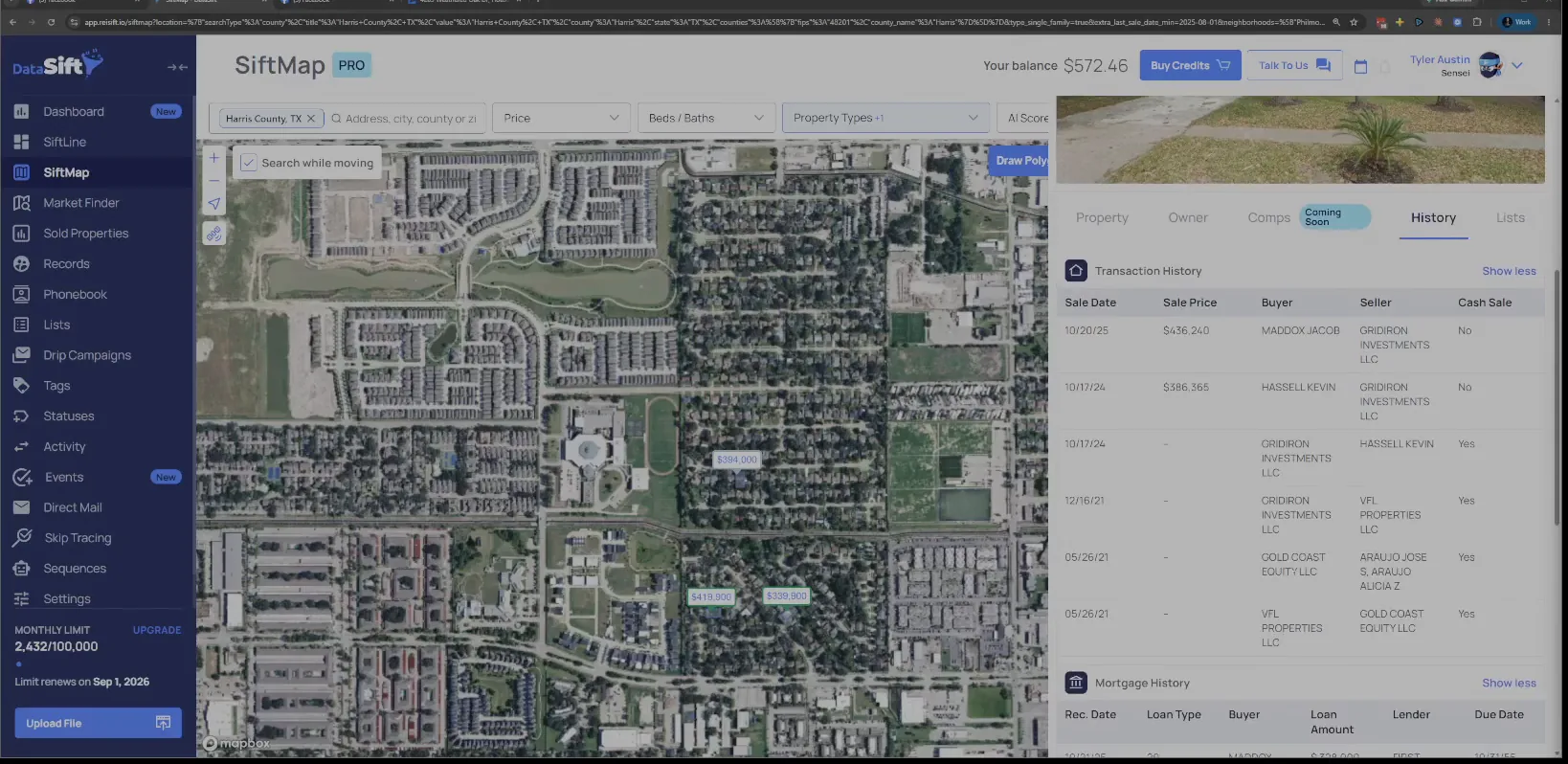
Follow the Gridiron Investments bought and sold rows to the resale.
Bought and sold it, and then it sold again. So something interesting happened here, but this is the entity that we care about.
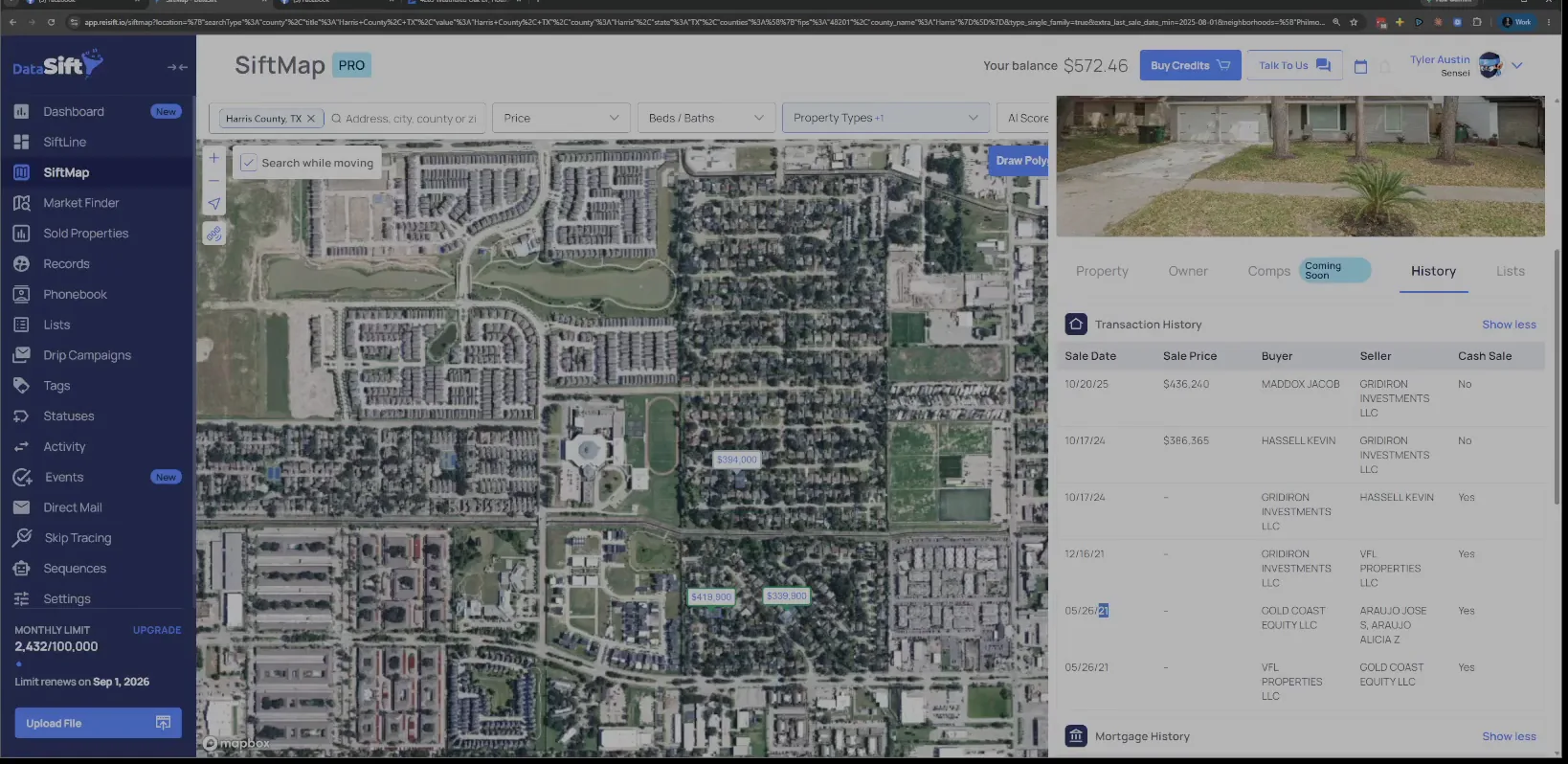
Stay at the neighborhood level while you collect the names.
Really what I'm doing here is staying at the neighborhood level and finding the people operating within that specific bubble. In smaller markets it doesn't matter as much, your neighborhood level is going to be too narrow.
In bigger markets I can sit here and go through a few neighborhoods, then target that whole zip code for marketing.
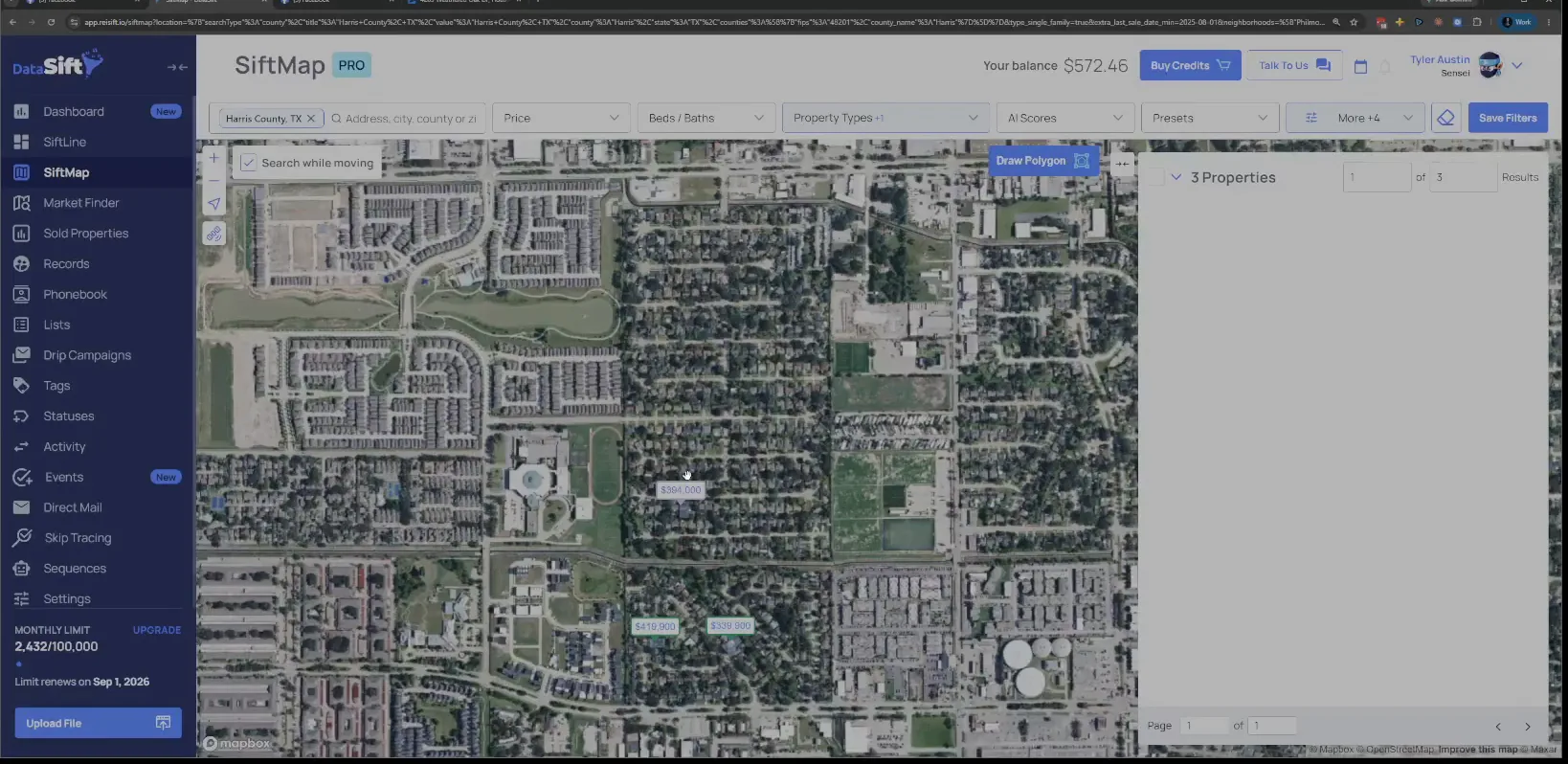
Repeat this on the recently sold flips every month.
Work it that way and I have a solid set of buyers without having to do that much. I just build my list and build my connections.
And I could just do this on a monthly basis, just come in and grab the new recently sold properties over that last month that were flippers, right?
BEFORE YOU MOVE ON