REI Mastery
Sequential Marketing
Every marketing motion in one place: channel order and cost per touch, compliance, niche and bulk sequential set up end to end, the full attempt and click-to-dial, phone scoring with Trestle and phone reputation, the SMS agent, email, direct mail, and the rehash and not-interested cadences.
Prep for Week 2: Marketing, live Tuesday, October 130 / 18 lessons complete, 5 coming soon
All modules
Tools and guides for this module
Niche Sequential MarketingWork every niche record through two channels from day one: a staged call cadence plus a 6-piece rotating mail sequence, built as DataSift filter presets.Bulk Sequential MarketingOne 6-attempt call cadence and one 6-piece mail sequence over the entire validated universe.Channel Order and Cost Per TouchThe cold call leads every list.Direct Mail MasteryMaster the three mailer types, sequential mail strategy, and full DataSift direct mail platform walkthrough.The Doors Per Deal toolLive toolPick any of 3,144 U.S. counties and see which list is worth marketing to, before you spend a dollar on it.Phone Scoring & Spam ManagementScore phone numbers with Trestle, apply the 5-Tier Dial Priority system, then monitor your own caller IDs for carrier spam flags with Number Verifier.
Channel order and cost per touch
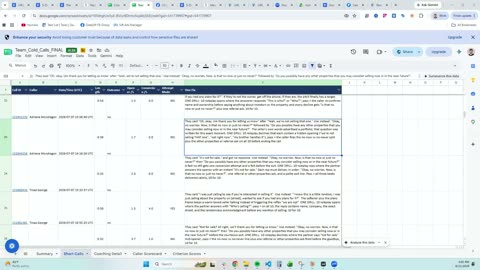 Three ways to start: mail-first, caller-first, or solo prospecting
Pick between direct mail with inbound calls, a hired caller, or prospecting yourself after work, based on the time and money you actually have.
3 min
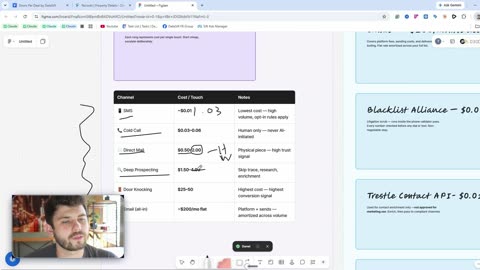 Channel order and cost per touch
Cold calls run about three to six cents a touch and door knocks $25 to $50, so you spend from the cheapest rung up and run channels in parallel.
13 min
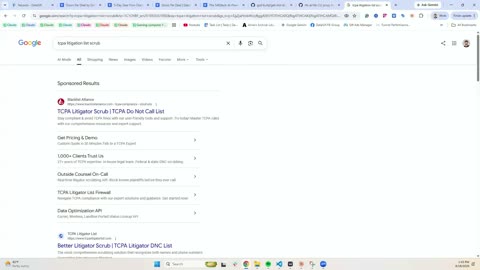 DNC, straight outbound, and the tools behind each channel
Where Do Not Call rules bite on straight outbound, and which tool handles each channel so your calls and texts stay inside the carrier rails.
8 min
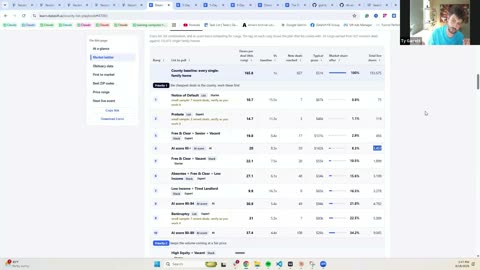
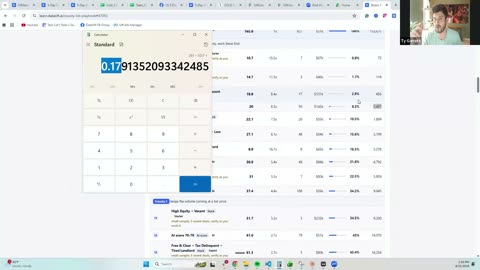 Channel contribution math on a real top list
Walk through what each channel added in contacts on one real top list, so you can see which touches are worth stacking and which to cut.
7 minNiche sequential marketing
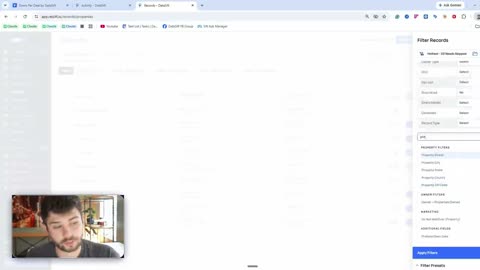 Sequential marketing: the full setup
Build the whole motion in your account, from numbered filter presets to the niche click-to-dial flow and the rehash campaigns that recall correct numbers.
36 min
 The full attempt: the unit of work
One attempt means a call, a voicemail and a text from the same number, and you run four to six of them per record before it leaves the motion.
4 min
 Click-to-dial tooling and working attempts backwards
Set up the click-to-dial stack and count attempts backwards from your deal goal, so you know how many records a day one caller has to work.
5 min
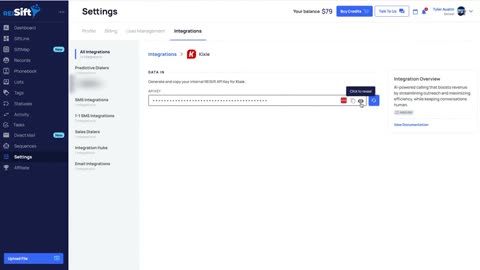 Setting up the Kixie calling integration
Paste your DataSift API key into Kixie so every call and text from the Chrome extension logs to the Activity Log and the outcome updates phone status.
4 minThe county playbook to build your list / SiftMap mastery
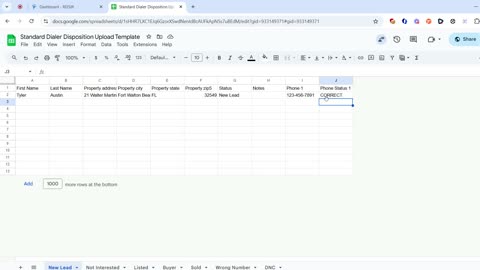 Uploading dialer dispositions
Bring your dialer's call outcomes back into DataSift with a CSV, mapping each disposition column so phone statuses match what happened on the calls.
3 minNiche sequential marketing
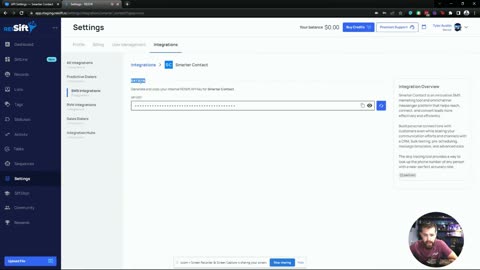 Setting up the Smarter Contact texting integration: outbound and inbound
Connect Smarter Contact, push filtered records over as one contact per phone number, then map its labels so texting dispositions write back into DataSift.
12 min
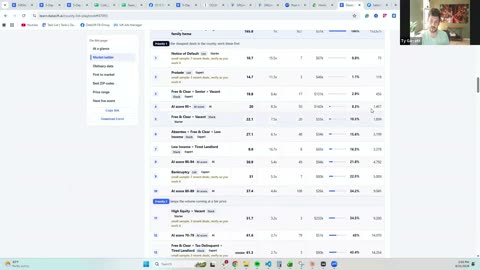 Data turnover and full attempts at scale
How fast to turn over records and how many full attempts each one gets, so a growing list still receives four to six real multichannel touches.
5 minPhone scoring with Trestle
Phone scoring with Trestle: the setupScore every number with Trestle before you dial, load only the Dial First and Dial Second tiers, and cut roughly half the dead numbers from the list.
Coming soonPhone reputation and spam remediation
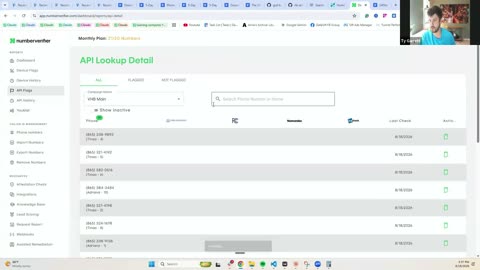 Number Verifier and Trestle: what the carriers see on your numbers
Check what carriers actually display for each of your outbound numbers, then remediate the spam flags before your dials stop getting answered.
12 min
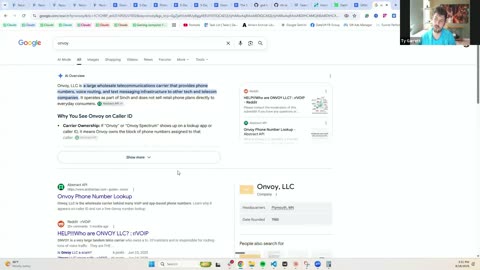 Rotating numbers: build versus buy, and the manual upload
Decide whether to build your own number pool or buy it, and upload replacements by hand once a number crosses your rotation threshold.
11 minEmail prospecting
Email prospecting: the next 5 to 10% contact-rate channelAdd email to the same list for another 5 to 10% contact rate, using Instantly or Gmail while keeping your flagship business domain out of it.
Coming soonDirect mail mastery
Direct mail mastery: what to mail, when, and on what cadenceRotate handwritten letters, family postcards and soft offer checks monthly instead of repeating one piece, and mail your no-number records first.
Coming soon
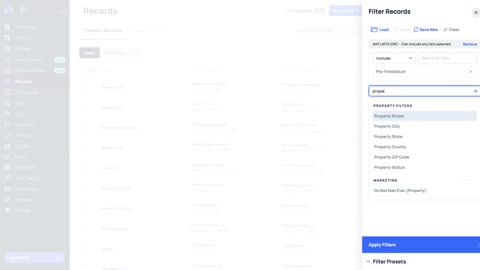 Direct mail marketing filters (mailing through DataSift)
Build the filters that pick who gets a letter when you mail through DataSift, with vacant addresses and returned mail excluded before the pull.
5 min
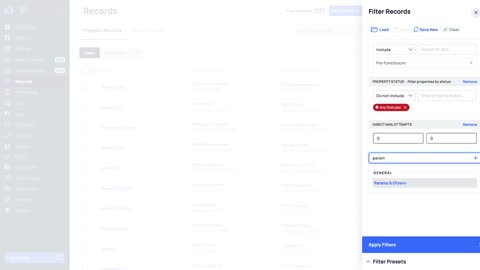 Direct mail marketing filters (sending outside of DataSift)
Set up the presets that pick records for an outside mail house or printer, one preset for the first touch and one for the follow up.
6 min
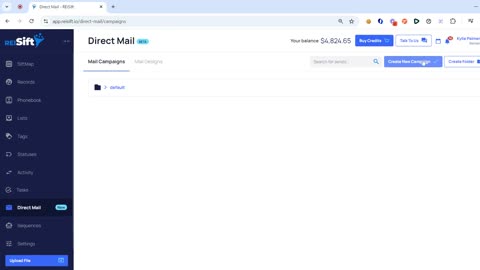 Creating and sending direct mail campaigns
Send a mail campaign from your record list, choose the piece, and confirm it went out by checking the tracking number on the campaign.
7 min
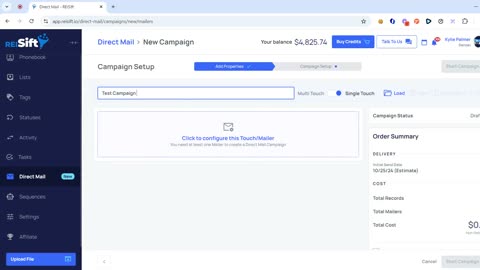 Direct mail campaign templates
Save a mailer as a reusable template with your contact details confirmed, so the next campaign fills the fields in instead of retyping them.
4 min
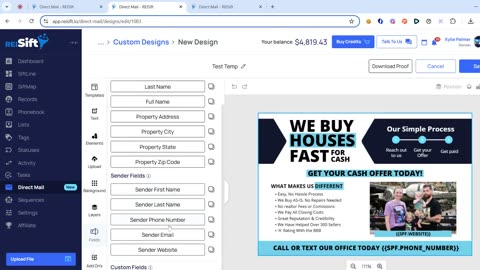 Setting up default return and contact information for direct mail
Store your return address and contact details once so every mailer fills those fields in automatically and replies reach the right phone number.
2 minEmail prospecting
Door knocking: the most expensive touch, and where it paysA knock costs more than any other touch, so it pays on saturated lists like auctions and probates. See where it fits and how to route the doors.
Coming soon
Meta ads to your own list: the seventh channelUpload the list you already texted, called and mailed as a paid audience, so every other channel lands on someone who has seen your name.
Coming soon