
PART 1
Working the daily presets.
I wake up in the morning, open my filter presets, and work the lead management folder. Call new lead tasks first, then unqualified, then the qualified follow-up. Here is exactly what I click, in order.
Call new lead tasks first.
Open call new lead tasks and check overdue first.
I go to my filter presets, click my lead management folder, then click call new lead tasks. By default I want to check my overdue tasks. Boom, I have one there.
Then I ask if I have any due today. The one that is there is also overdue, because it is due the same day. I filter by that one and select it.
Then I call them. I click on the phone number, which is not on this record right now. But it would be there, and it would be a correct number.
Morning order
Work the presets in this order every day.
- 1Lead management folderOpen your filter presets and click the lead management folder.
- 2Call new lead tasksThis is the preset you open first when you wake up and do your tasks.
- 3Overdue firstBy default you check overdue tasks before anything else.
- 4Due todayThen filter for what is due today and call those records.
- 5Unqualified leadsAfter the new leads due today, move to the no contact new lead status assigned to you.
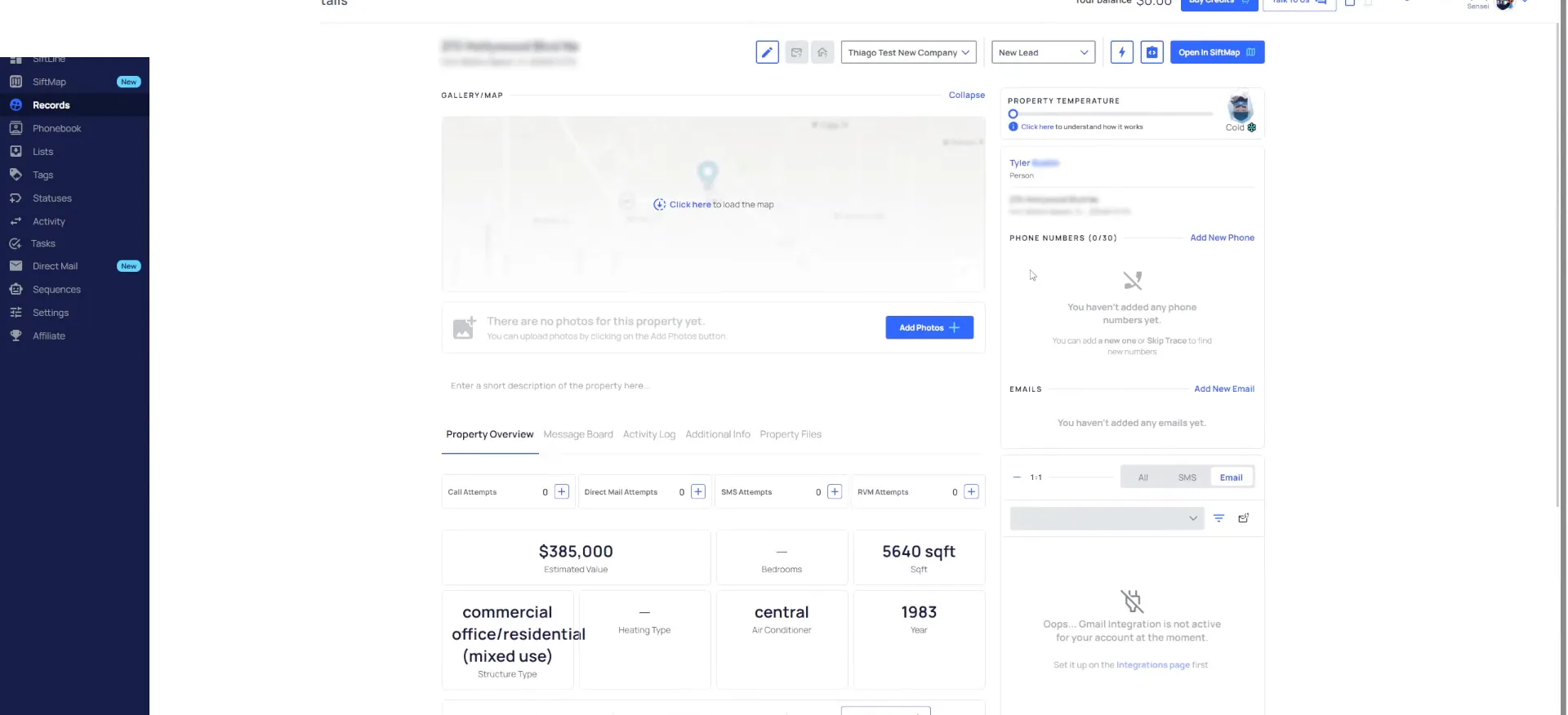
Complete the task, then move them to no contact new lead.
If they do not pick up the phone, ask yourself right now what phase they move to. I called them and they did not answer, so they go to the no contact new lead phase.
I complete my task, then I move them using this board, or this widget. On my Siftline board you can see how this is broken down. My new lead phase holds the unqualified ones.
The unqualified side is split into no contact new lead and nurture new lead, just like those tasks. I want to see how many are on daily follow-up versus weekly.
Well, they're going move to no contact new lead phase in the very first one because I've called them and they didn't pick up the phone.
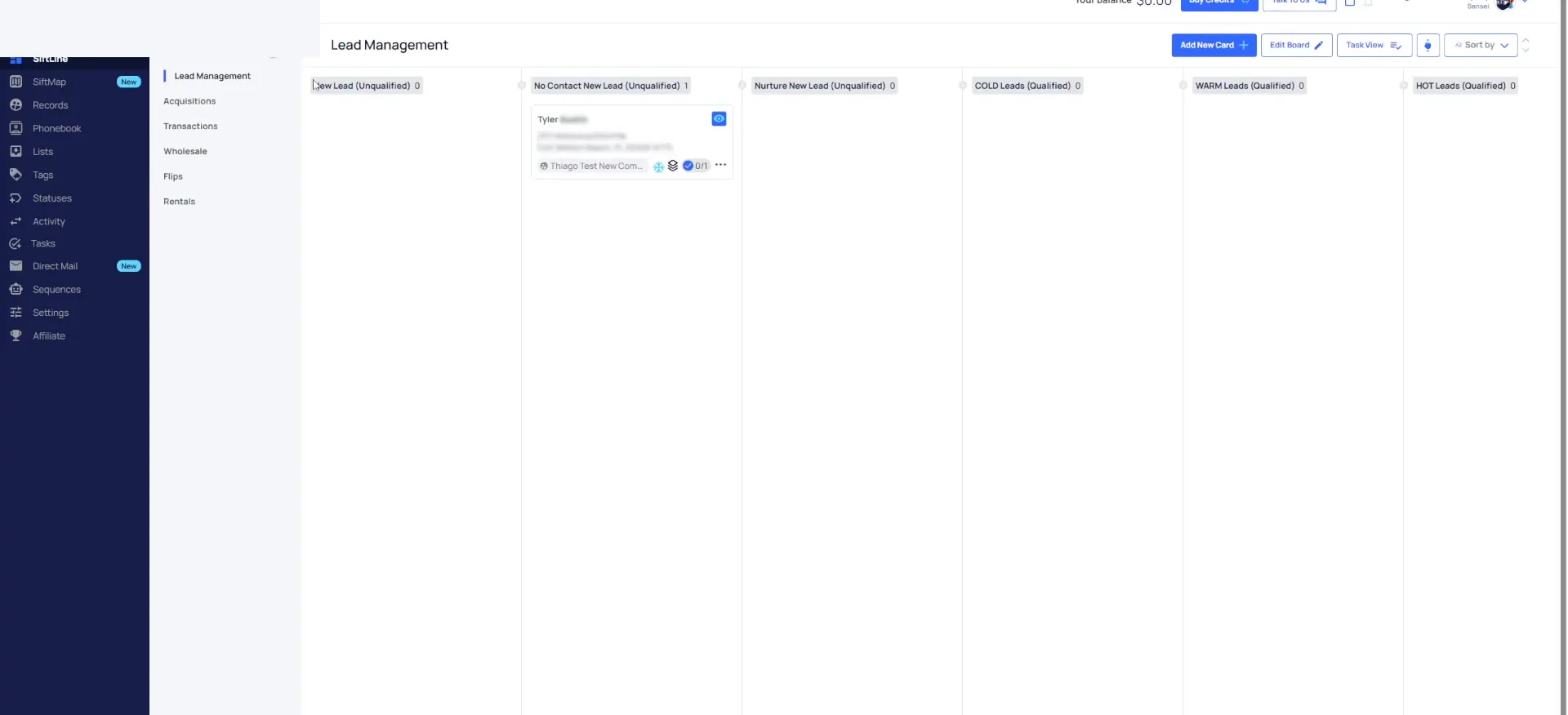
Work off the records page and watch the board.
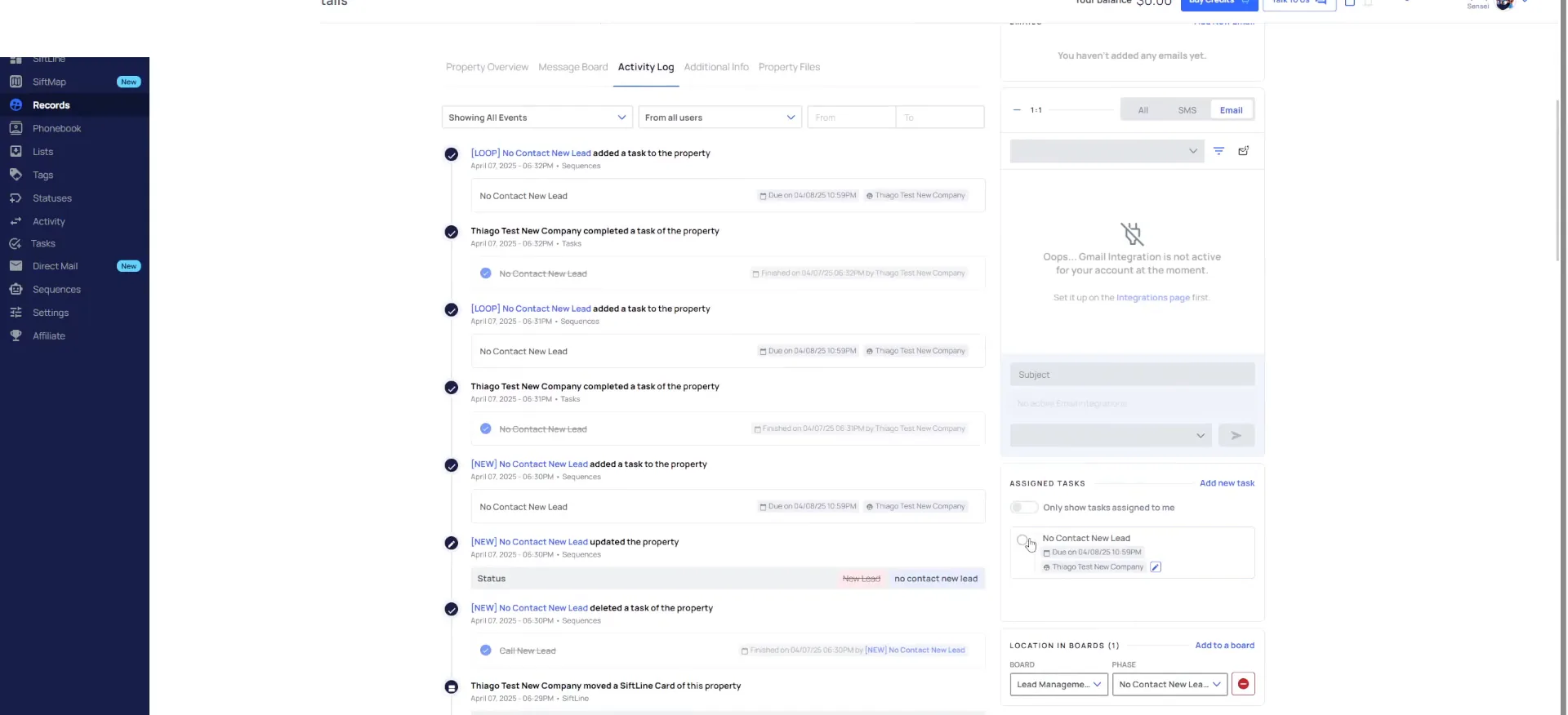
When I open this back up it has the task for no contact new lead now. It also changed my status automatically.
The reason it is a small view is I clicked open the quick view. If I selected the whole record it would open the full view. I can do the same thing no matter where I am at.
I personally always operate off the records page. I use the Siftline board to let me see where things are at in my sales process. After my new leads due today, I move to my unqualified leads.
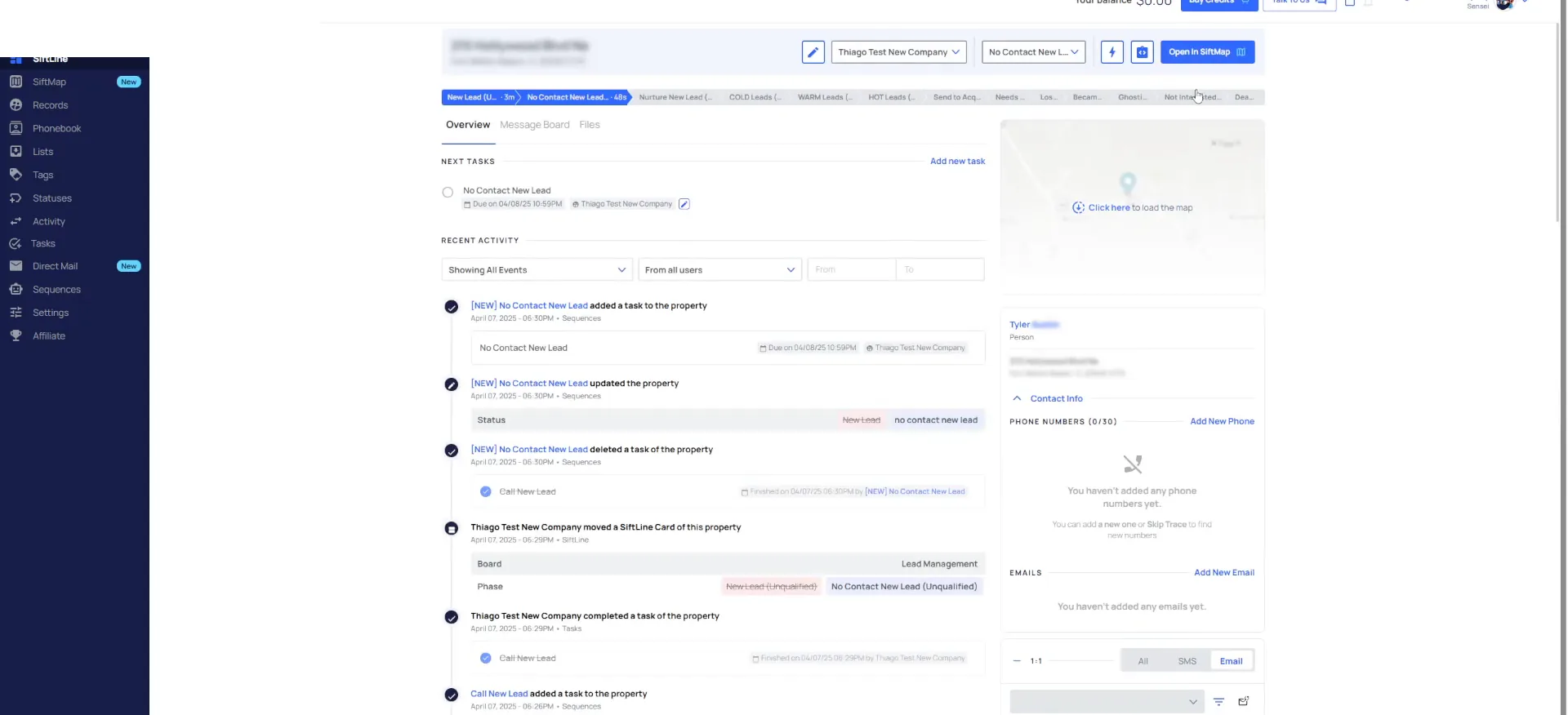
Completing the task adds another.
Complete the no contact task and watch the next one appear.
I select the record, pretend to call it, and they do not answer again. So I complete my task. Watch what happens here.
It automatically adds a second one. In my activity log you can see that I completed the task and it added the next one under this sequence. I call that looping. We looped it.
So anytime I complete this task, it is going to add another one.
If I look at my activity log, you can see that I completed the task and it automatically added the next one under this sequence.
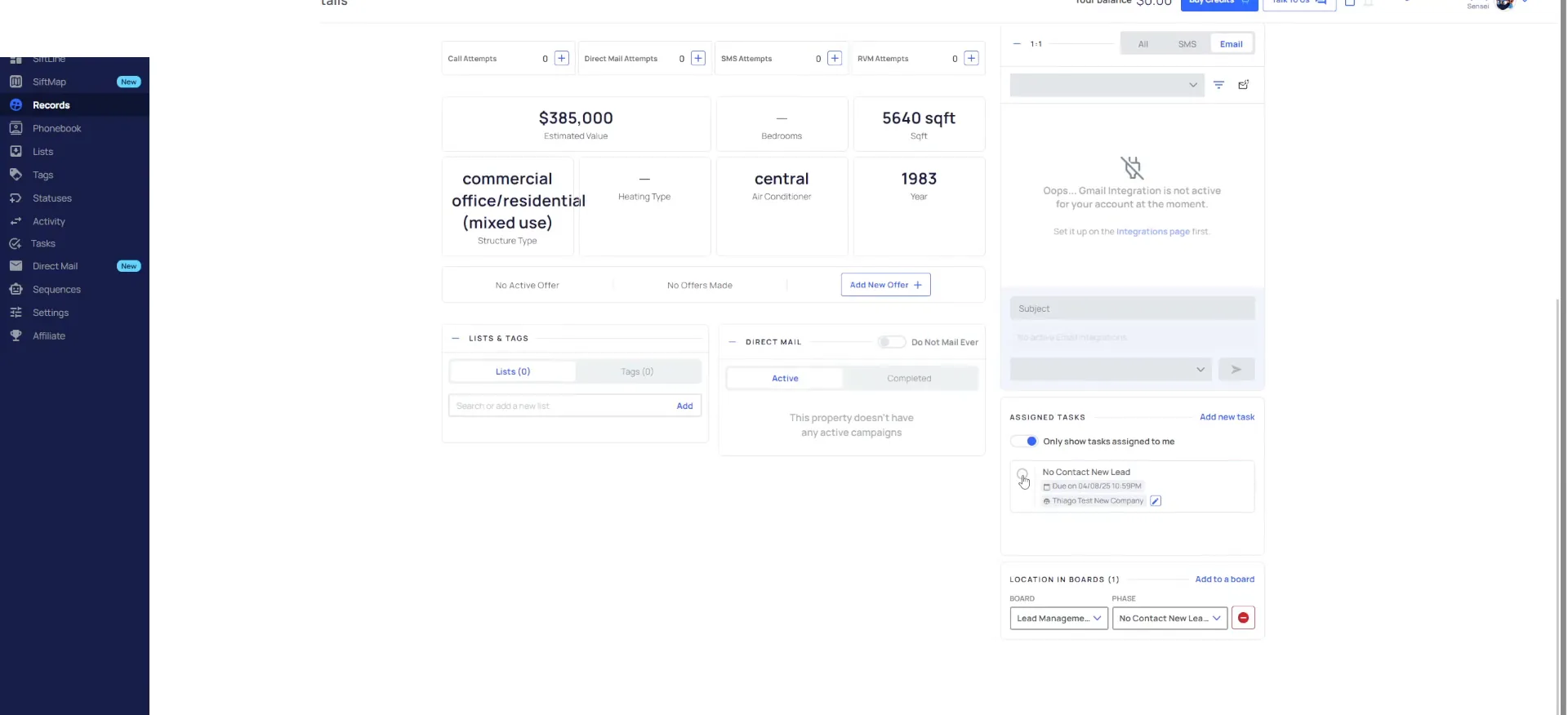
Move the daily ones to weekly new lead nurture.
I come in, check my filters and complete my tasks. Then I decide how long I want to leave these on daily follow-up. I do not want to call this guy every day if he is not picking up the phone.
I have texted him, left voice mails, called him, double tapped him. So I complete the task and move him to weekly new lead nurture. That changes the tempo to a nurture new lead task, due weekly instead of daily.
The status stays the same, so he still shows up under my unqualified filter. Every week it becomes due, I complete it, and another one pops up. Once I am tired of him, I move him to ghosting lead, which clears my tasks.
Tempo change
Daily attempts move to a weekly nurture.
The cold phase and cold follow-up.
Move a lead who answers cold into your cold phase.
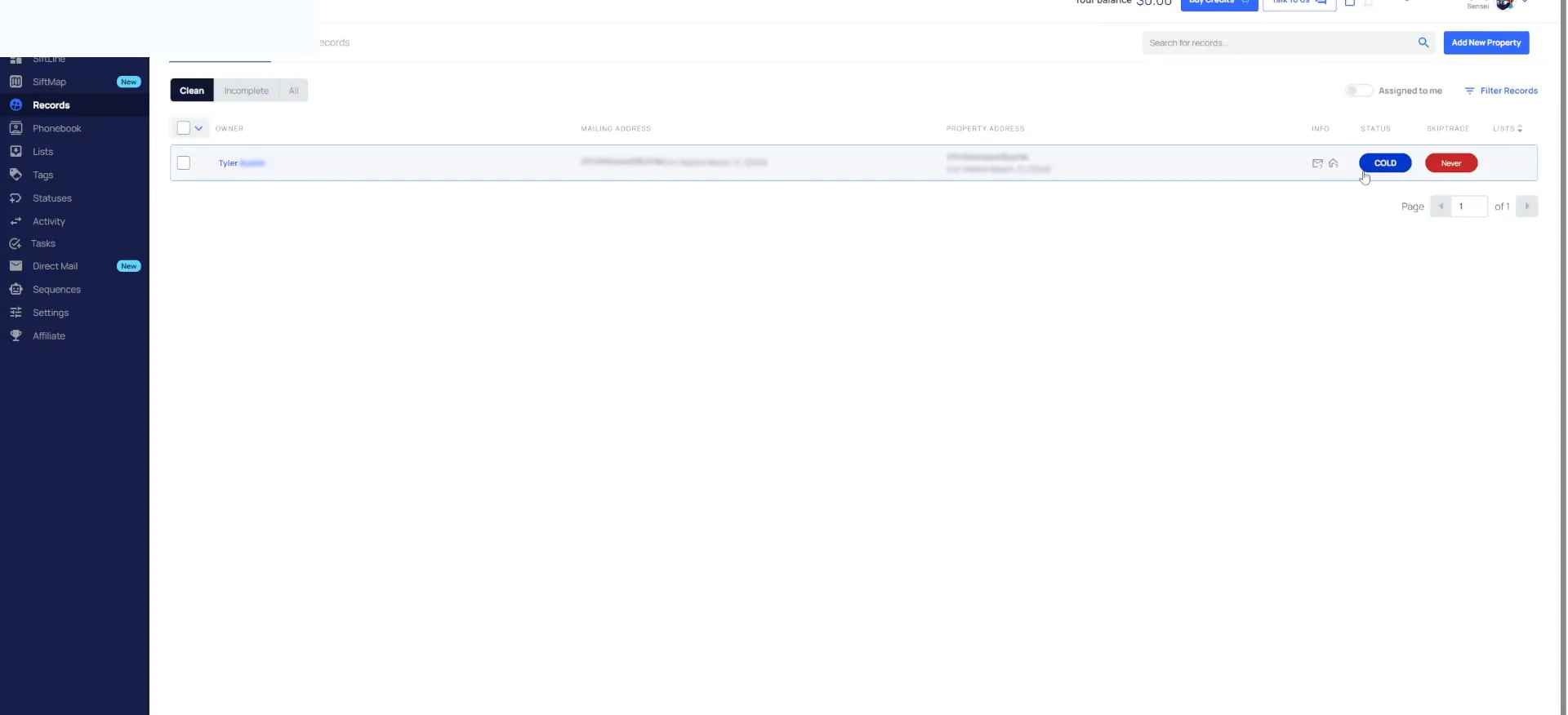
The person picked up the phone and it turns out they are a cold lead. So I move them to my cold phase. Now they have moved to being qualified.
On my Siftline board they sit under my cold phase, and the status updates to cold in a second. There it is. The cold follow-up task is on there too.
If I look at my records and clear the filter I had on it, it is blue, it is cold, that is fantastic.
Work qualified lead tasks for cold, warm and hot.
Under my lead management folder, qualified lead tasks looks at cold, warm and hot. Right now there is none overdue and none due today, because the cold follow-up has not come due yet.
When it does come due, I check my status, my task and my board. It is all where it needs to be. I tried to call them and they did not answer, so I complete my task and another one gets added.
Then I move on to my next record. I leave them in there indefinitely. Most users move them to ghosting after a long stretch of cold follow-up.
Boom, it's going to automatically add another one on there in a second, there it is, and it's going be due in another forty five days.
Qualified phases
Cold, warm and hot each add their own task.
Move them to warm or hot as they heat up.
Let's say this person picks up the phone and they are a little more motivated. I move them to warm lead. It clears out that cold task and adds the warm task.
If I refresh my screen, the status changed to warm. Hot does literally the same exact thing. It deletes that task and adds the hot one, and the status turns hot.
So now let's say I am calling my qualified leads. I got a hot lead and they are ready for an offer. I add all my notes and move them to send to acquisitions.
BEFORE YOU MOVE ON