
PART 1
Three ways to get courthouse data.
In this clip you're going to see all the different ways, with real examples from my actual market. There are three I primarily see, and your county will use one of them. Once you know which one, you know what you have to build.
The three ways I see it.
Pick which of the three ways your county uses.
One is an online portal. This is the most common and best way. You go into the recorder and tax assessor sites and pull the data in, and that can be probates, foreclosures, whatever you want.
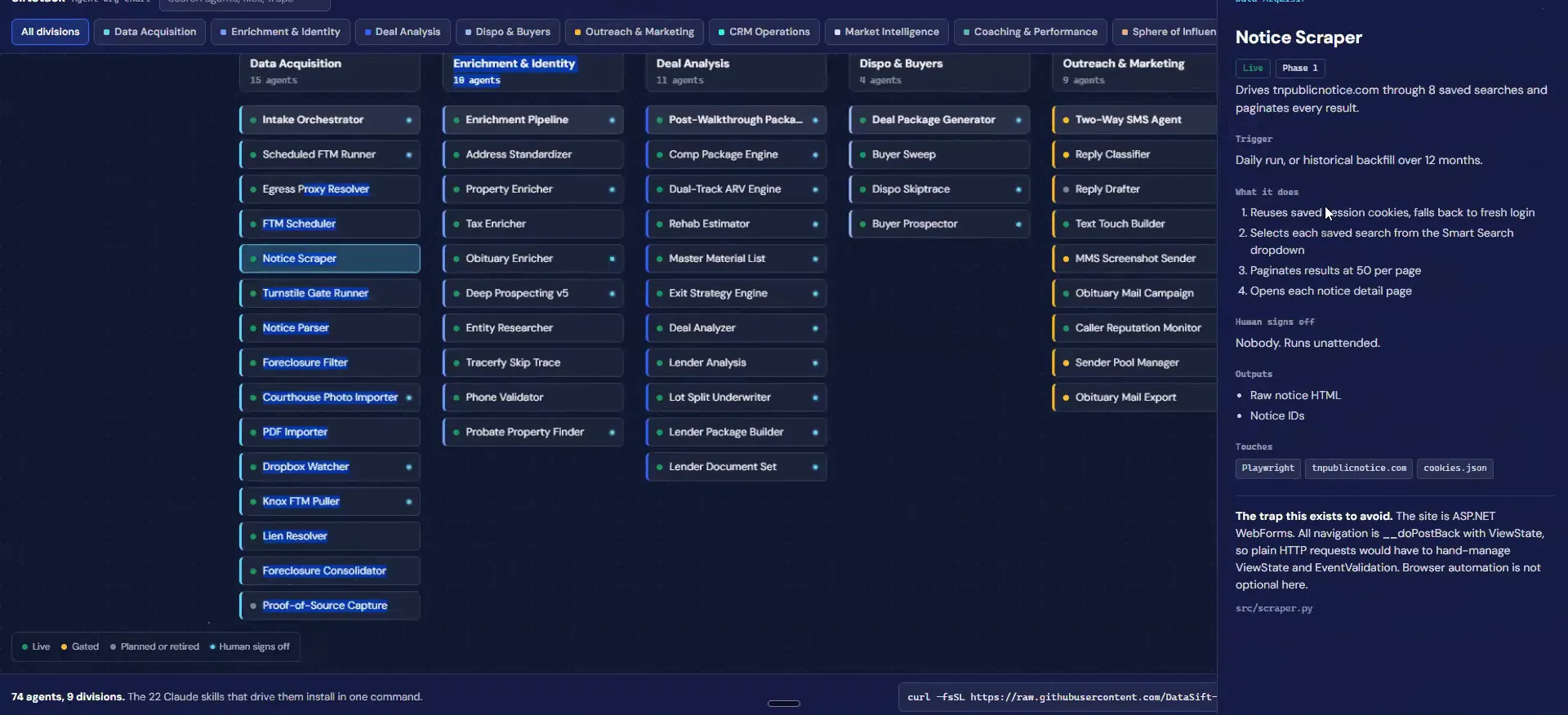
The second is a notice site. That is how my market actually works. In Knoxville, Tennessee you get these notices weeks to forty five days out, depending on what the distress is. It goes out to the entire newspapers, and they really don't want you to scrape it, so it is the hardest one to set up.
The third is having someone physically go into the courthouse and pick it up. That one usually has the least saturation. It is also the biggest pain, because either you go do it or you pay someone to go weekly. We do this for some of our distressors, but not very many.
So typically and this is how my market actually works, but you're gonna be seeing two different versions of a probate record and a foreclosure record.
Start with first to market data.
Open day one and scroll to first to market data sourcing.
This shows you very specifically what each of these tools looks like for me. There are the same three methodologies here. Online portals, in person courthouse, and notice websites.
There are a lot of ways this can be done. Start by seeing which of the three your county actually gives you, then build for that one.
Three methodologies
Three ways to get courthouse data.
- 1Online portalsSearchable county sites you can pull from directly.
- 2In person courthouseSomeone goes to the county terminal and pulls the records.
- 3Notice websitesPublic notice sites that publish filings before the newspaper.
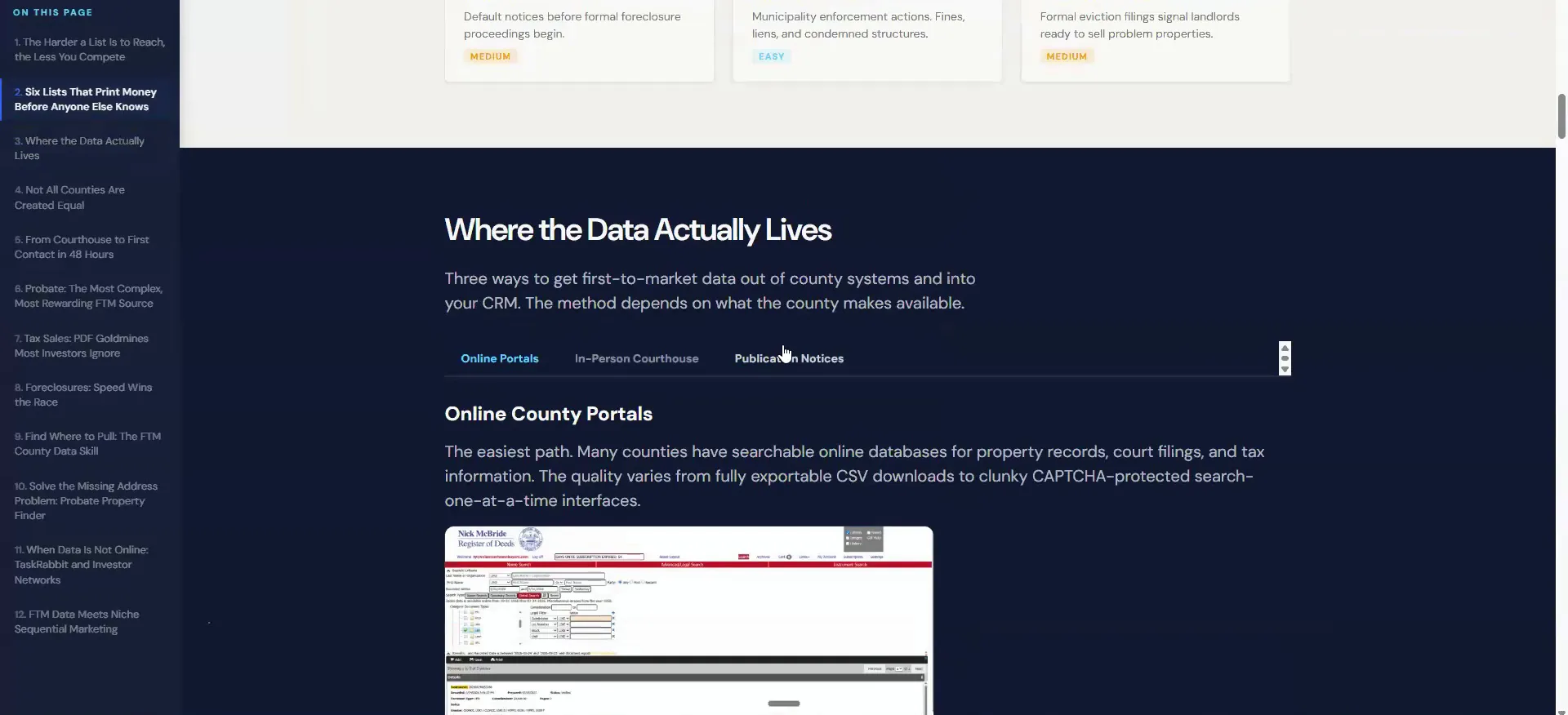
Download your county's Excel file and give it to Claude.
Go to doors per deal and download the Excel file associated with your county. Mine is Knox County. Using the tool instead of hunting on your own saves an insane amount of time.
Before you set this up, make sure you have the workflow of the agent system we have been talking about all day. Copy the link, then hand Claude the Excel file. That file is the road map it uses to find all of your first to market data.
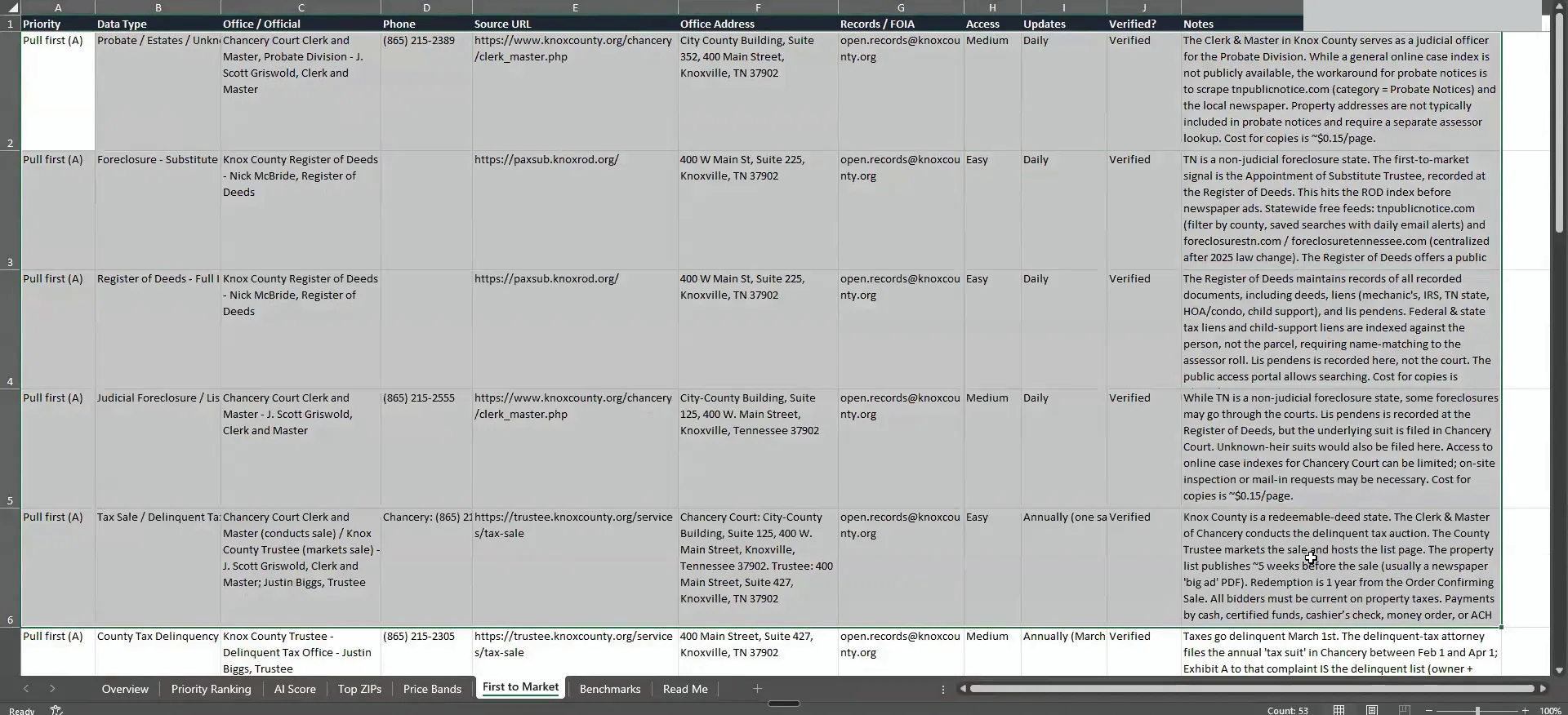
Read your county's foreclosure notes before you call anyone.
I am under foreclosures, which here is my notice of default example. It says Tennessee is a nonjudicial foreclosure state. Nonjudicial means a mortgage company does not need a court date to foreclose, so they happen much faster. Some of you are in judicial states, and those take far longer.
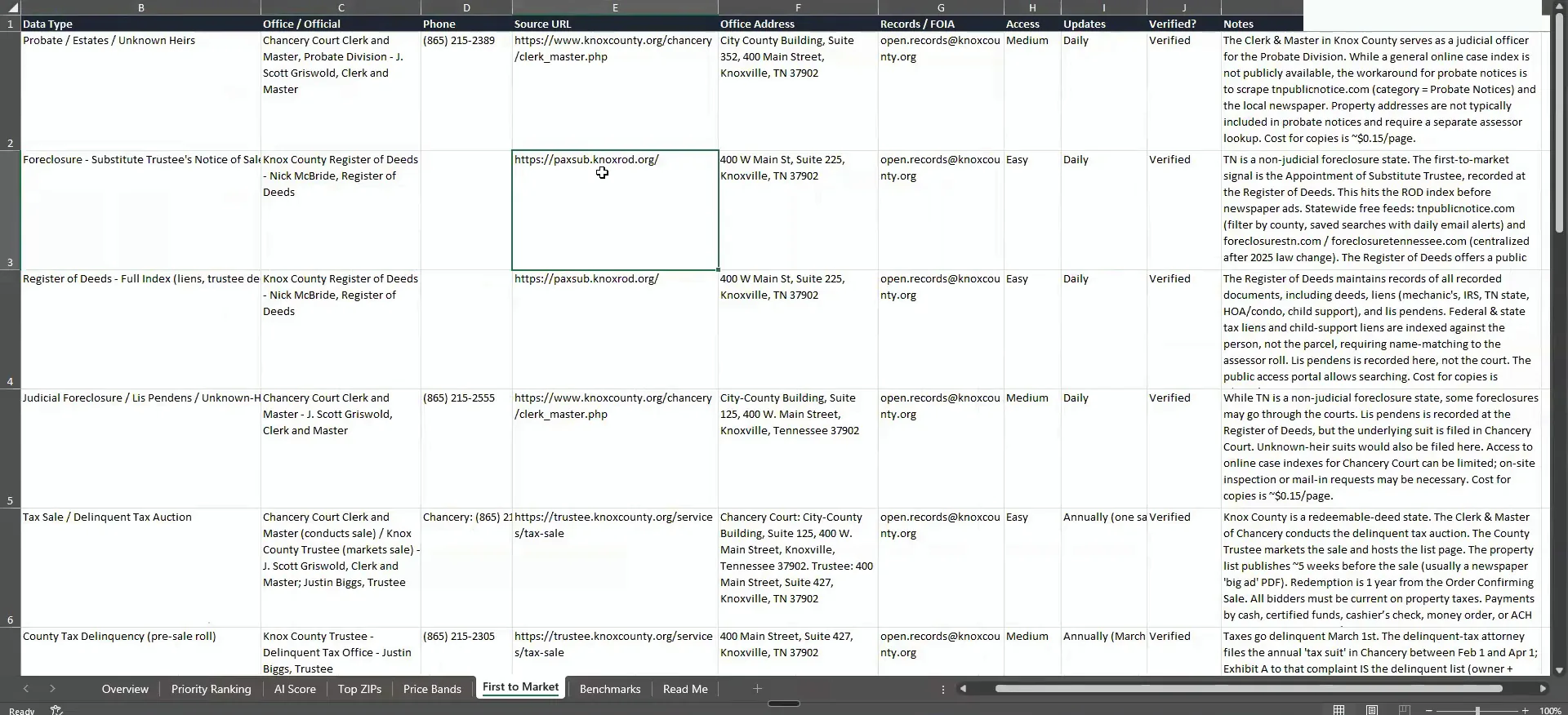
The first to market signal is the appointment of a substitute trustee recorded at the register of deeds. It hits the recorder index before the newspaper ads. The file also lists free statewide feeds where you can filter by county and save searches with daily email alerts.
It was centralized after 2025 state law, and the register of deeds offers a public area too. This is the stuff I wish I had when I first started, because what I did was go to the county and ask.
You can maybe find it here, which is this is my main recorder site, but it also shouts out team public notice.
BEFORE YOU MOVE ON
PART 2
The three ways to source courthouse data.
Part one covered what the lists are. Now I want to show you the three ways the data actually gets to you, and what each one costs you in setup. Public notice sites, in person at the courthouse, and online portals.
Claude can read these PDFs.
Follow the directions Claude lays out for the notice site.
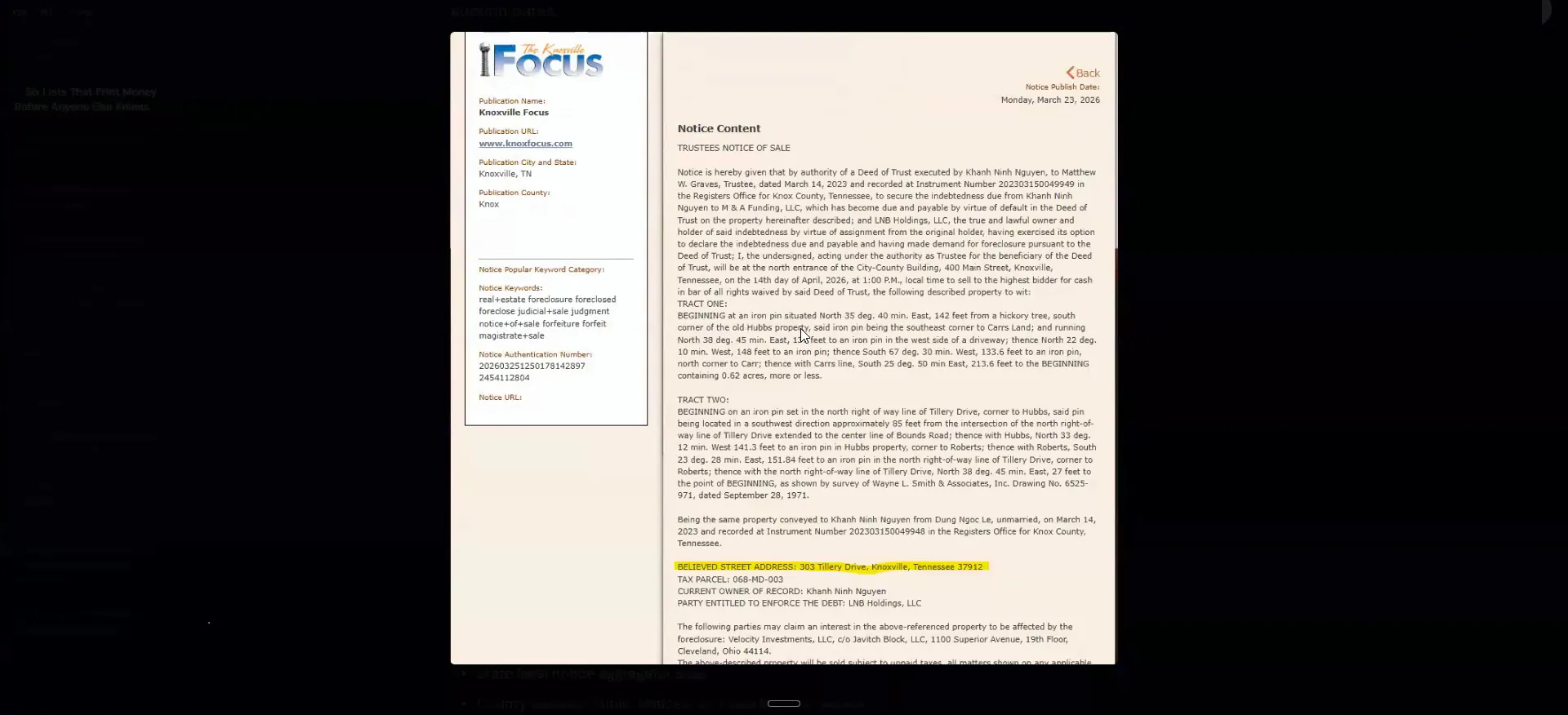
I asked the county where it was at and kinda got a big runaround. It was a huge pain to actually find all of the stuff I was looking for. So I ended up going with the public notice site instead, following the exact directions that were just laid out in Claude.
This is an example of what it actually looks like. Look at the address on it. It literally says the believed street address, which is why I gave this one as an example.
Paste your login and curl into the notice scraper.
The only other way to do this is a VA manually scraping all of it. Traditional scrapers assume the same format every single time. The problem with these notice sites is they are different every time, and Claude can read these PDFs and figure out what we actually want.
The scraper is already prebuilt. You do your login and your curl with the copy button down here. Then you tell Claude you want x list, y list and z list from the CSV file. It walks you through the setup.
This is by far the hardest one to get. These companies really do not want you to have this data, and they are going to make it as hard as possible. It is going to take a lot to set up, but once it is set you are pretty good to go.
So, the first to market schedule run, the notice scraper specifically, where it uses, very advanced IP rotations and session logins and all this stuff.
Scrapers
Notice sites are different every time.
Traditional scraper
- The formatSame format every single time
- The addressBelieved street address
- Who pulls itA VA manually scraping
Claude
- The formatReads the PDF as it is
- The addressFigures out what we actually want
- Who pulls itThe notice scraper run
Ask the courthouse for the county terminal.
By law a lot of these counties have to give you access to this data. More than likely it sits inside a county terminal. That is the exact language you can use. Hey, I am just looking for the county terminal to look up probate records.
I went to the courthouse and took this photo so you can see what it looks like. It is kinda hard to tell, but it has all of the elements you would want from a marketing perspective. What we do now is have a runner go in and pull all of it.
I have heard of people doing this with title companies they work with a lot. A lot of them have to go down to the county anyway.
The easiest is online portals.
Pay a runner or use TaskRabbit for local pulls.
You can just pay them to do it, or you can use a company called TaskRabbit. They are kinda like a freelancing website. They will go in, pull all this data for you and make the runs on your behalf.
The way we do it is take the photos and upload them into a Dropbox link or a Google Drive link. That gets transcribed and transformed, and it feeds straight into the system.
You're probably gonna spend about a $100 a week if you have to pull data in locally from, the terminal like this.
Setup time
The portal path runs in a day.
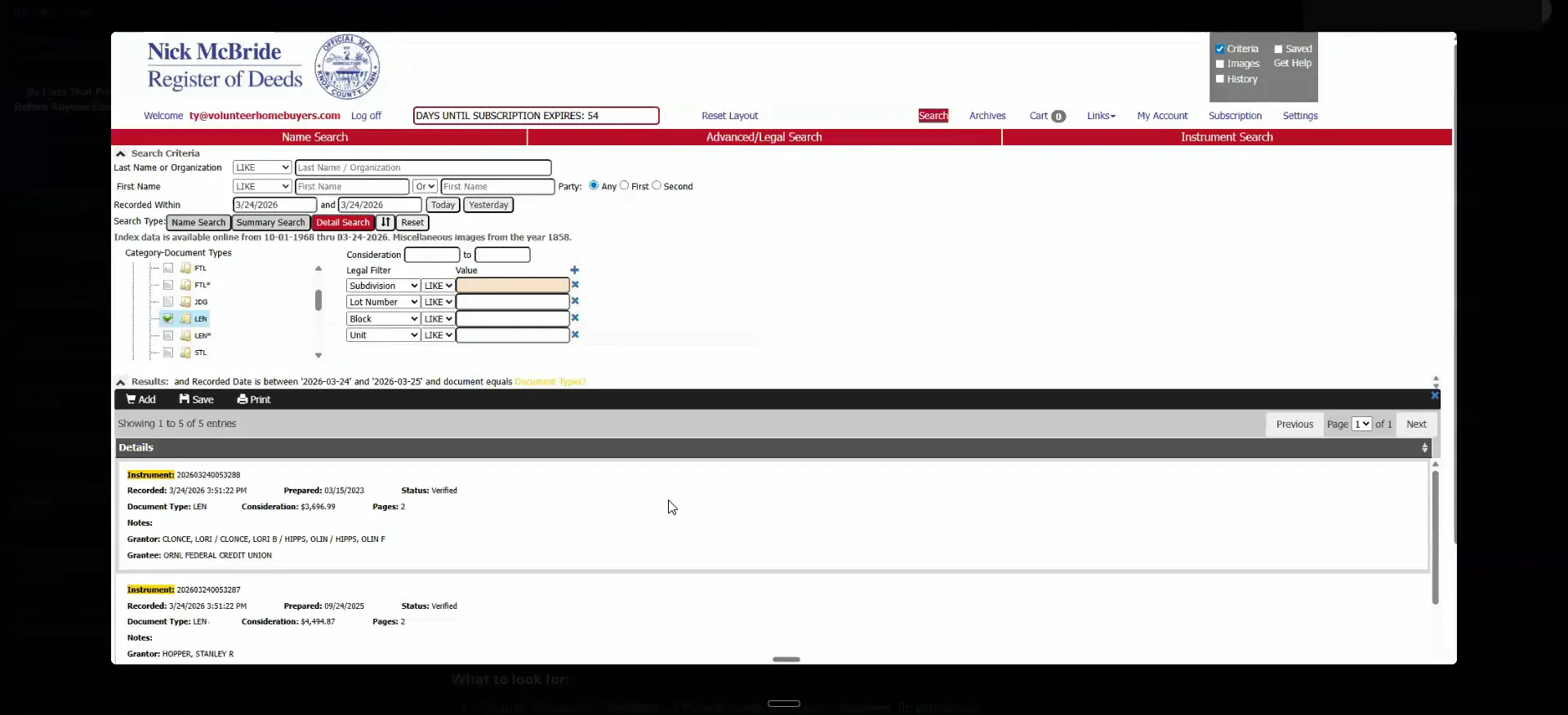
Set up the online portal for your lien data.
This is what one looks like. This is where I get a lot of my lien data and all that good stuff. You can see here it says the document type, which is lien.
Claude will log in for you and do so much investigation, and it will tell you what is what on that. For most people this is the easiest path. Getting it up and running in a day is pretty easy to do, where the rest will probably take a few days.
Read the lien amount, equity and source link.
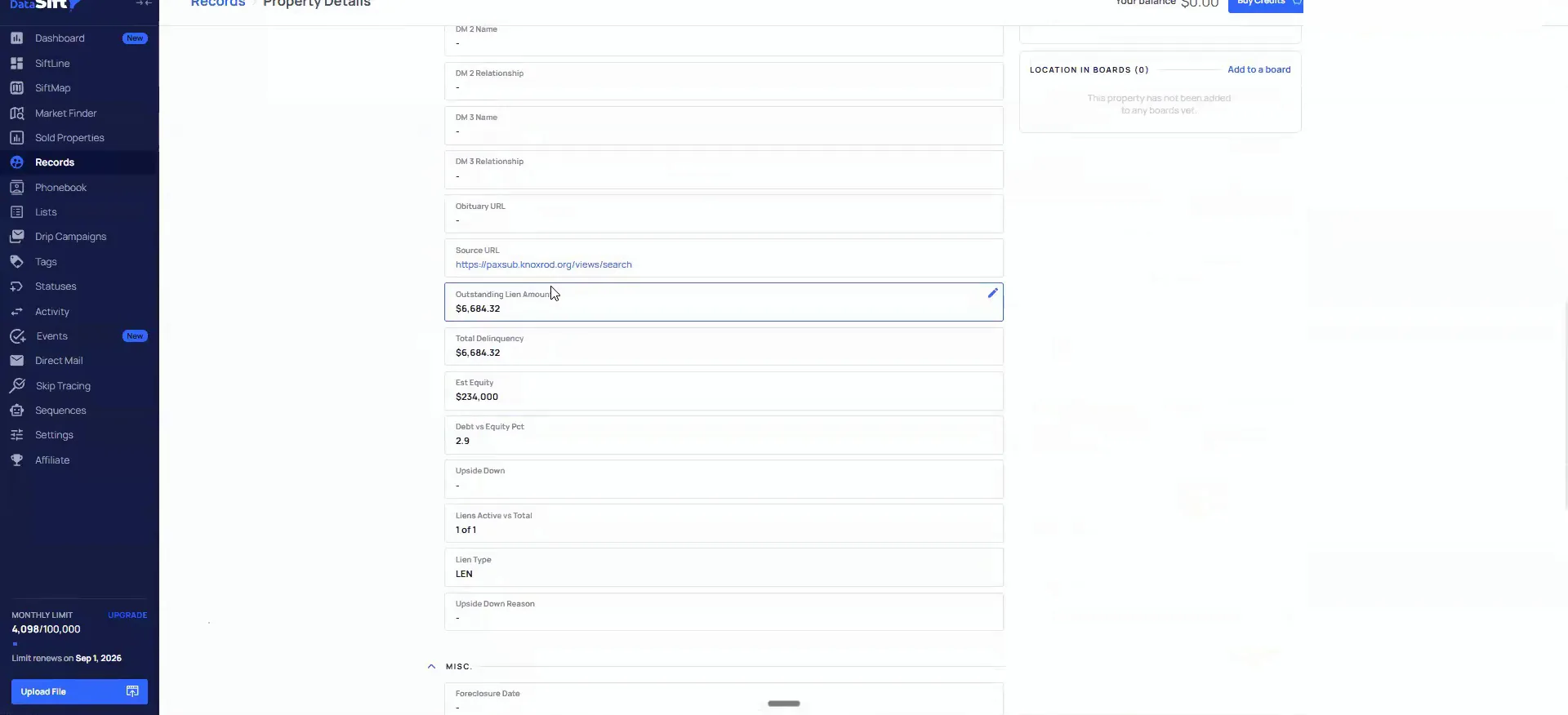
I am pulling liens on my first to market data. Whenever the API and SiftStack upload this stuff, it tells you the type of notice it is. It also automatically pulls in the total outstanding lien amount, the estimated equity, and whether it is even possible for this to sell.
It gives me the source link of that particular property too. If I click in and log in here, it takes me straight to that property. I think this one has already passed, but you get the idea.
My recommendation is to copy all of this in and deploy it. Then ask Claude to help you set it up as though it were a VA or as though it were me. I pull in every first to market list I could feasibly pull. Liens, tax delinquent, tax sale, foreclosure, probate, obituary, code violations and condemned properties.
BEFORE YOU MOVE ON