
PART 1
The lead manager's daily flow.
This is the morning routine, in order, from the queue to the leads that are missing tasks. You clear what came in overnight, then you work your filter presets one by one. Nothing gets left sitting without a next action.
Clear the queue, then work presets.
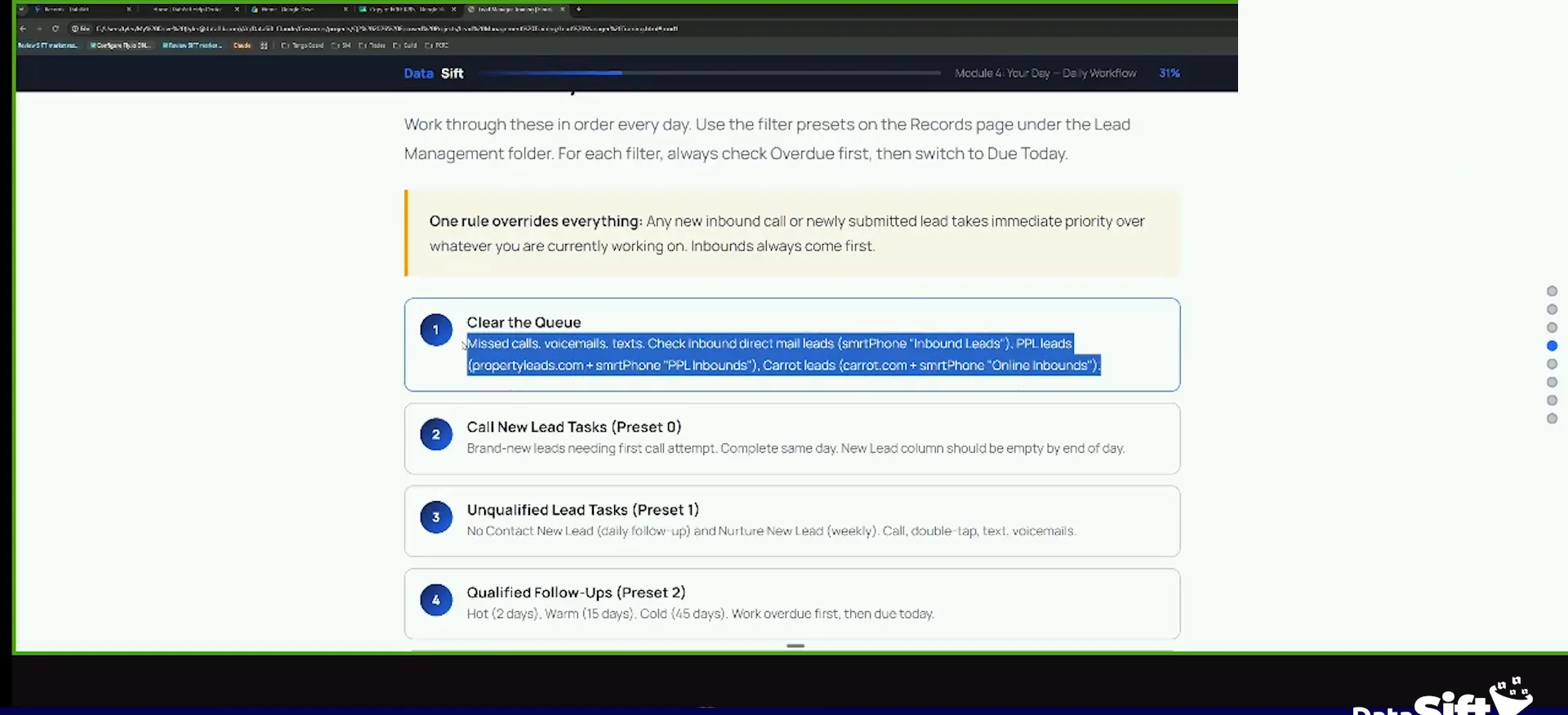
Clear your queue first thing every morning.
You wake up, you clear your queue. This is all your missed calls, all your voice mails, all your text messages.
Then you check your inbound direct mail wherever that goes for you. For me, we have a folder inside of a smartphone called inbound leads. That is where our PPL stuff goes, plus a direct mail folder. Our caret leads go to an online inbound folder.
When you pick up your phone in the morning, you are one of two people. You either look at your missed text messages and phone calls, or you go straight to Facebook.
If they're straight to Facebook person, skip that spot and go check your SMSs and your phones phone calls, and that's what your lead managers need to do.
Star your filter presets as quick filters.
Go look at your phone system and see if you missed any calls. Call them back, and then process those records.
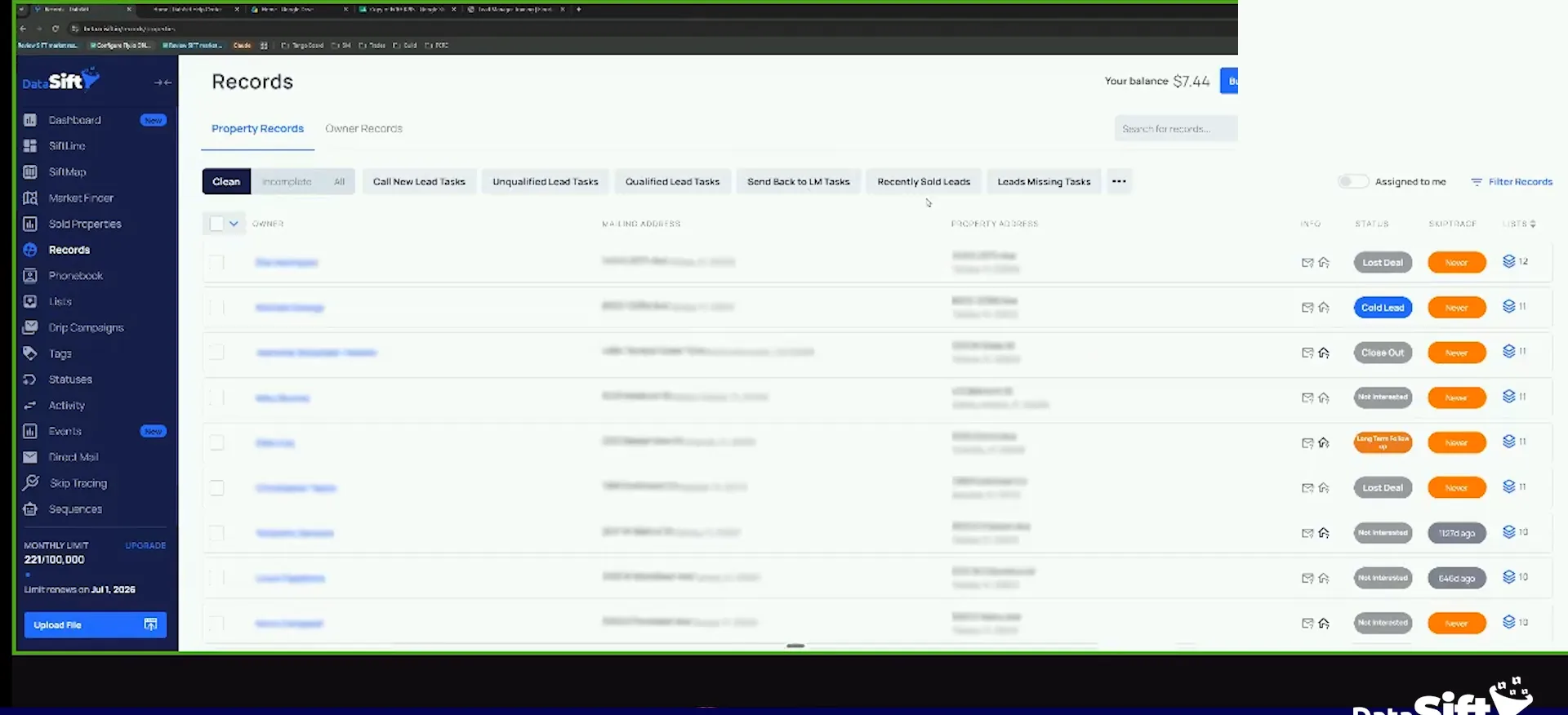
Next you have call new lead tasks. These are my filter presets. I do not have to even click on filter records. I go under my pre built flows and click the star.
I can just can just go here under my pre built flows, and I can just click this star right here.
Check due today and overdue on every preset.
I click on call new lead tasks. I complete the tasks, I move them to the next phase, then I click my unqualified lead tasks. If there is nothing there, I move to the next one.
Then I do qualified follow ups. I click that preset, and if I have nothing, I move on. But you have to check due today and overdue. Do not forget about your overdue stuff.
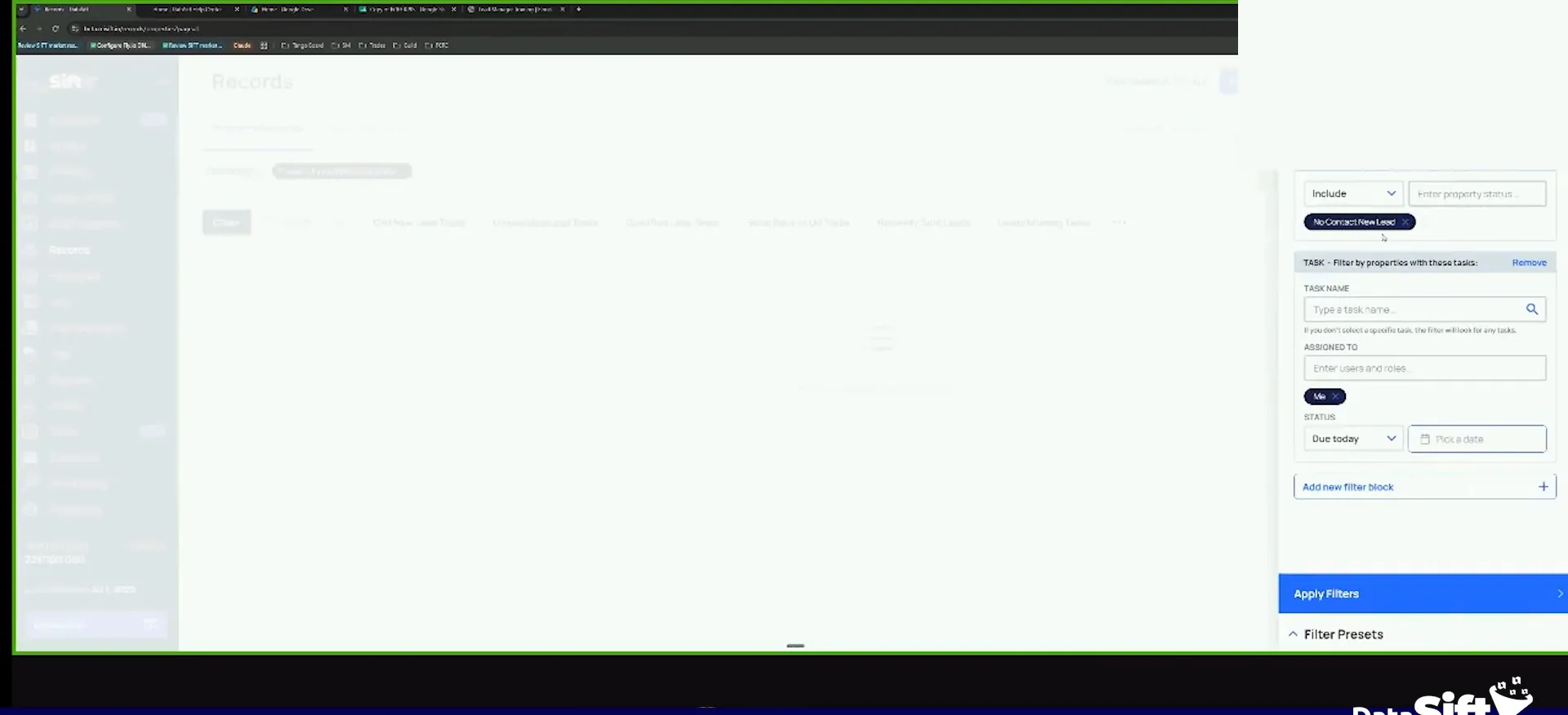
I create one filter, and your default build is one filter, and then you just change the status to overdue or due today in your filter.
Daily flow
The lead manager's morning runs in order.
- 1Clear your queueAll your missed calls, all your voice mails, all your text messages.
- 2Check inbound leadsCheck the inbound direct mail and online inbound folders where your leads land.
- 3Call new lead tasksComplete the tasks, then move them to the next phase.
- 4Unqualified lead tasksCheck due today and overdue, then move on if there is nothing.
- 5Qualified follow upsClick the preset and again check overdue, not just due today.
- 6Leads missing tasksAny lead on the lead board that might not have a task on it.
Leads missing tasks.
Open the leads missing tasks filter and count them.
Then I go to my leads missing tasks. This is really important. These are leads sitting under the lead board with no task on them.
Why does a lead have a status and no task on it? That needs to be fixed. That is bad juju, and it will lead you to lost deals.
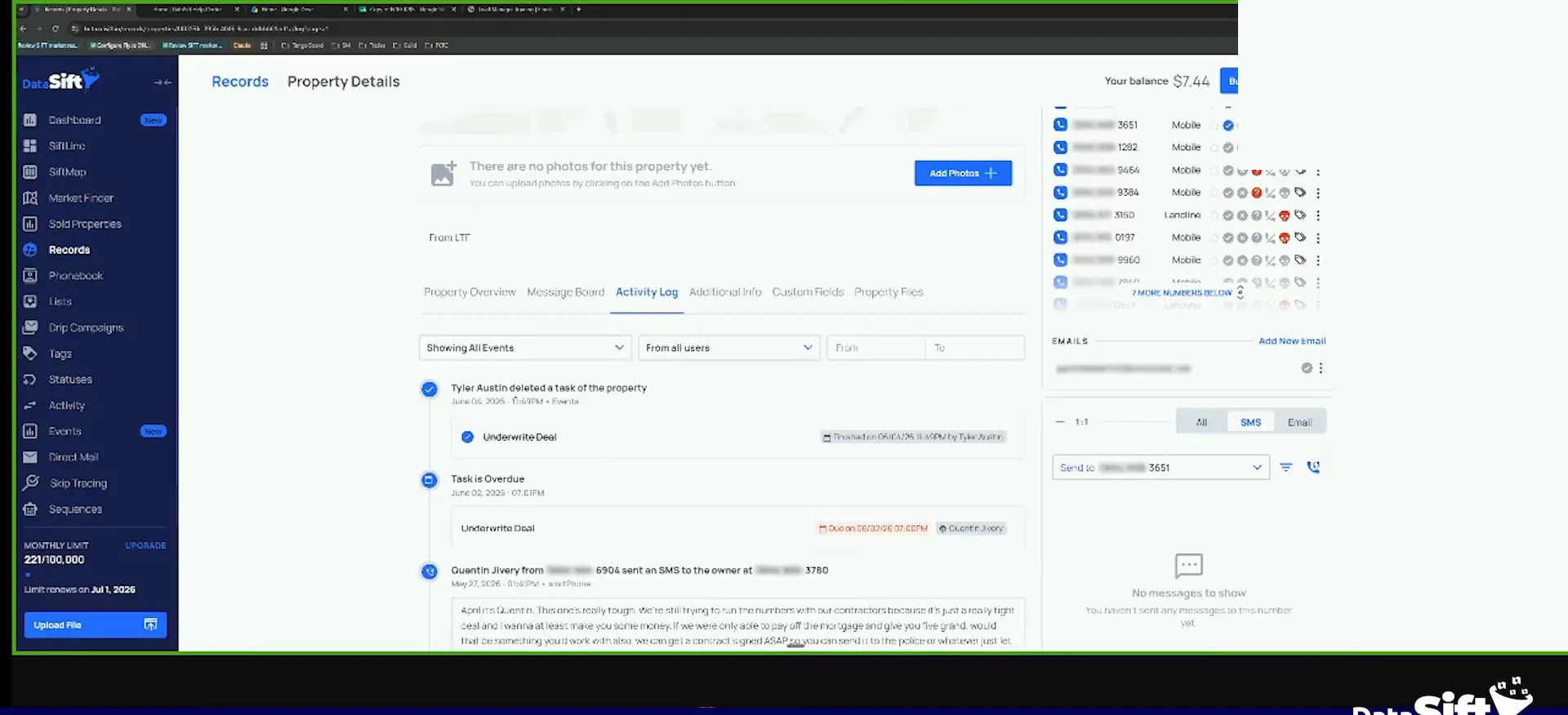
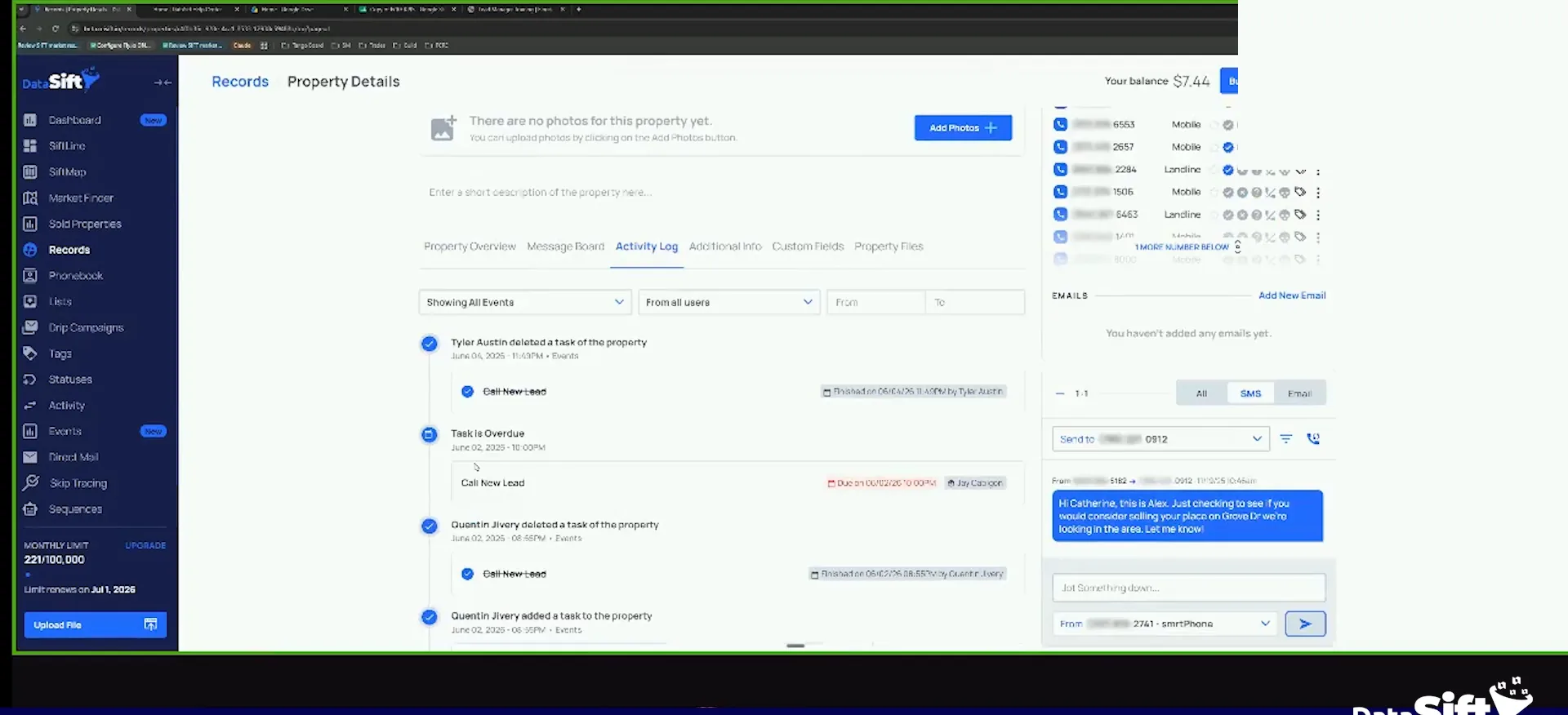
Here is a hot lead. It is assigned to Q, which we know should not be the case. It is under acquisitions underwriting with no task on it.
Add the missing task back, then move to the next lead.
The log shows I deleted it, because it was overdue under that phase. Before I add it back, I check whether it was already analyzed. It has not been underwritten yet, so I add the task back.
The next one is under new lead with no task. Same story. I deleted it through the event system when I did a bunch of task deletions.
So this is all a byproduct of things moving where they are supposed to move. This one is under the underwriting phase now, so we add the underwrite task onto it.
And so you should proactively be checking these this is a lead manager's job to see, okay, why are these leads don't have a task on it.
BEFORE YOU MOVE ON
PART 2
Make sure lead missing tasks is empty.
Part one got you through the queue and the task filters. Now I go card by card and put the missing tasks back myself. Watch what I do, because the same two mistakes cause most of it.
Add the underwrite task back.
Cross check every card against its task.
This is me just making sure things stay where they're supposed to be. I'm just cross checking it. When a lead has a status but no task, somebody nuked it and moved on.
If he wanted it off the board, he should have moved it to dead lead. That is the right way out. Deleting the task leaves a live lead with nothing going on.
You won't believe how many people we migrate from CRMs, and I'll they're like, I'm just not getting any deal.
Move cards to the phase, not the board.
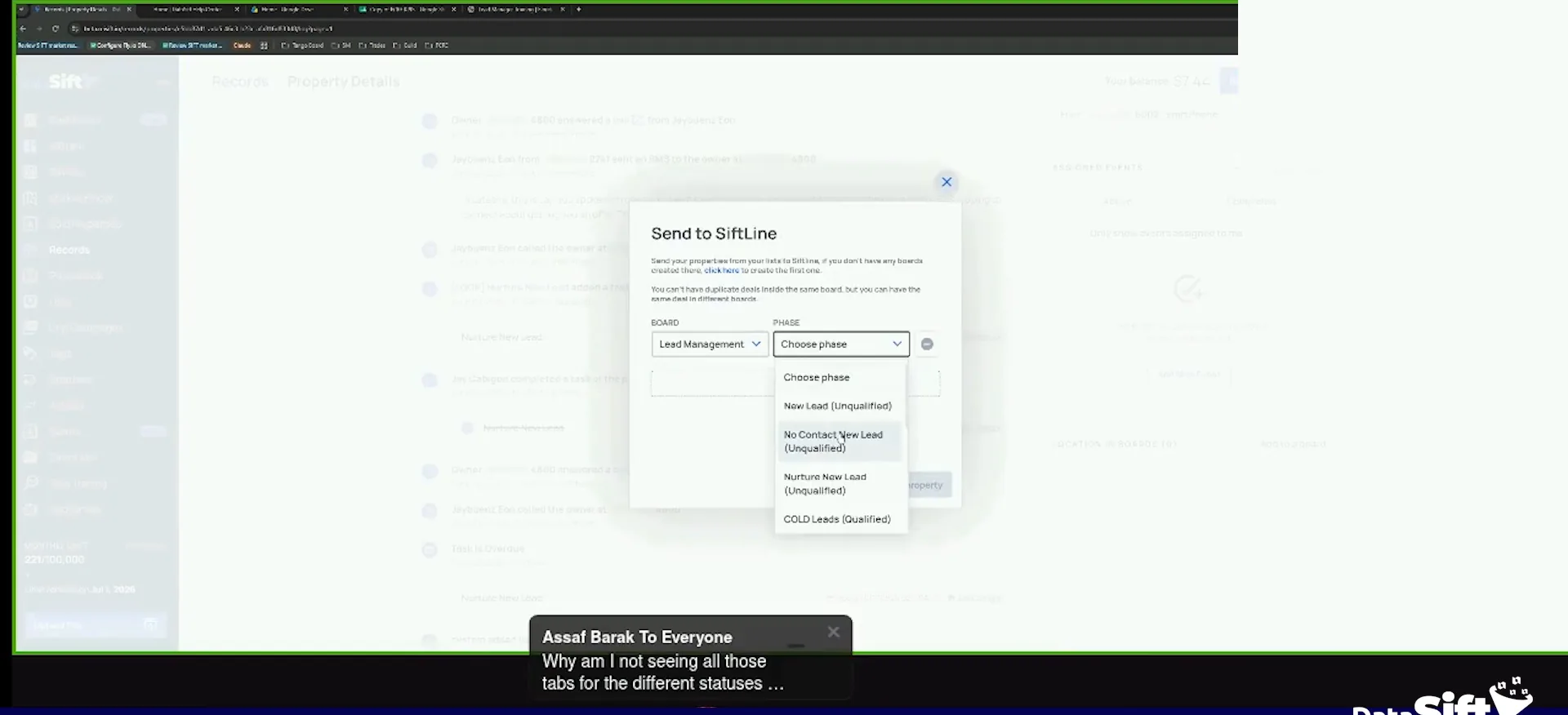
Here the warm lead task was still sitting on a card that belonged in underwriting. So this should have an underwriting task on it. That is why I deleted the old one.
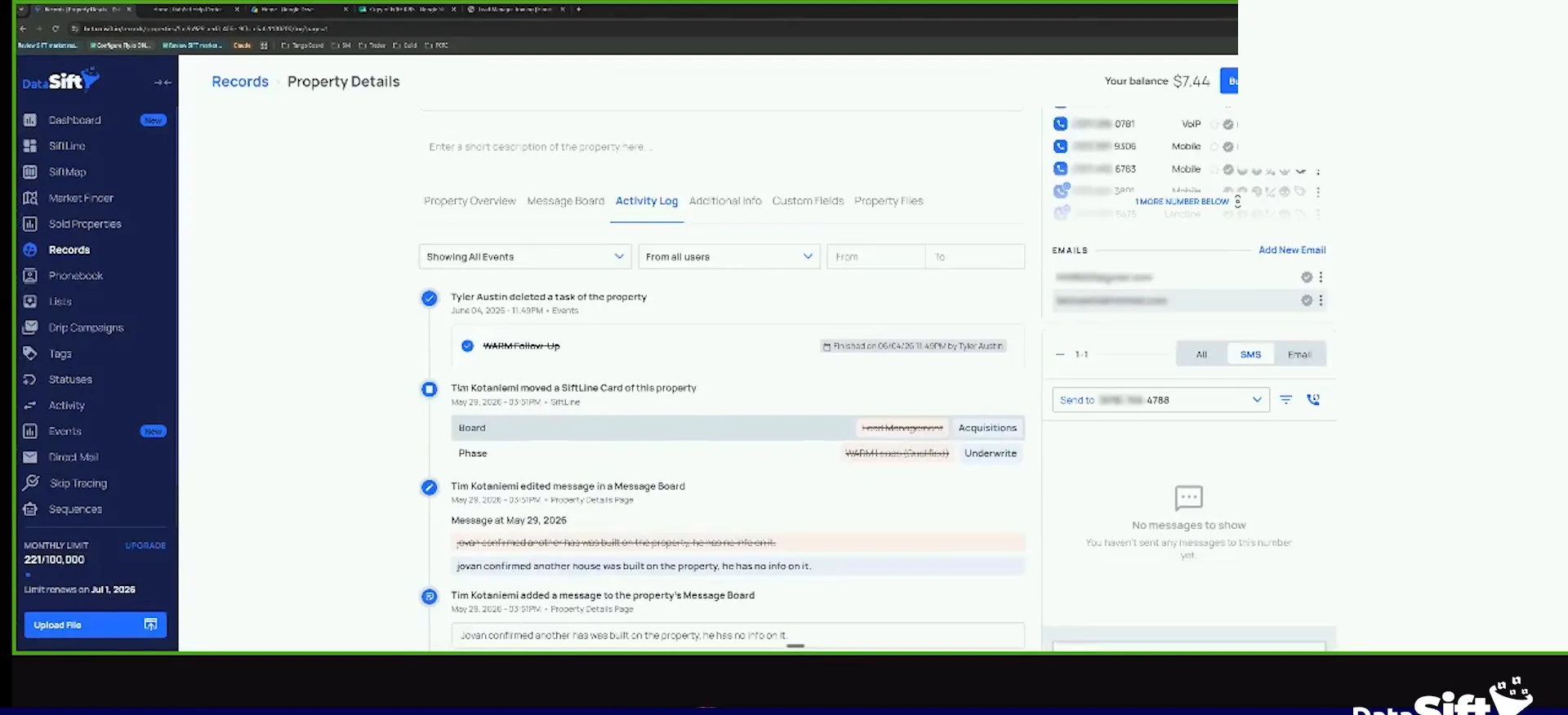
Notice why it happened. Tim moved the card straight to the underwriting phase. He skipped the acquisitions board phase in lead management, so the automation never triggered. Really important.
So the warm lead task stayed on it because he moved it from the board directly instead of moving it to the phase and letting the automation trigger.
Really important
Tim moved the card directly to the underwriting phase, rather than moving it to the acquisitions board phase and letting the automation trigger. Move it to the phase and let the automation do the work.
Send back to lead management.
Clear every lead missing a task.
Let's check this one. Another underwrite, same exact scenario. Tim needs to be learneded.
This one was Q. Q created the card right away, then it became overdue, so I added it back. Each of those is good now. They just are not off the front end yet.
So that's what that filter is for. You always want to make sure your lead missing tasks is empty. I did it for them here.
So we need to make sure Tim knows, do not move stuff straight to underwriting.
Use the needs review phase for send-backs.
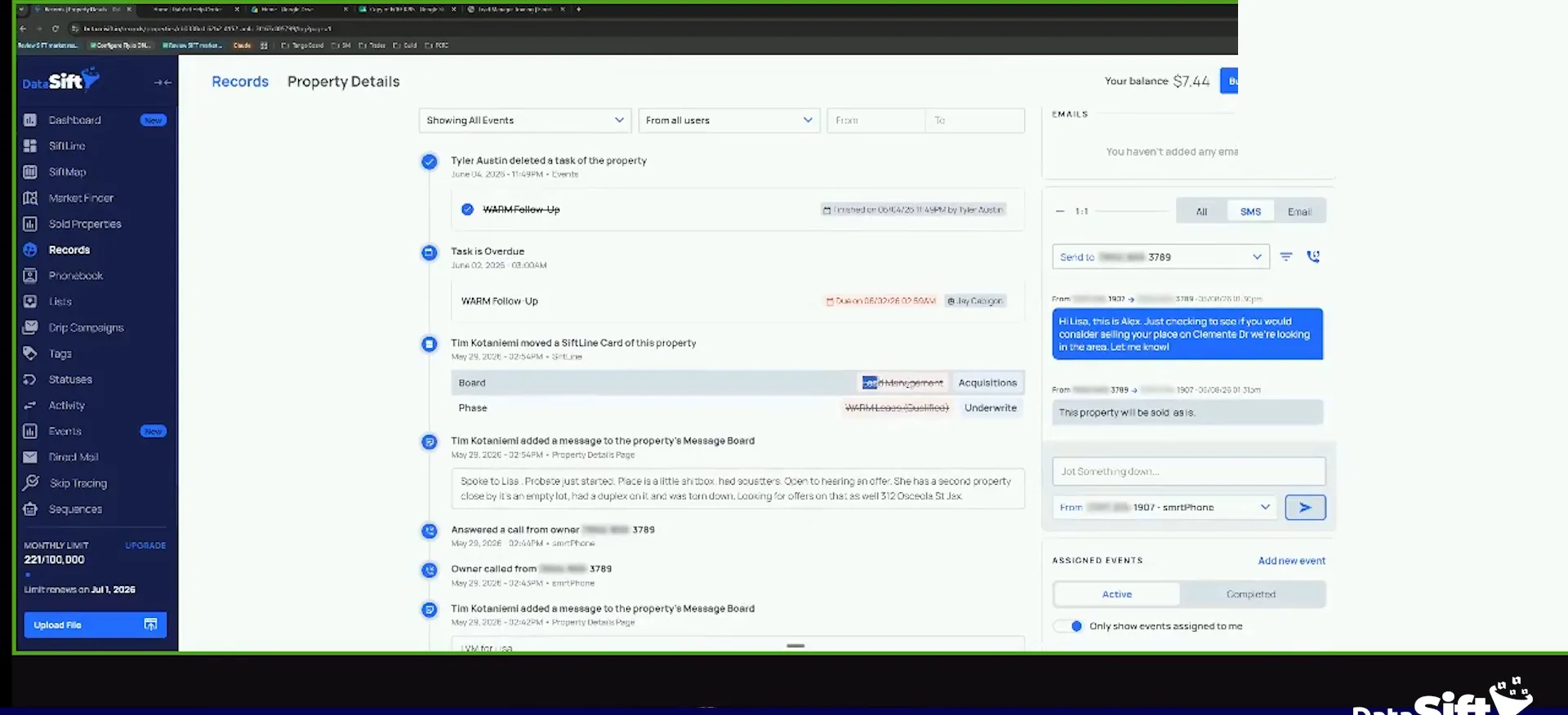
Then you have your send back to lead management. For us it's a needs review phase. Yours might be called send back to LM. I don't remember what the default build is.
An acquisitions person makes an offer, the people are jacking them around, and follow-up gets nobody. You move it to send back to lead management. That kicks it back to the lead management board.
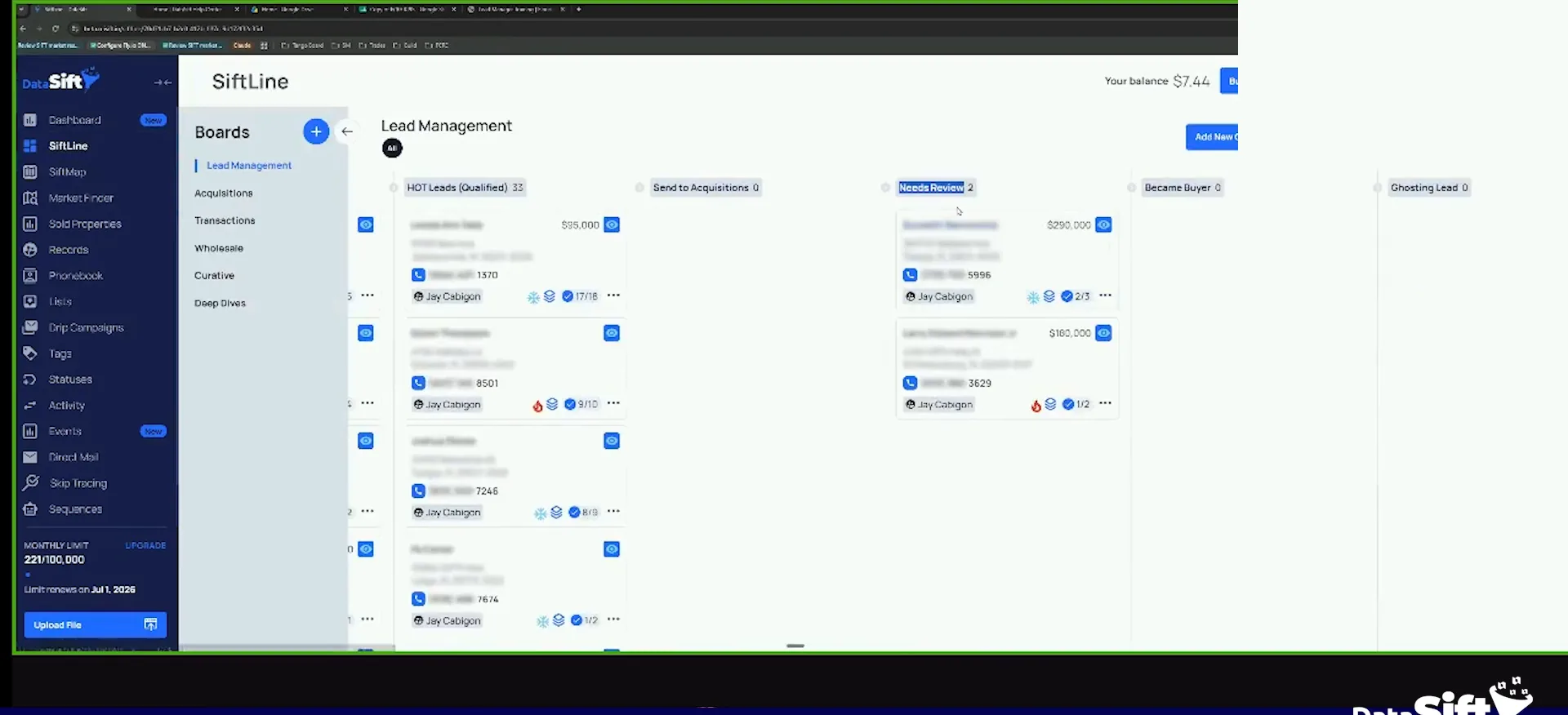
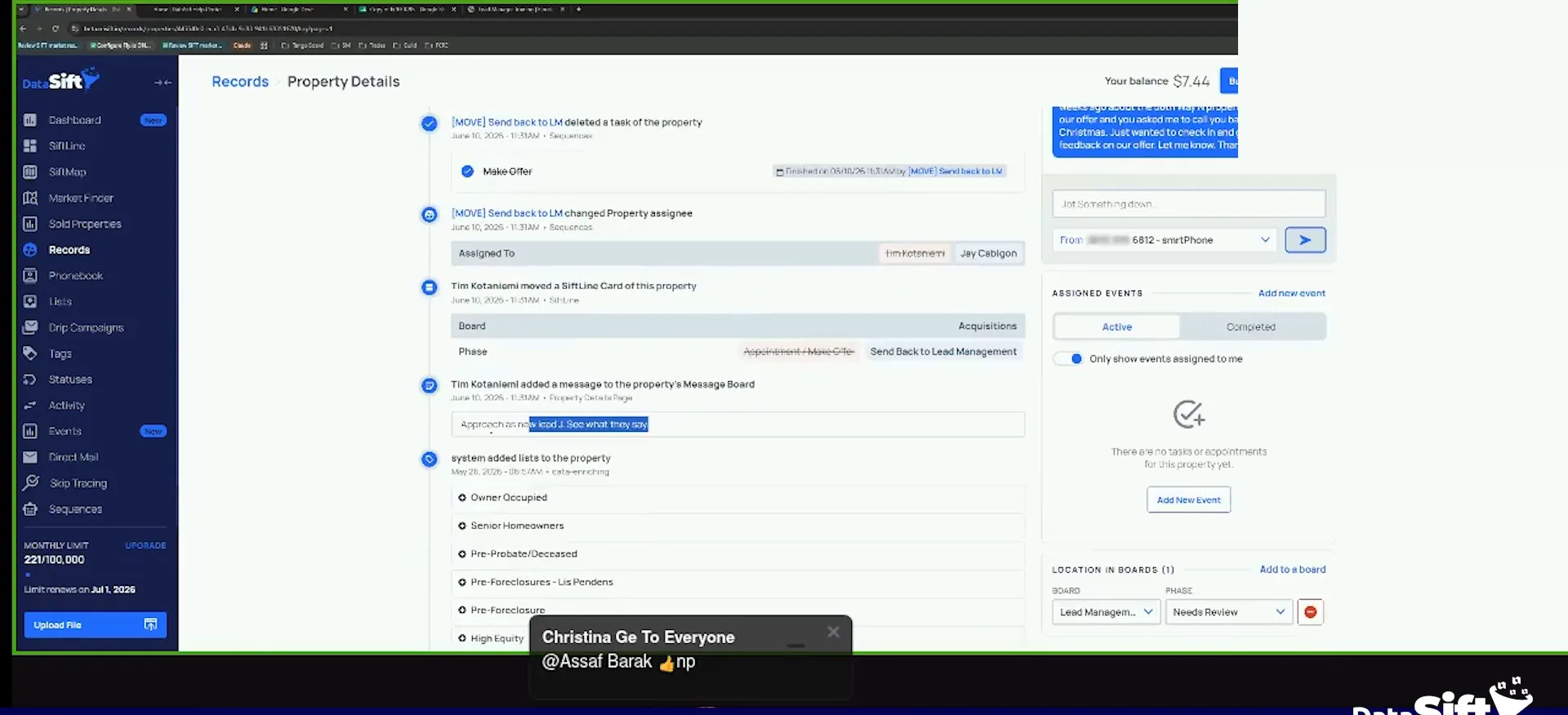
Let Jay requalify the seller as new.
The move adds a task called send back to LM tasks. By default it's assigned to Jay. This makes sure Jay then calls that person and requalifies them.
You can see we made an offer and the seller is considering. We probably called through them a bunch of times. Today it was moved to send back to LM. Approach as new lead, Jay.
Again, this is basically that situation where I was saying where acquisitions are not lead managers.
Send back
Send back to lead management kicks the lead back.
- 1Offer is madeAn acquisitions person makes an offer and the seller is considering it.
- 2We don't get anybodyWe follow up with it and we don't get anybody.
- 3Move to send backFor us it is a needs review phase. Yours might be called send back to LM.
- 4Task is addedIt adds a task called send back to LM tasks, assigned to Jay by default.
- 5Jay requalifiesJay calls that person back and requalifies them as a new lead.
BEFORE YOU MOVE ON