
PART 1
The obituary list in SiftMap.
Obituary data is the example I always show when we talk about being first to market. We scrape it every single day, so the list is there the same day it hits. Here is how I pull it in SiftMap for one county.
Why obituary data is first to market.
Be the first one to pull the list and market to it.
Anytime we're talking about being first to market, it is the first ones to actually pull that list down. Usually the same day that actually hits, and then being the first ones to market to them. Obituary data is a huge dataset that we pull in, and we scrape that every single day.
We put a week delay so we're not reaching out to someone who just passed away within the same day or same few days. So you reach them in the appropriate timeline, and you actually know when that is.
There are a lot of different ways this can be done, and I'll talk about some different examples. If you think about doors per deal, you can have frameworks where you're the first ones marketing to them. It comes straight from providers like us.
And you can actually be the first ones to market to them in the appropriate timeline, and you actually know when that is.
Pull the obituary list.
Log into your account and open SiftMap.
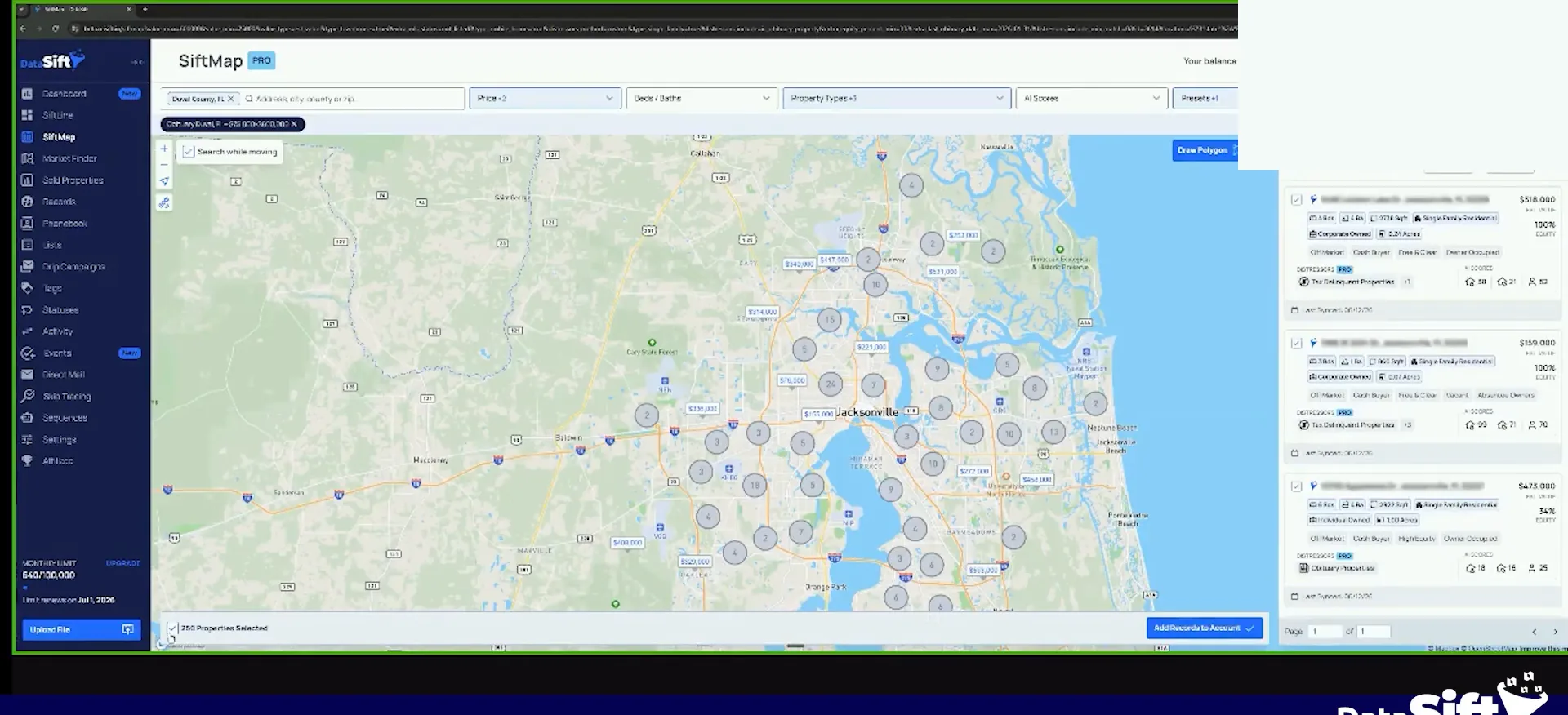
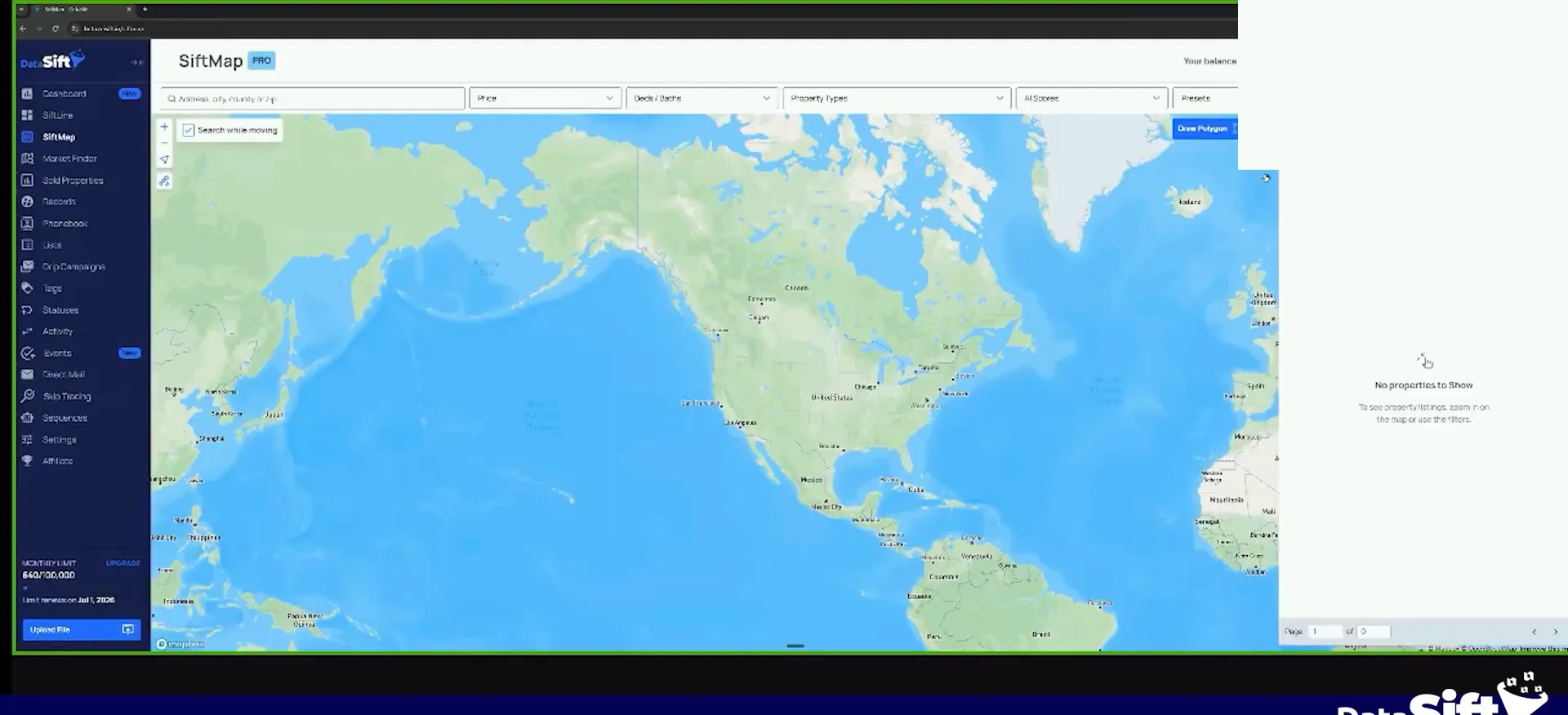
Let me just show you guys an example of the obituary flow real quick. I go to my account and open SiftMap, then pick the county I want.
I had incognito mode on the first time, so I had to log back in. Once you are in, everything runs off the county you choose.
Select your saved filter preset for the county.
I already have a filter preset here, so I just select it. Mine is obituary, Duval, Florida, 75 to 600,000 in value. That comes from my Duval County market analysis.
Property types are mobile home, townhouse and single family. I'm doing the homeowner and property distress for obituary properties, then a 30% equity requirement and not listed already.
So you see right now, there's 250 properties that meet that criteria. Tax delinquent obituary. Tax delinquent obituary and vacant. One of them has full equity, and the outside looks fine overall. I guarantee it has not been upkept, and it's tax delinquent.
I'm doing the homeowner and property distressor obituary properties, and then I'm doing, 30% equity requirement and not listed already.
Filter preset
250 properties meet that criteria.
Download the initial list to your account.
What you're gonna do is download these initially to your account, so you get your initial base of obituary data. That is the starting point for everything after it.
It's gonna add all the lists to those properties, including the obituary list. So you download your initial, and then you work from there.
BEFORE YOU MOVE ON
PART 2
Turn on auto add, then call the list.
Your first download is only the start. Once auto add is on, SiftMap keeps dropping new obituaries into your account every week, and your job is to get numbers on them. Here is the flow I run, filter by filter.
Turn on auto add.
Click configure and turn on auto add.
Once you download your initial pull, go and enable auto add. Click on your configure, turn that on, and then I add a new obituary tag to it as preference. It is already adding an obituary list, so the tag is just how I know it is auto adding them.
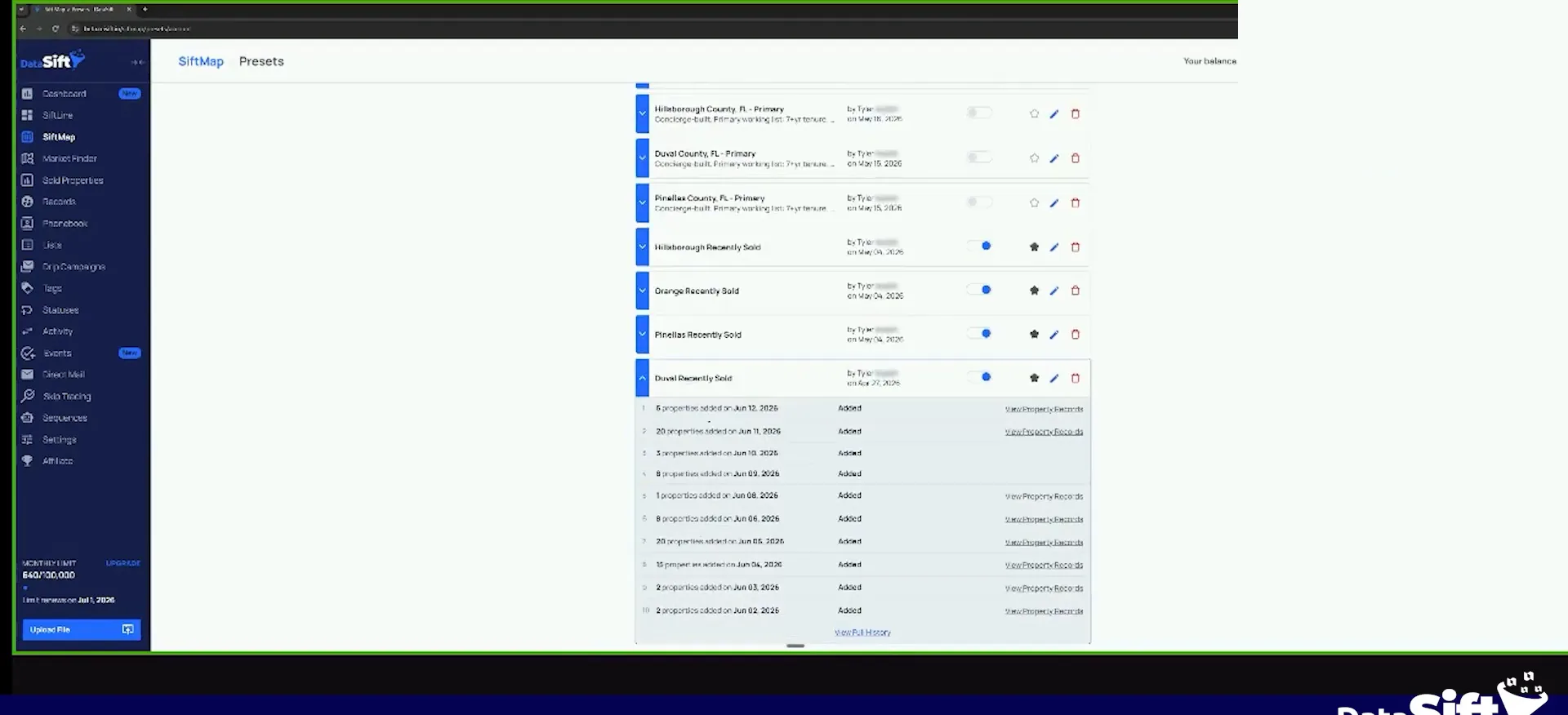
Since I turned it on, it has not been a week yet, so I do not have any new ones. To show you what it looks like, I opened recently solds in Duval County. On June 12 there were properties that downloaded on their own, and more the day before that.
Obituaries will look the exact same way. On June 12, one property was added there. Some weeks you will just see 20 new obituaries from Duval County sitting in your account.
Because it's already adding an obituary list, I'm just adding a new obituary tag because I know that if it does that, it's gonna be auto adding them.
Run your FTM obituary needs numbers filter.
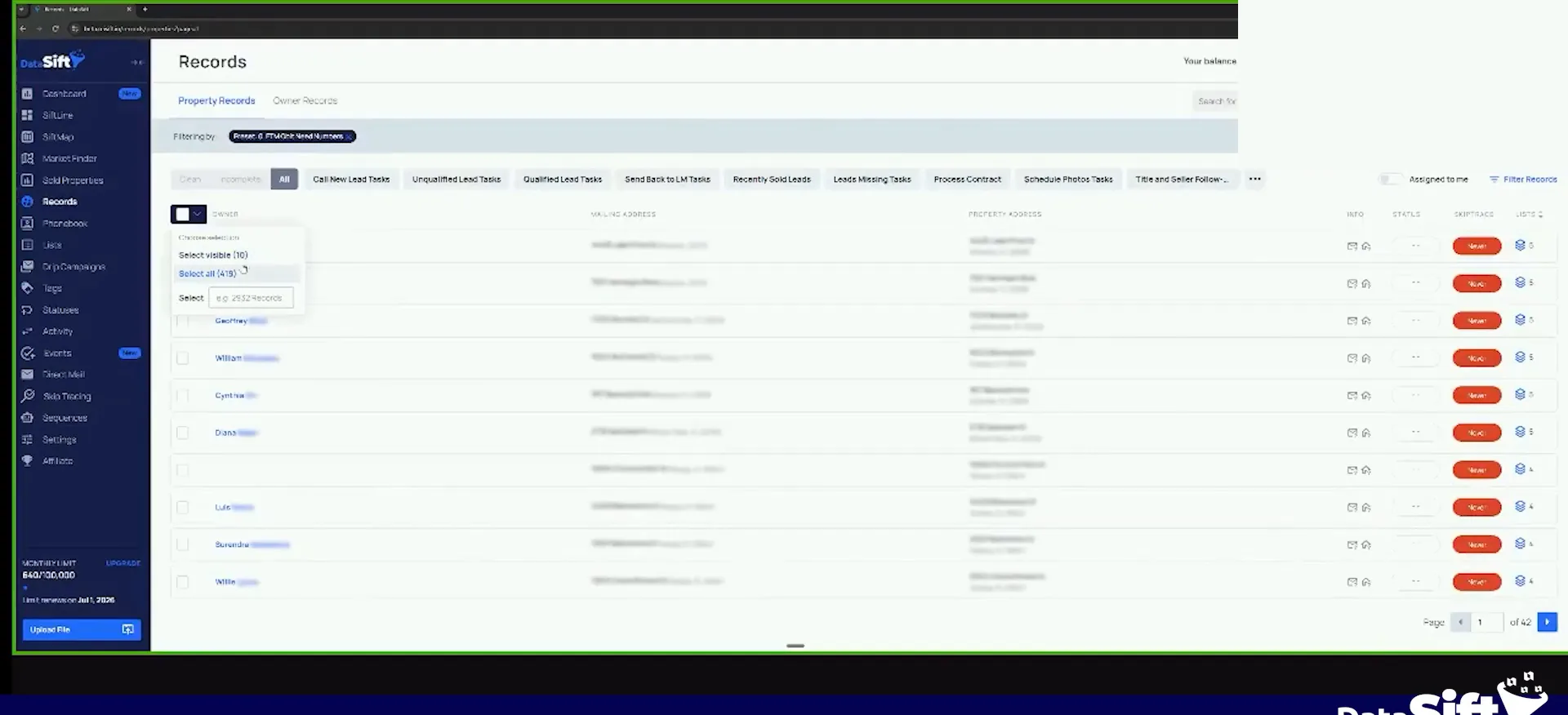
On my records page I have a very simple flow called FTM obituary. Inside it I have FTM obituary needs numbers. Select that and you will see what it filters by.
It filters by the obituary list, which gets added automatically when the data downloads. Then numbers, no. Skip trace, no. Click apply and you have everything that has not been deep dived yet.
So if I click apply, you'll see we got 419 properties right now that are obituaries that have not been deep dived yet.
Skip trace the decedent, then add every kin.
Remember what these records are. These are decedents, people that passed away. I could skip trace them through Sift and get a lot of family members, and you still can.
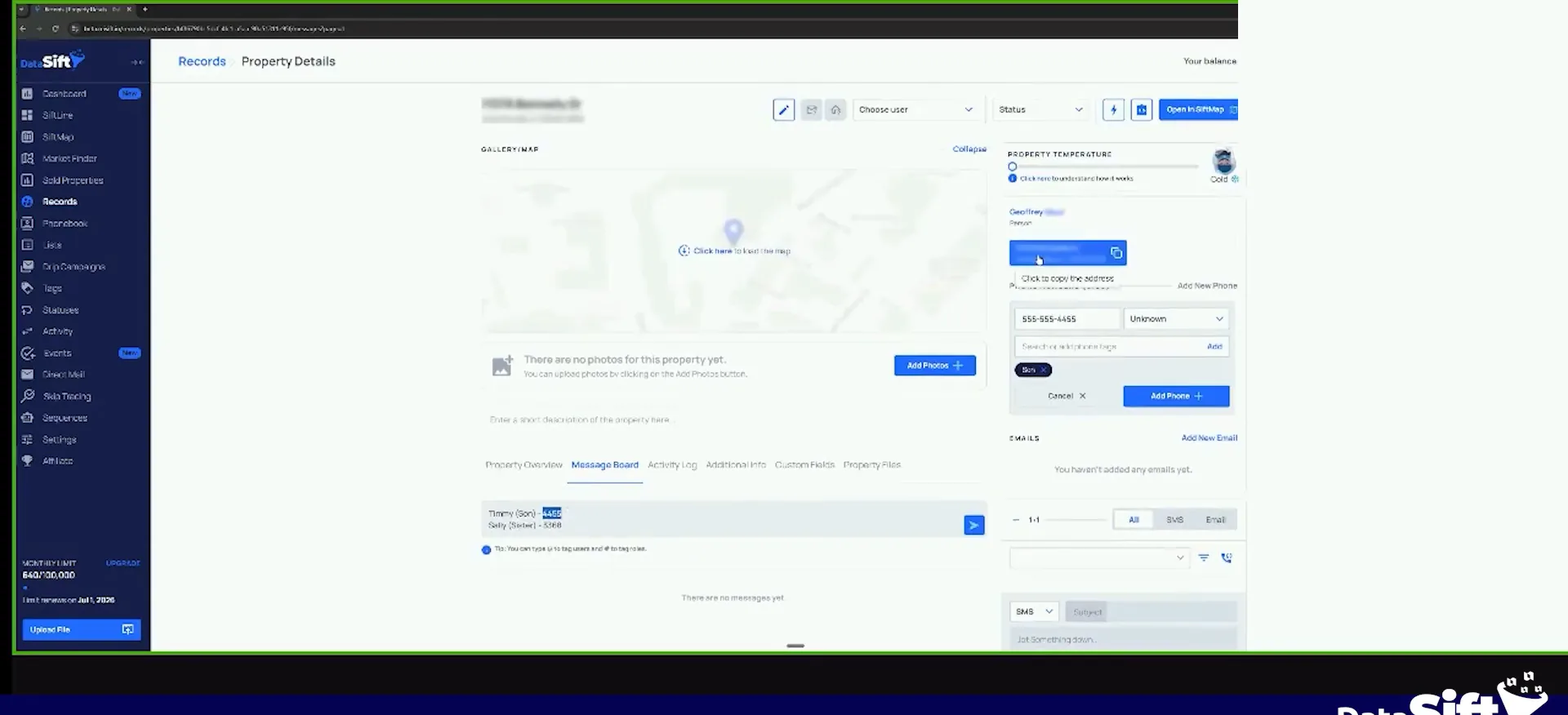
Here is what I do, and feel free to steal this. Select the decedent, grab their mailing address, skip trace the decedent, and add all the phone numbers you find for them. Then go use smart skip or skip genie or true people search and add every kin you can find around that person.
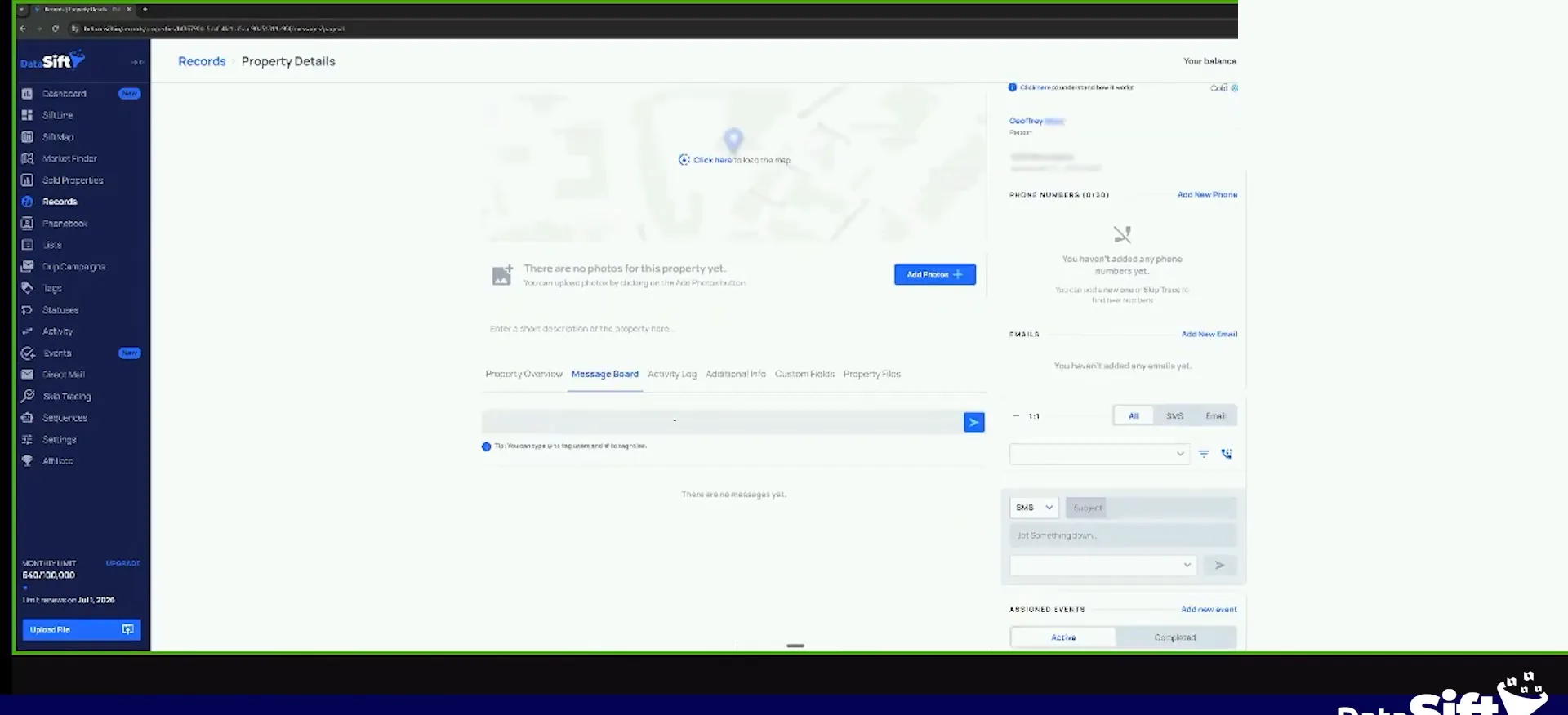
Then go to your message board on that record and add them there. It is going to be something like Timmy, son, and then the last four of the number.
Obituary skip trace
Skip trace the decedent, then add every kin.
- 1Select the decedentThese are currently decedents, people that passed away.
- 2Grab their mailing addressTake the mailing address off the record before you trace.
- 3Skip trace the decedentYou can still skip trace them in SIFT.
- 4Add every kin you findGo use smart skip or skip genie, true people search.
- 5Add them to the message boardWrite the name, the relation and the last four.
Add their number and a son tag.
Add the number and tag it son.
You will do Sally, sister, 3365 or 68 or something. Then you add their actual number here. Timmy's might be (555) 555-4455, so you go 4455 and then click add, and the tag on it is son.
On the message board it reads Timmy son. So one of my team goes to call that phone number, because we are not throwing obituary data in a bulk dialer. We are doing click sequential marketing.
When I call and I see 4455, I have the message board open at the same time. I can say, hey, Timmy, how's it going, this is Tyler, I was giving a call about this address. Then you continue the conversation.
So one of my team goes to call that phone number because obituary data, we're not gonna throw it in a bulk dialer.
Process it like a normal first to market flow.
Your data person processes all of those records. Once they have phone numbers, my next filter is ready to call. That one looks for records with no call attempts on them that have phone numbers. Those ones can start getting phone calls, and then you go to the next one.
This is the same exact flow we run with first to market or any bulk marketing. We download a bunch of data. One filter looks for stuff that needs phone numbers, and we send it for skip tracing. Then it goes to the next one, first marketing attempt, then second, third, fourth.
With obituary you can do it truly first to market through SiftMap, so you do not need a VA to go pull the data. You have still got to skip trace it. If you want the best results, go gather family member numbers, because these people have passed away.
Normal flow
This is the same flow as bulk marketing.
- 1Download a bunch of dataWith obituary you can do it truly first to market through SIFMAP.
- 2Filter for stuff that needs numbersOne filter looks for the records that need phone numbers.
- 3Send it for skip tracingYour data person processes all of those records.
- 4Ready to callAll the records with zero call attempts on them and phone numbers.
- 5First marketing attemptWe send it for a first marketing attempt, then second, third, fourth.
BEFORE YOU MOVE ON