
PART 1
The default account build.
Every new Sift account ships with this build already in it. Acquisitions, transactions and lead management are set up before you touch a thing. You look at what is there, then customize from there.
What ships in every account.
Start from the build that comes out of the box.
This is coming with every single Sift account. It breaks down the different things you need to get off the ground, from acquisitions to transactions to lead management.
The thought behind it is simple. We want you to see everything you would actually need out of the box. Then you customize from there. If you have more of a business already, go in and customize as much as you want.
Why this build took a while.
Treat this build as tested, not guessed.
This has been a while in the making. We talked with brand new investors and with people doing multiple 7 figures in revenue, and we came up with this default account.
I built this out in other users accounts for a long stretch, people switching over from other CRMs to use Sift. Multiple long calls each time, migration and setup. Now any brand new account has it built out by default.
We've interviewed discussed in-depth with multiple 6 figure and brand new investors and people doing multiple 7 figures in revenue, and we've come up with this default account.
Reassign records and tasks to the right person.
If you are already a Sift user, we can build this for you with one click. Like any templating engine, there are some updates you would have to do after.
Check that records are assigned to the right person, and that tasks are too, if you have more than one person in your business. Nothing here is complicated.
In addition to that, if you're an existing SIFT user, we can press by the click of a button and essentially have this built for you.
Ask why each piece is in your account.
The goal is to make things easier for you. It is also to make sure we are not treating you like you are not a business owner.
I want you to understand why things are the way they are, and why it matters to do them a certain way. I also want you to stop making up reasons for things you do not need. We focus on the core principles of business and of the sales cycle.
That is why we did not release this until we had talked to other investors, put it into their businesses and watched the outcomes.
Before you change it
So be very careful not just creating and expanding upon this just because that's going to get you nowhere. We want you to understand why things are the way they are.
BEFORE YOU MOVE ON
PART 2
What ships in every new account.
Up to now a new Sift account came blank and you built everything yourself. Now it arrives with boards, sequences, lists, statuses and task presets already in place. Here is what that build gives you, and the one record we will push through it.
The account used to come blank.
Open a fresh account and look at every page.
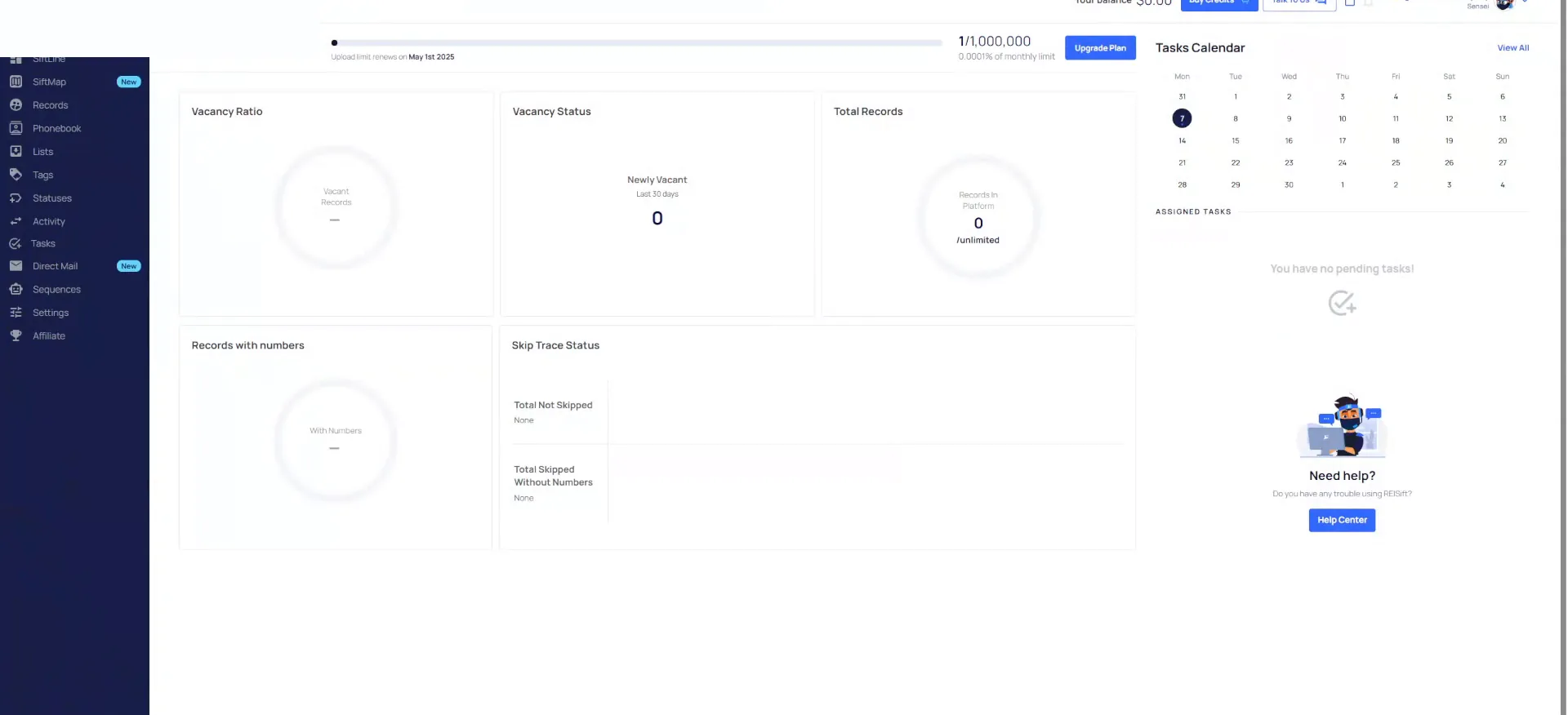
This is what a Sift account used to look like. It would come blank. You click on your Sift line boards and they are empty. The records page has nothing in it by default.
You load your filter presets and there is nothing there. You go to the list page and there is no list in the system. Everything is 100% customizable, so you make it however you want.
Click once and watch the boards build out.
There were some default statuses in there, but a bunch of them. You are not really sure which ones you need, and they are not connected to anything. There are no task presets and no sequences. It was 100% blank.
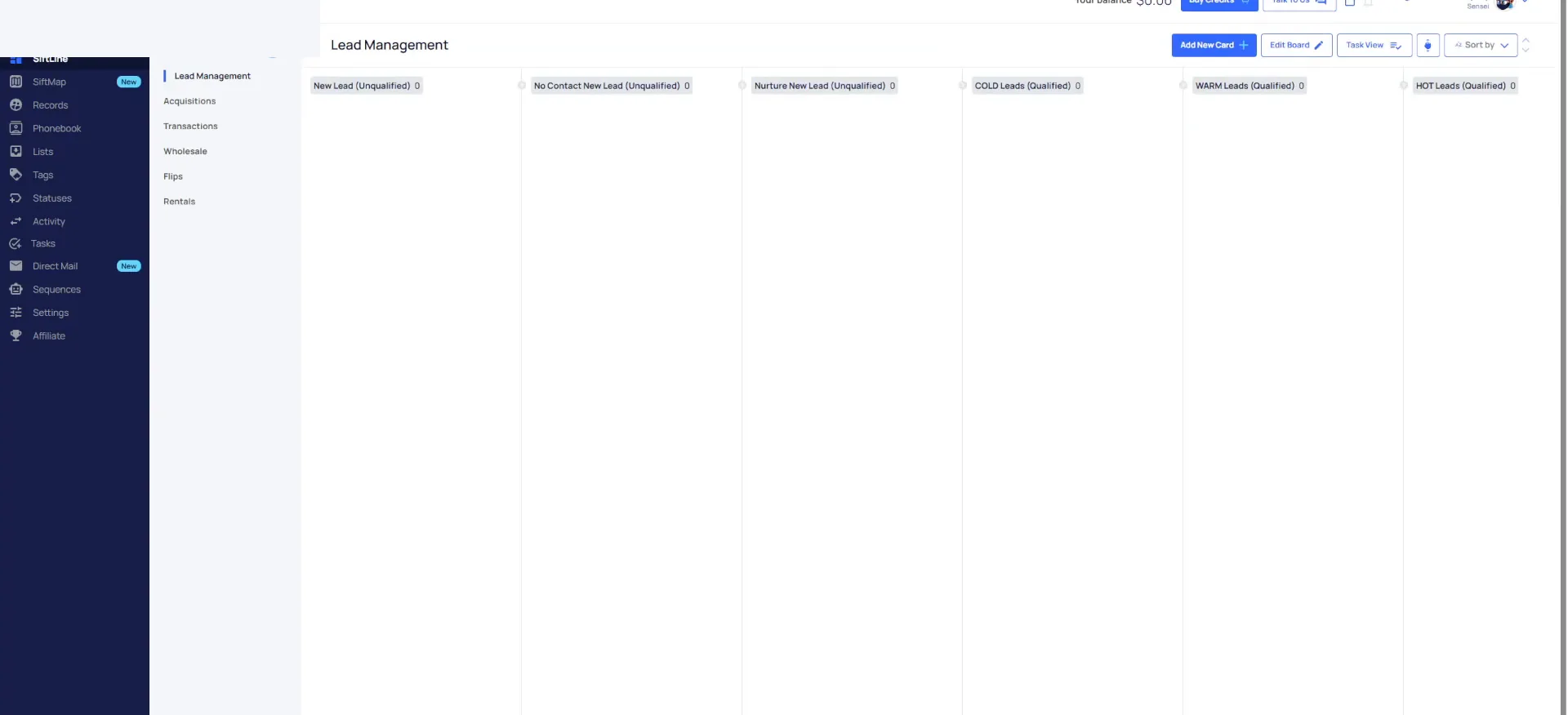
So I take that account and click a button here. In your case, any new account just gets this automatically. I click back to Sift line and boom, it is all built out.
You get a lead management board, an acquisitions board, transactions, plus a wholesale board, a flips board and a rentals board. You can edit these and build upon them.
And then I'm going to click a couple buttons, and then I'm going show you what it will look like moving forward.
Sift line boards
Six boards get built for you.
- 1Lead management boardWhere leads live before they qualify.
- 2Acquisitions boardWhere offers get made and followed up.
- 3Transactions boardWhere a new contract gets processed and closed.
- 4Wholesale boardOne of the exit boards we create for you.
- 5Flips boardFor deals you keep and rehab.
- 6Rentals boardFor deals you hold and rent out.
Default sequences are there to start.
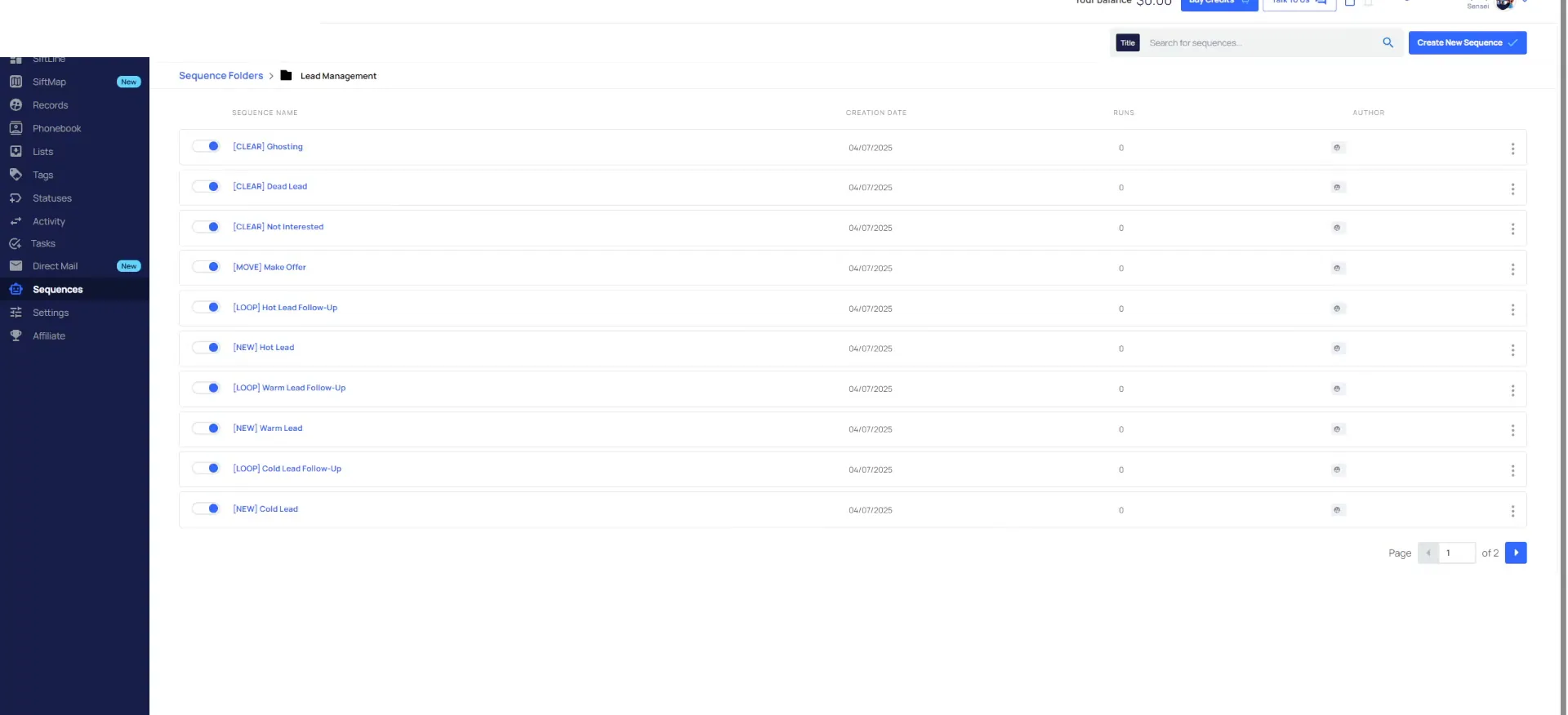
Open sequences and read what is already built.
Click on sequences and there are default sequences in here. There are transaction sequences and acquisition sequences, to automate everything for you right from the very beginning. What we wanted to make sure of is that none of it is enforced.
One of the powerful things about Sift is the customization to build the business you want. We want to give you a framework to build off of. Expand on what we are doing here.
We see what you need to be focused on and we don't want you to focus on what you don't need to.
Use the default lists and leave the statuses set.
Most real estate investors do not really know what a sales cycle is, or what the phases of a lead are. So you create it off the whim, from a feeling or a YouTube video you watched. We see what works.
Go to the list page and there are default lists built in. You do not have to wonder what list to map things to. You do not even have to delete them. When you add data, just select the one that makes sense.
There are some default tags and default phone tags in the system, and default contact statuses too. Then property statuses. We turn off a ton of these and leave on the ones tied to your sales cycle.
So be very careful not just creating and expanding upon this just because that's going to get you nowhere.
Statuses and tasks we care about.
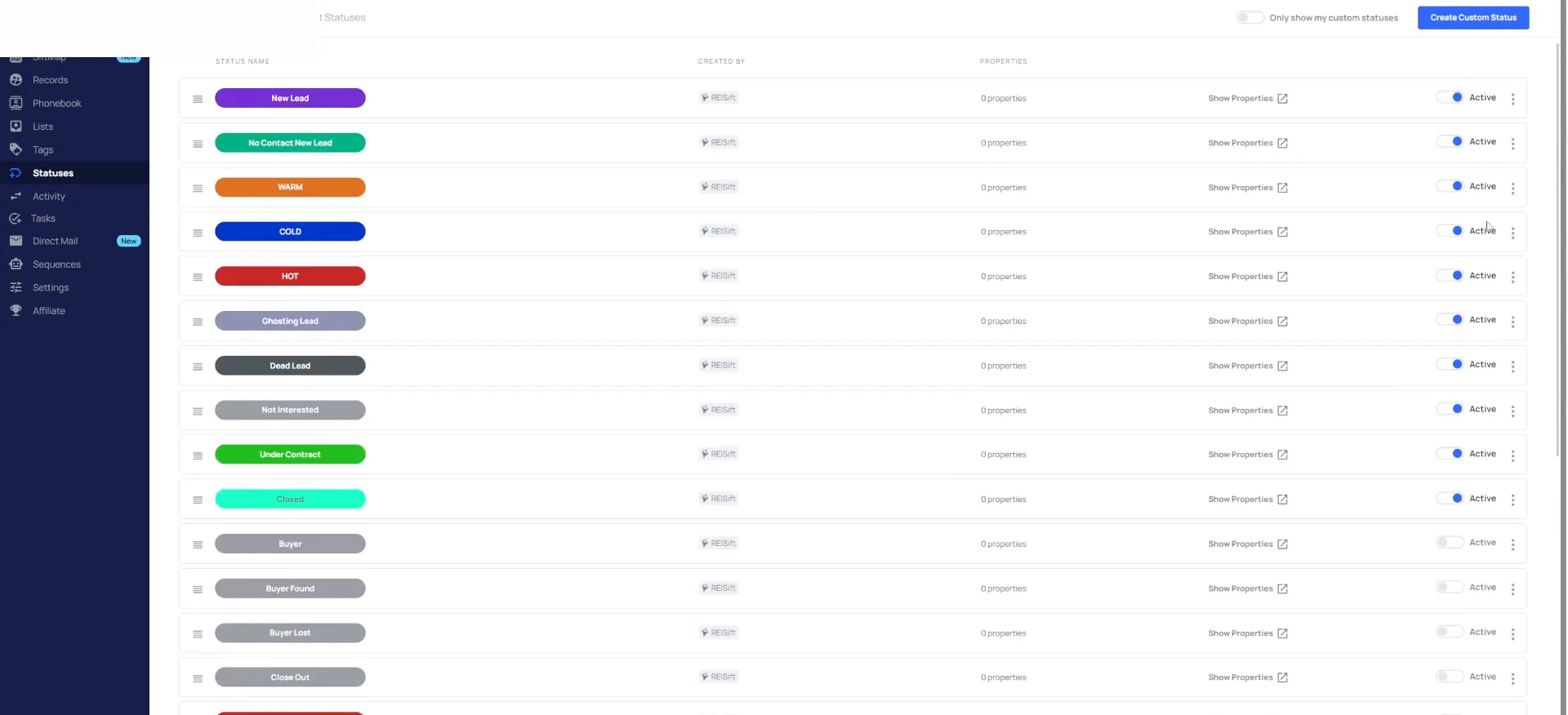
Read the lead statuses we left switched on.
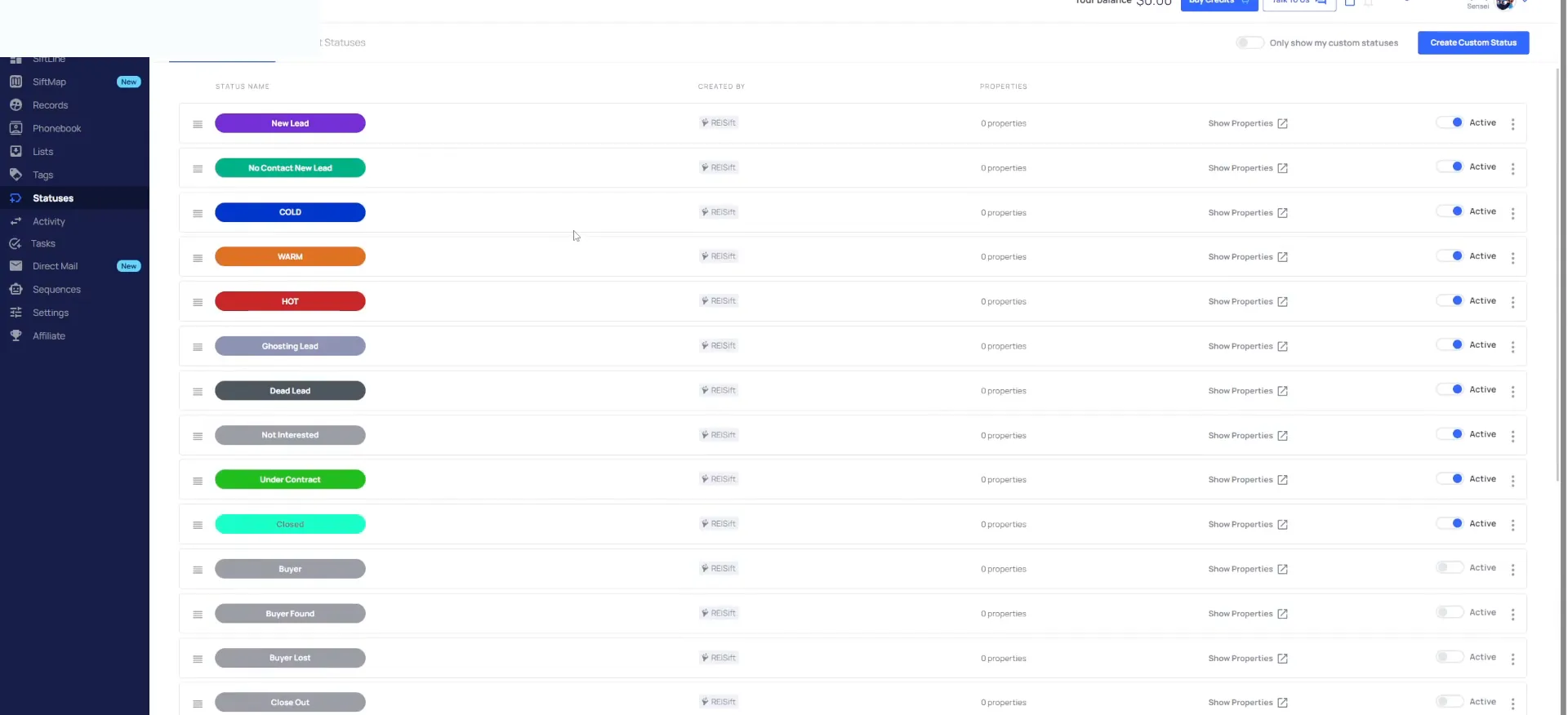
We have new lead no contact, new lead, warm, cold, hot, ghosting leads, dead leads, not interested, under contract and closed. That is really the core of what we care about.
You can turn on some of the other ones if you want them for other things, or create custom ones. By default we want only the ones we really care about.
Check the task presets before you add your own.
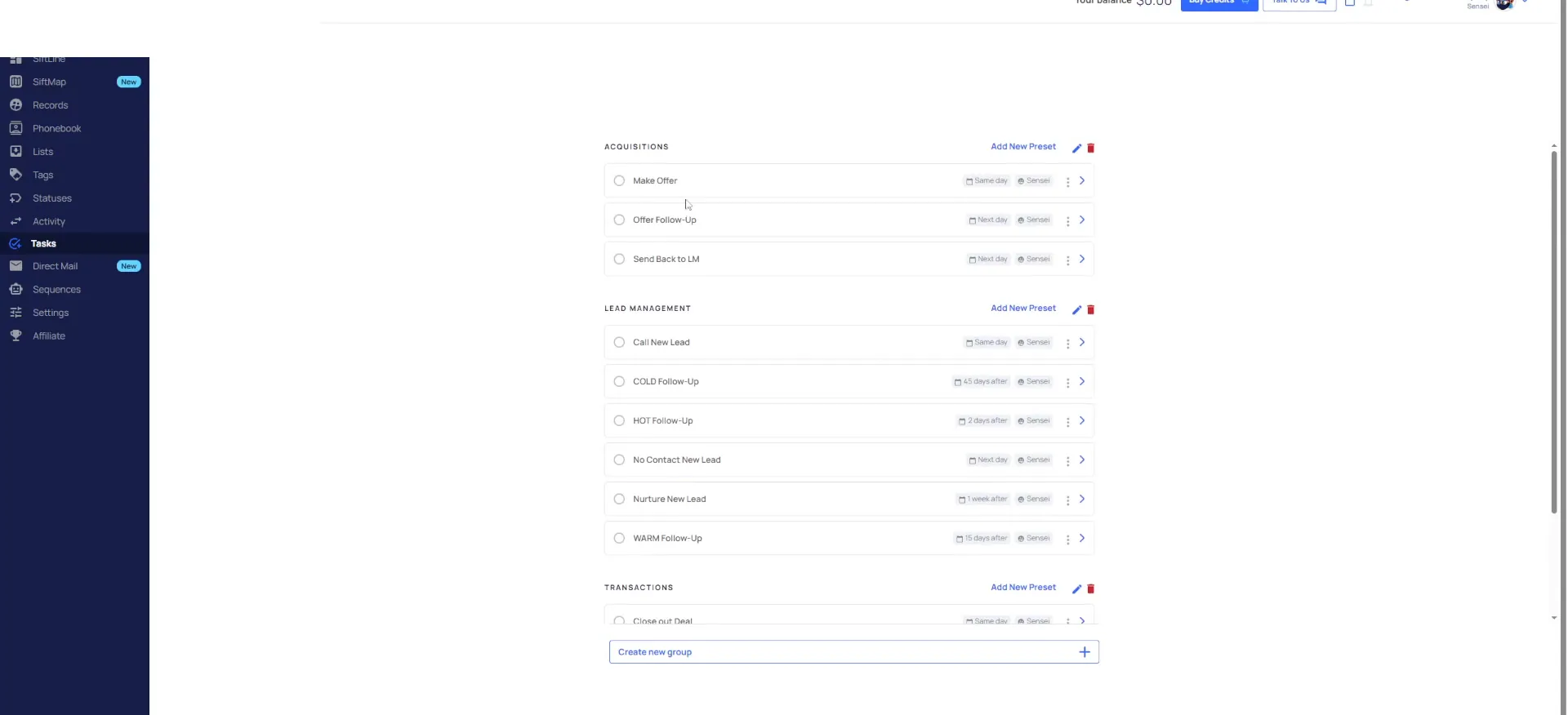
Go to tasks and the lead management tasks are already built out, the ones we care about, nothing more. Call new lead, cold follow up, hot follow up, warm follow up. Then no contact and nurture new lead, which are the unqualified follow up tasks.
Transactions has close out the deal, follow up with seller and title, and processing a new contract. Acquisitions has making an offer, offer follow up, and sending back to lead management. You may change a due date, but really this is it.
We don't for I would say 95% of most companies, these are the only tasks that you'll ever really need.
Preset tasks
The preset tasks on three boards.
Lead management
- First taskCall new lead
- Follow-up taskCold, hot, warm follow-up
- Last taskNo contact and nurture new lead
- How many you need95% of companies
Acquisitions
- First taskMaking an offer
- Follow-up taskOffer follow-up
- Last taskSending back to lead management
- How many you need95% of companies
Transactions
- First taskProcessing a new contract
- Follow-up taskFollow-up with seller and title
- Last taskClose out the deal
- How many you need95% of companies
Add one clean record as your example.
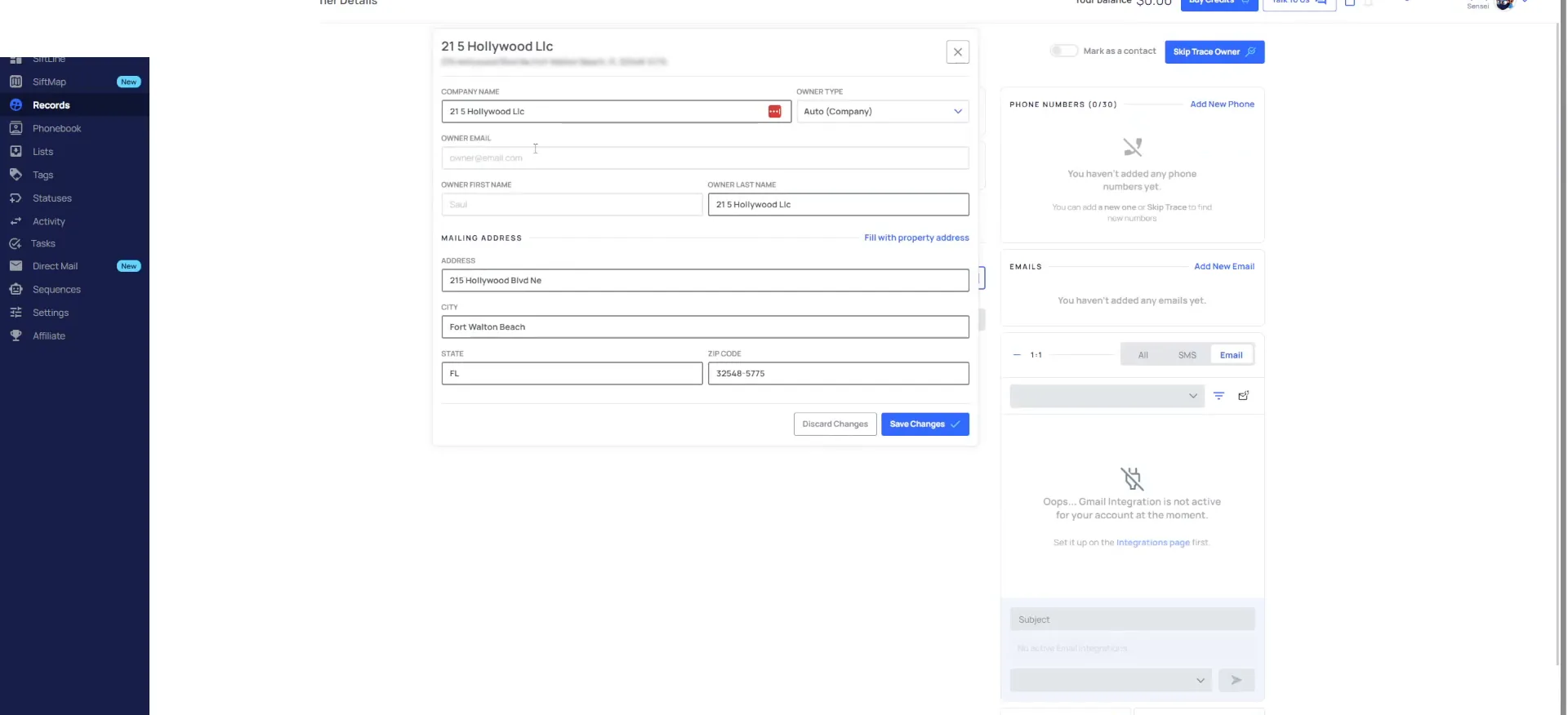
Before we switch over to my iPad, I add a record to the account, so I turn on sensitivity mode. I search for 215 Hollywood Boulevard and add it. I just drop it on a high equity list. It does not need a particular list.
It is under an entity, so it shows as incomplete. I put it under my name instead. Now it pops underneath the clean one. We use this as the example record that goes through our sales cycle.
BEFORE YOU MOVE ON