
PART 1
Comp it before you talk to them.
Before I call a seller or drive out to a house, I want an idea of what the property is actually worth. This is the comping workflow inside Claude, start to finish. It runs on public data, and you still have to read what it gives you back.
Start with the map.
Throw the property address into Google, then open Google Maps.
First, run the agent update so this is all deployed. You can also go inside of day one, under the Claude AI skills, and download the comping workflow.
Then it is the same way we have been doing all week. Ask Claude to run a comping workflow on the property. I am using the one on Sandland, 3014 Sandland Avenue.
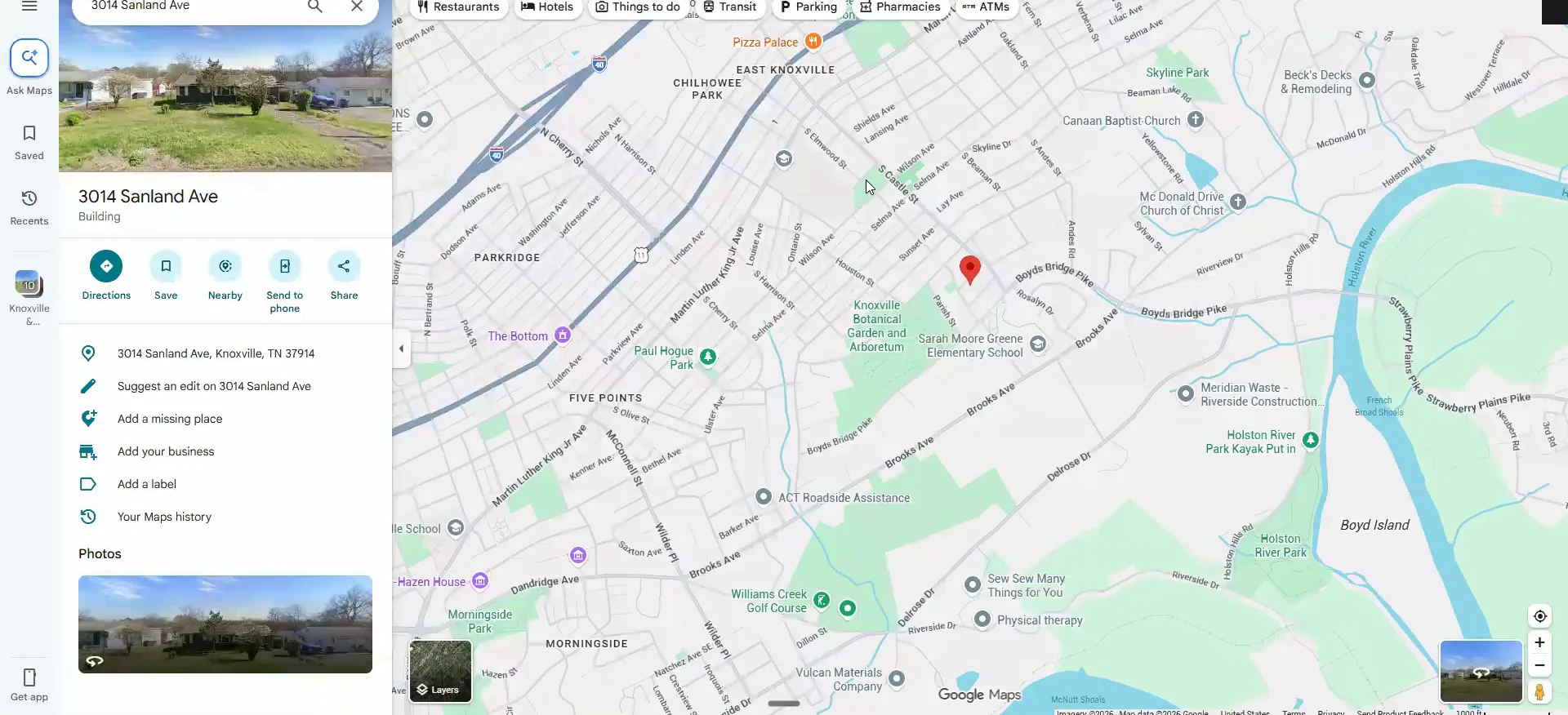
Set tight boundaries before Claude pulls anything.
Comping is trying to get as close as you possibly can to a property that has sold, or is active or contingent. You want to match the subject property as closely as you can.
Everyone has heard that real estate is hyper local, and it matters block by block. So I look at the areas around the house and I draw hard lines.
I will be super aggressive in terms of the boundaries of what I actually want Claude to stay within whenever it pulls these comps.
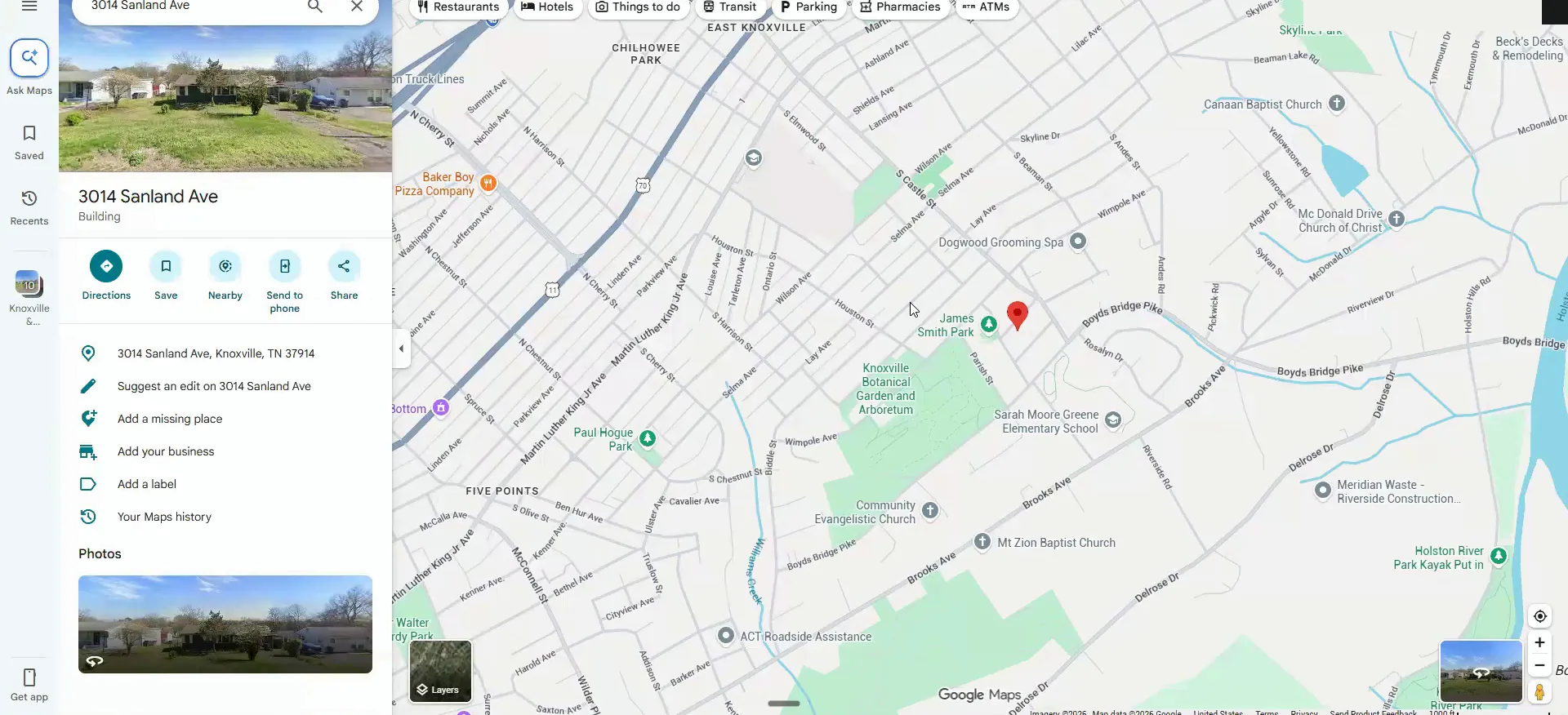
Never cross a natural boundary on the map.
In this case the interstate is the line. Anytime you see a road that is a little bit bigger than the rest, you do not want to cross it.
If you know the area well and you know both sides of the street are the same properties, then go ahead. I know this one, and the pocket by the interstate is rough.
I know this area really well, and Martin Luther King Drive is a pretty rough, pocket here in terms of, like, this little area by the interstate.
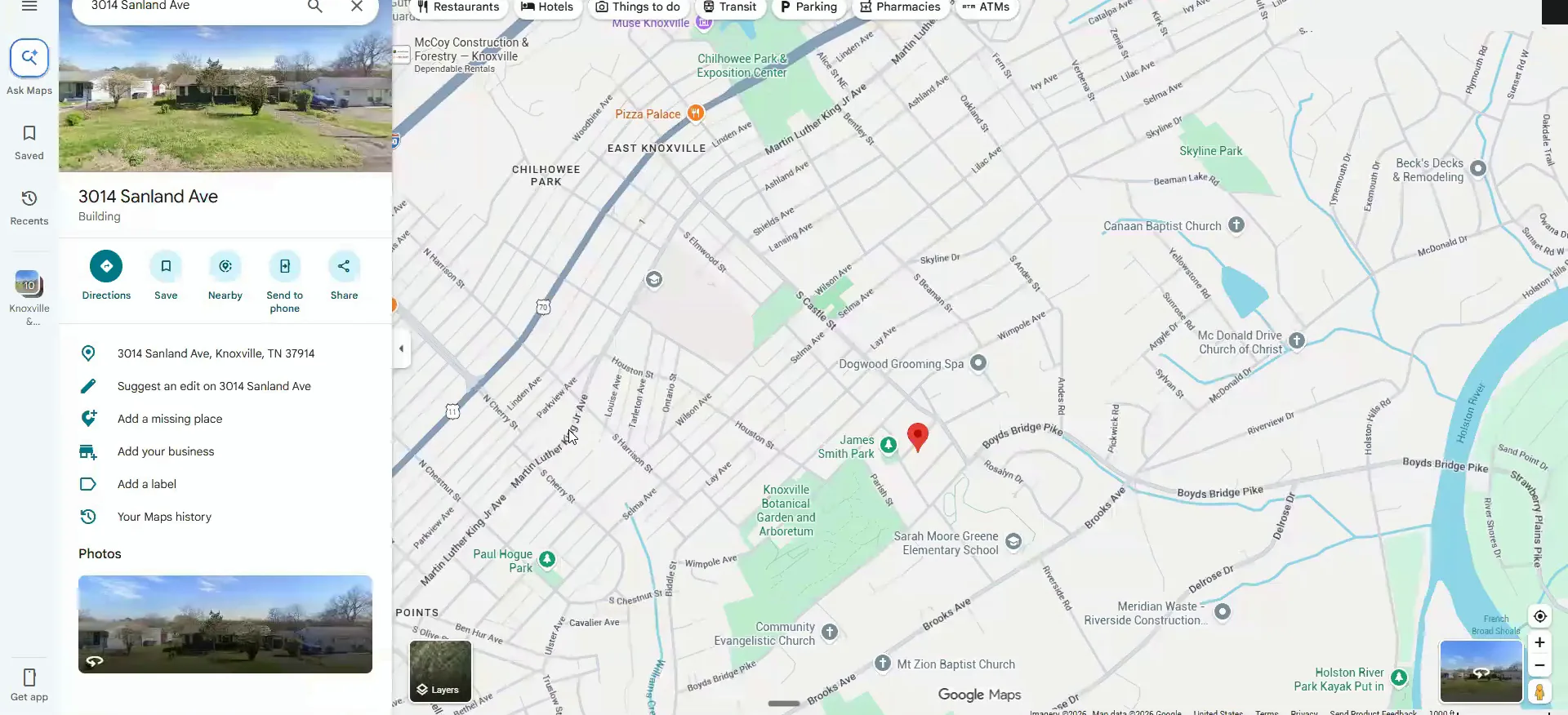
Do not cross natural boundaries.
Screenshot the map, draw the boundary, paste the address.
On Windows it is shift and s to grab the screenshot. It does not have to be perfect, Claude will get the idea. Tell it not to cross any of these natural boundaries.
The biggest issue with this workflow is that it leans toward properties identical to the subject. Cross Martin Luther King or South Castle and those are very different ARVs. The tighter you make it, the higher quality the output.
Add your notes from the CRM and any context you have. The seller told us this one is in pretty rough shape, so that goes in. If you have photos already, use them.
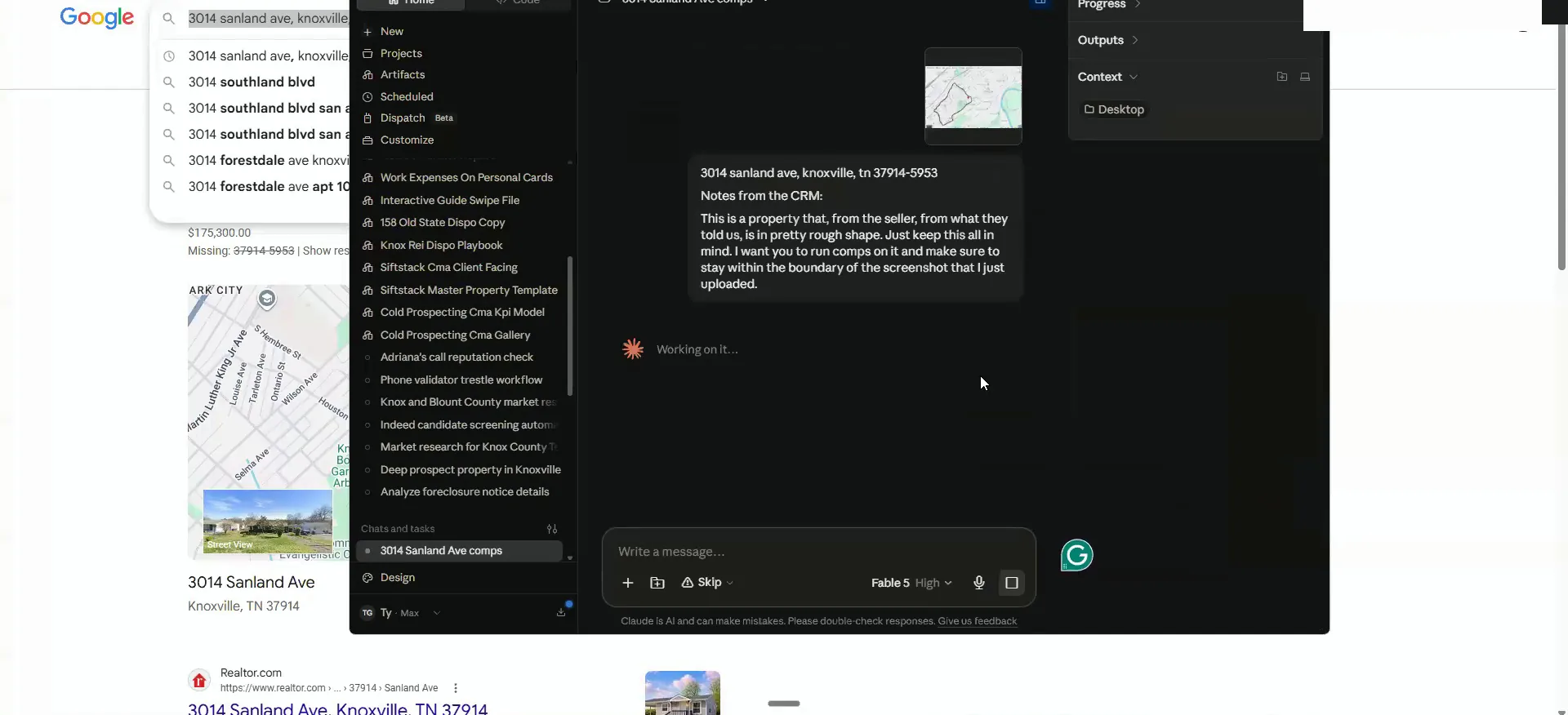
Read the overview it gives you first.
It will tell you it ran the deal analyzer real estate comping skill, pulled from the research flow inside the agents. Then it hands you an overview of everything.
Use the stronger models if you have the capacity for it. The strongest one burns a lot more usage, and Opus is about the minimum I would run.
And I'm not gonna get into the repair numbers and all this other kind of stuff over here because this will come once we've actually seen the property.
Check the similarity grade on every comp.
It creates a comping tab right off the bat. Mine also uses the API to see who the buyers were and whether they were investors.
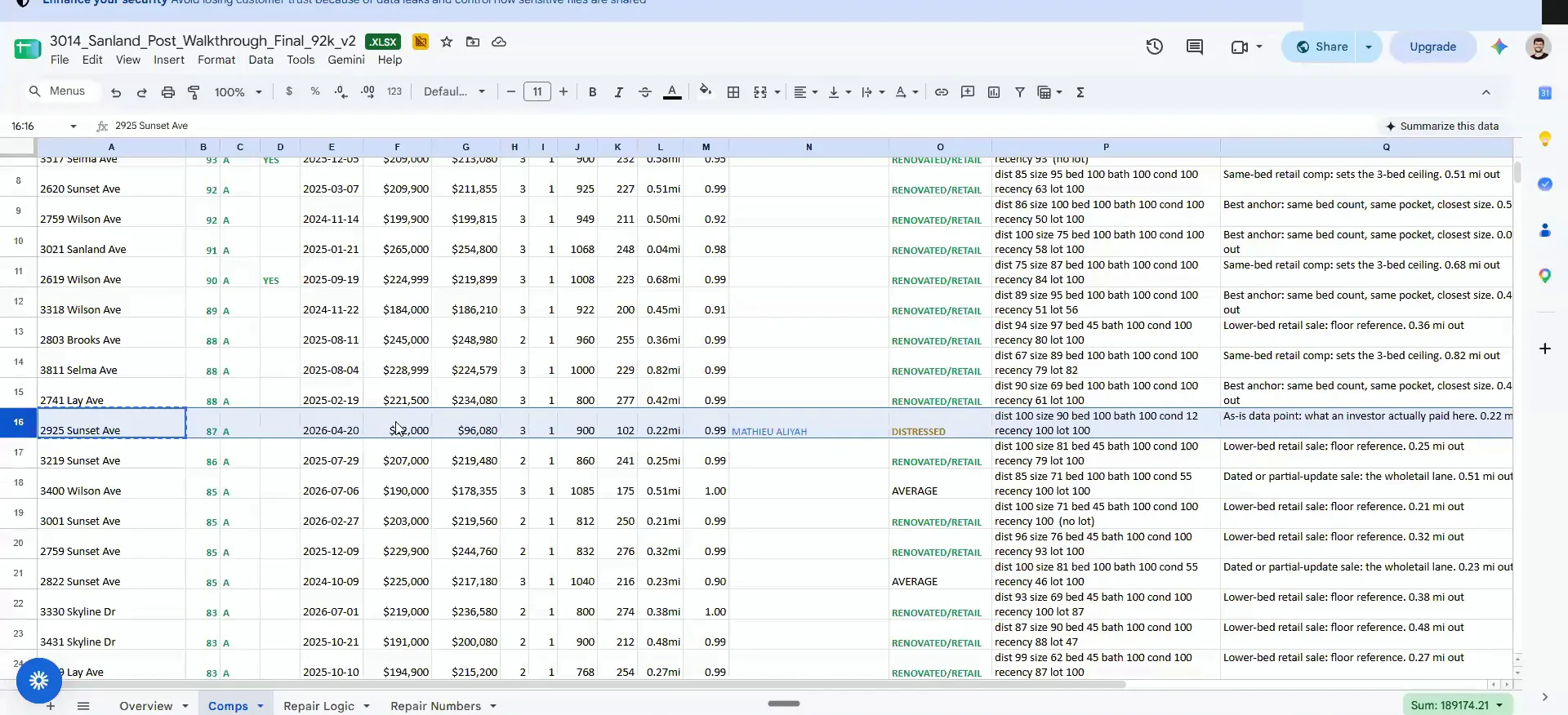
Each comp gets a grade of similarity with a numeric score. The higher that number, the more similar it is in all ways. You also get sale date, sold price, adjusted price, beds and baths, distance, the Zestimate, and whether it was renovated.
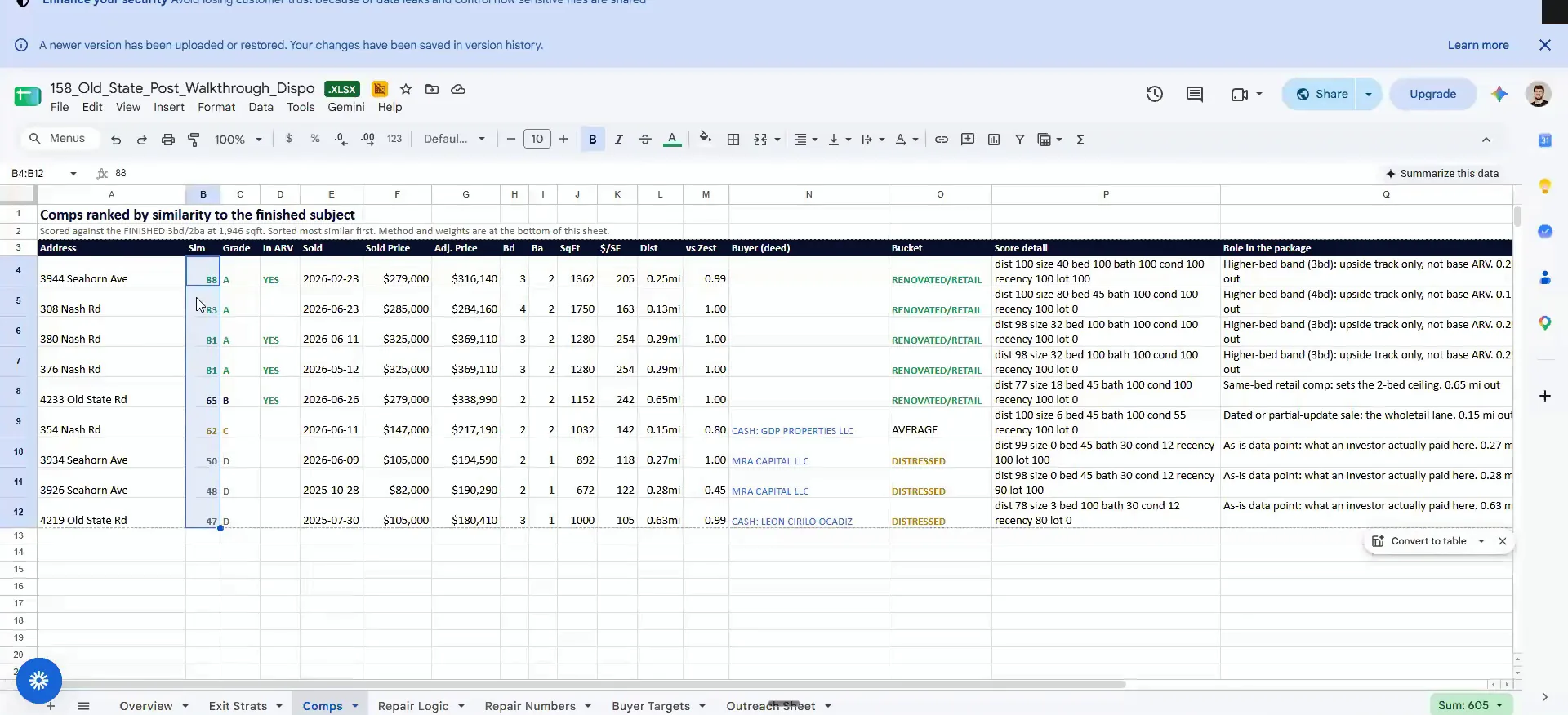
The cash sale gives a range.
Run the comps before you see or call the seller.
These comps give you a good idea of everything going on in that pocket. Start with the ones that were renovated, because that is your ARV side.
This all runs off the same agents you already deployed. Nothing here needs the seller on the phone yet.
Open the comp that mirrors your subject property.
This one is nearly identical to the house I walked you through on video. It was distressed and it was a cash sale, which is exactly why it matters.
Now I have an idea of what things sell for from a cash perspective and from a renovation perspective, before we go talk to anybody. Once the seller sends photos and videos, we run the rehab workflow. Once we have a deal, we run the dispo workflow or the lender package workflow.
And you see how this guy here so the this is that one that mirrors Sandland.
Workflow
Comps come first, then rehab, then dispo.
- 1Run the compsYou do this before you go see or talk to the seller.
- 2Get photos and videosThese come from the seller after the comps are done.
- 3Run the rehab workflowNow you have value, so you can price the work.
- 4Run dispo or lender packageOnce we have a deal, one of these two comes next.
BEFORE YOU MOVE ON