
PART 1
From walkthrough video to repair numbers.
This is our entire rehabbing process, the way we like to do it from a walkthrough. We film the property in chunks, hand the footage to Claude, and get back a priced repair list. Part 1 covers the filming and the full breakdown that comes out the other side.
What this process covers.
Turn your walkthrough footage into a priced rehab estimate.
The way we like to do it from a walkthrough perspective is a project manager paired with a closer. In this case it could just be your closer. It could be just you doing this.
We really love to get videos, and we ask permission from the actual seller. There are going to be things that are really, really hard to capture from a photo perspective.
Inside the project walkthrough template you will see all the different ways you can manage a rehab. Those are the important elements to keep in mind, whether you use Claude or do it all on your own.
And this is everything that we actually do from a processing perspective on our videos.
Film the property in chunks.
Ask permission, then film the property in chunks.
That is the workflow we run every time before we actually go and see a property. Then we go in and see it. You need to make sure you are asking for permission to actually do this.
We shoot a front video, then we walk through it. We do this in chunks. This is the exterior, this was the actual crawl space, and this one is the inside.
You can see it is in really bad shape. This is what that whole property looks like, the investor special. I throw it on two x speed so you can see the whole walkthrough.
So I'll throw this in so you guys can kinda see what our process looks like on the videos.
Filming in chunks
We film the property in chunks.
- 1Front videoWe do a kind of front video of it and we walk through it.
- 2ExteriorThis is the exterior, filmed as its own chunk.
- 3Crawl spaceThe crawl space gets its own clip.
- 4InsideThe inside clip runs a lot longer than the others.
About four and a half minutes of total footage across the chunks.
Download the clips and hand them to Claude.
There is about four and a half minutes of total footage. Take these videos, download them, and give them to Claude to have it watch the videos.
It will estimate the rehab cost off all the training data I have put in from our own rehabs, which is insane. We also keep the videos because they help our buyers when we dispo the property.
By the time we are talking to the seller we already have an idea. We tell them we are not going to be anywhere near $2.40 because this is totally distressed. They said they get it, and asked for an offer.
The full breakdown of rehab costs.
Read the line items, labor and materials split.
You get a full breakdown of all the details associated with every element of our rehab costs. Inside the research agent it breaks all of it down, because I have already given it what our cost is for everything.
It is estimating off all those videos I just showed you what each of these costs are going to be. It also gives you the distribution of labor and materials.
We have a full material list that comes with this too, with the SKUs from Amazon and Home Depot.
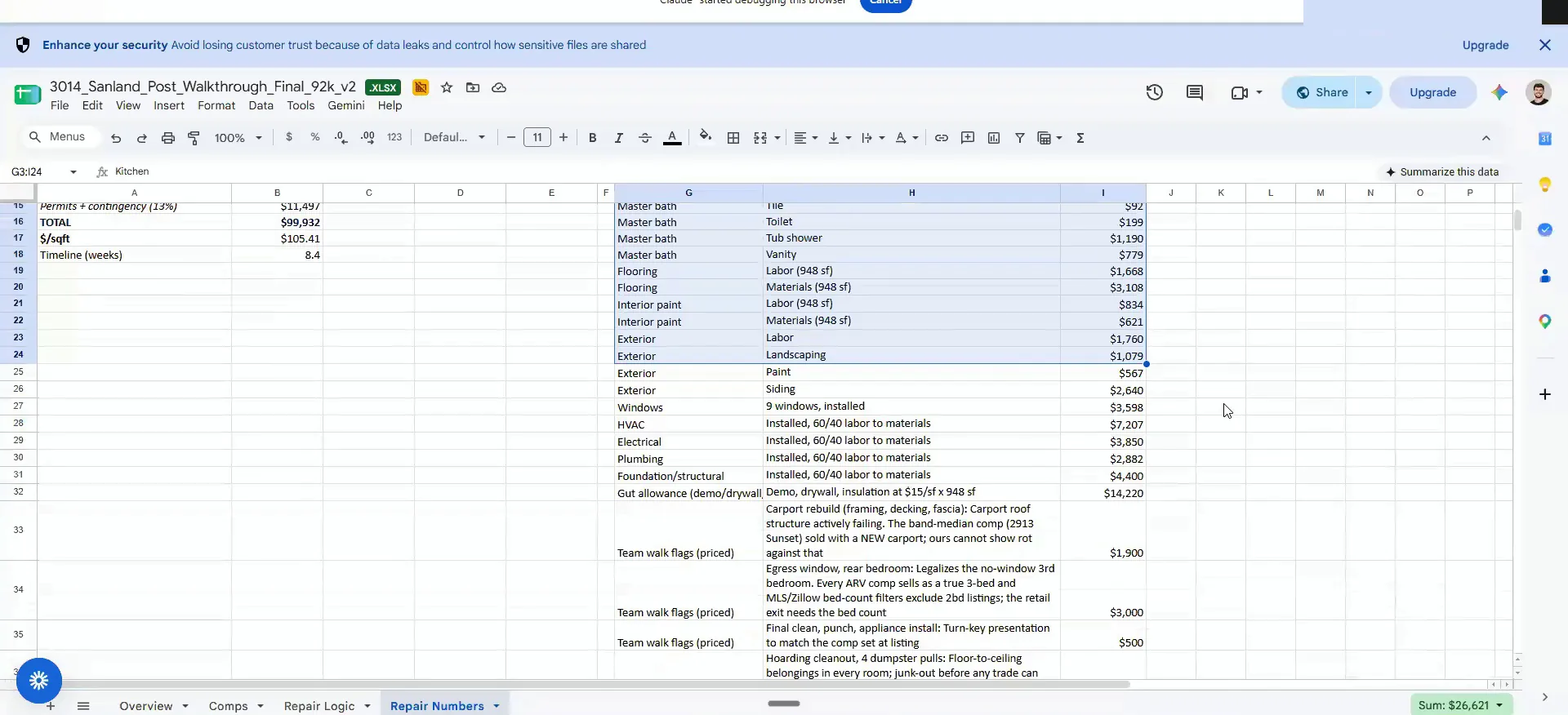
Ask for the full range of the rehab cost.
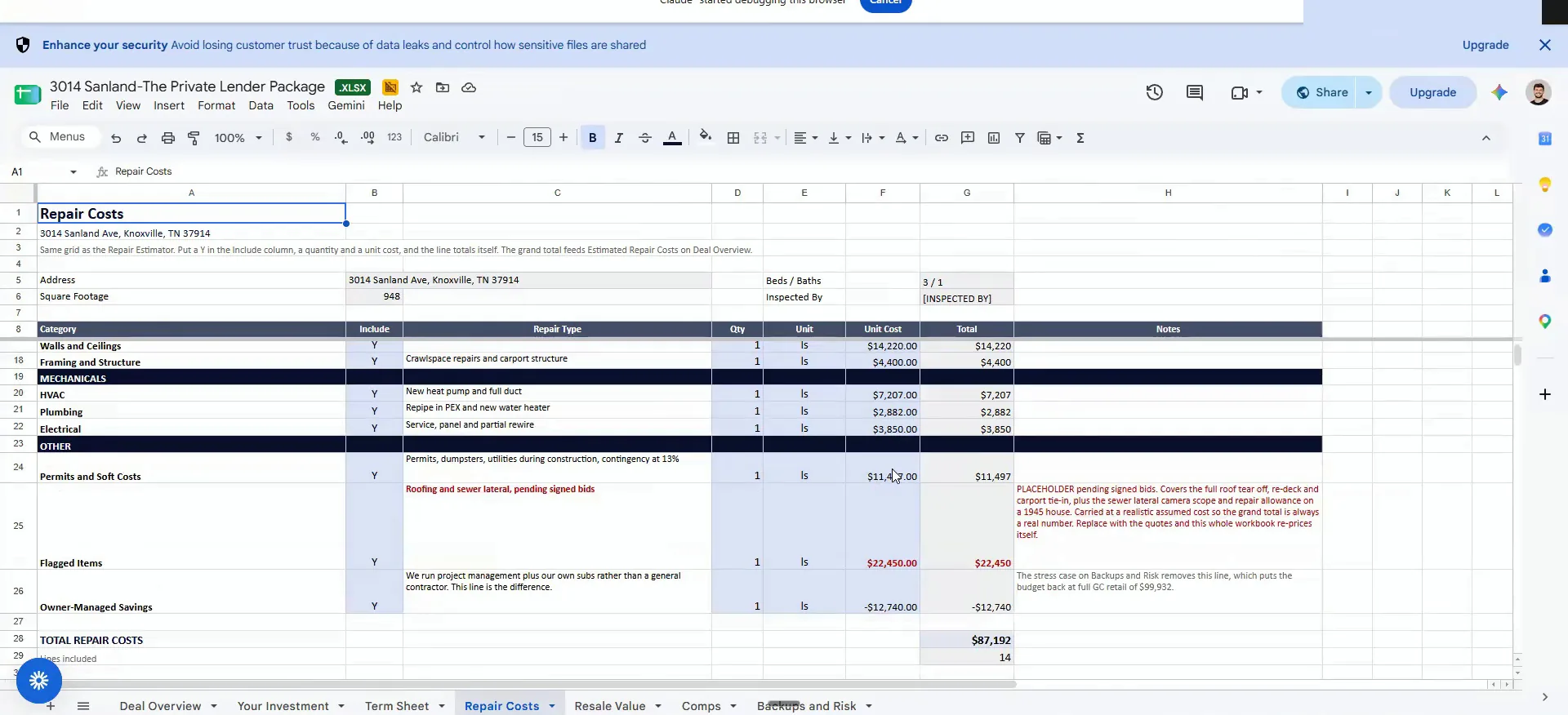
Once I see this whole thing, I ask for the full range of the rehab cost. I ask for the comp in the same breath.
We put the rehab cost conservatively at 87. It is actually about 70 after we got a couple quotes on some of it. The roof was a big cost on this one.
It's actually about 70 after we've got a couple quotes on some of the, roof was a big cost on this one.
Rehab numbers
Real quotes pulled the conservative number down.
Ask for the private lender package in the same chain.
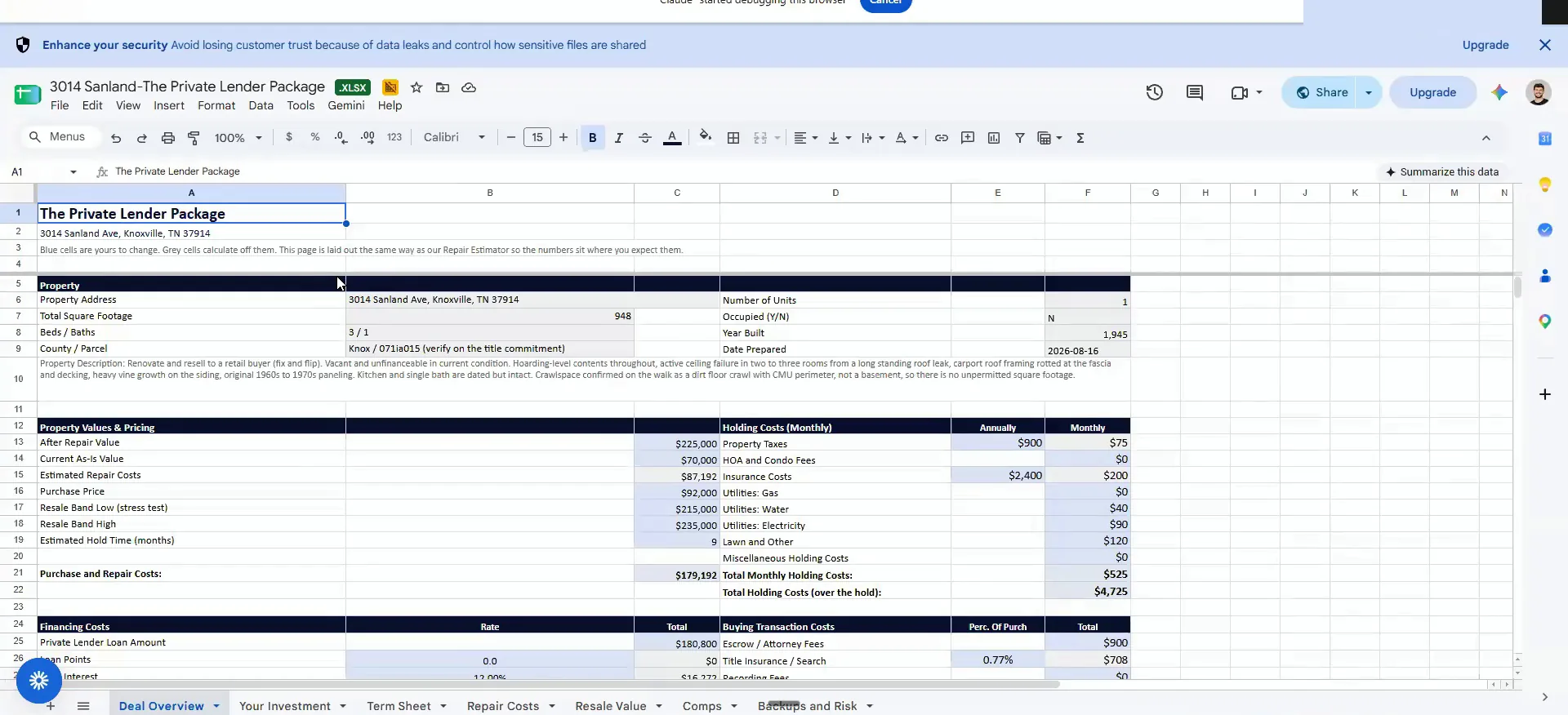
You can ask it to create a private lender package in that same chain. So it goes from comping, to rehab, to a private lender package if you want to raise money for it.
It has all these things roped into it. The ARV is here and the current as is value is here. The purchase price is going to be 92,000, and the total purchase and repair cost is here.
This whole chain can pretty much be automated from the comping part on. Once you know the rehab cost, you can go the path of raising the money or the path of dispo.
BEFORE YOU MOVE ON
PART 2
Buyer targets, videos and the tiers.
The second half of this walkthrough covers who buys the house and what the rehab actually costs. The buyer targets come out of SIFMAP, ranked by proximity to the property you just comped. Then you drop the walkthrough videos in and ask for the rehab numbers.
The buyer targets from SIFMAP.
Read the buyer targets in the order given.
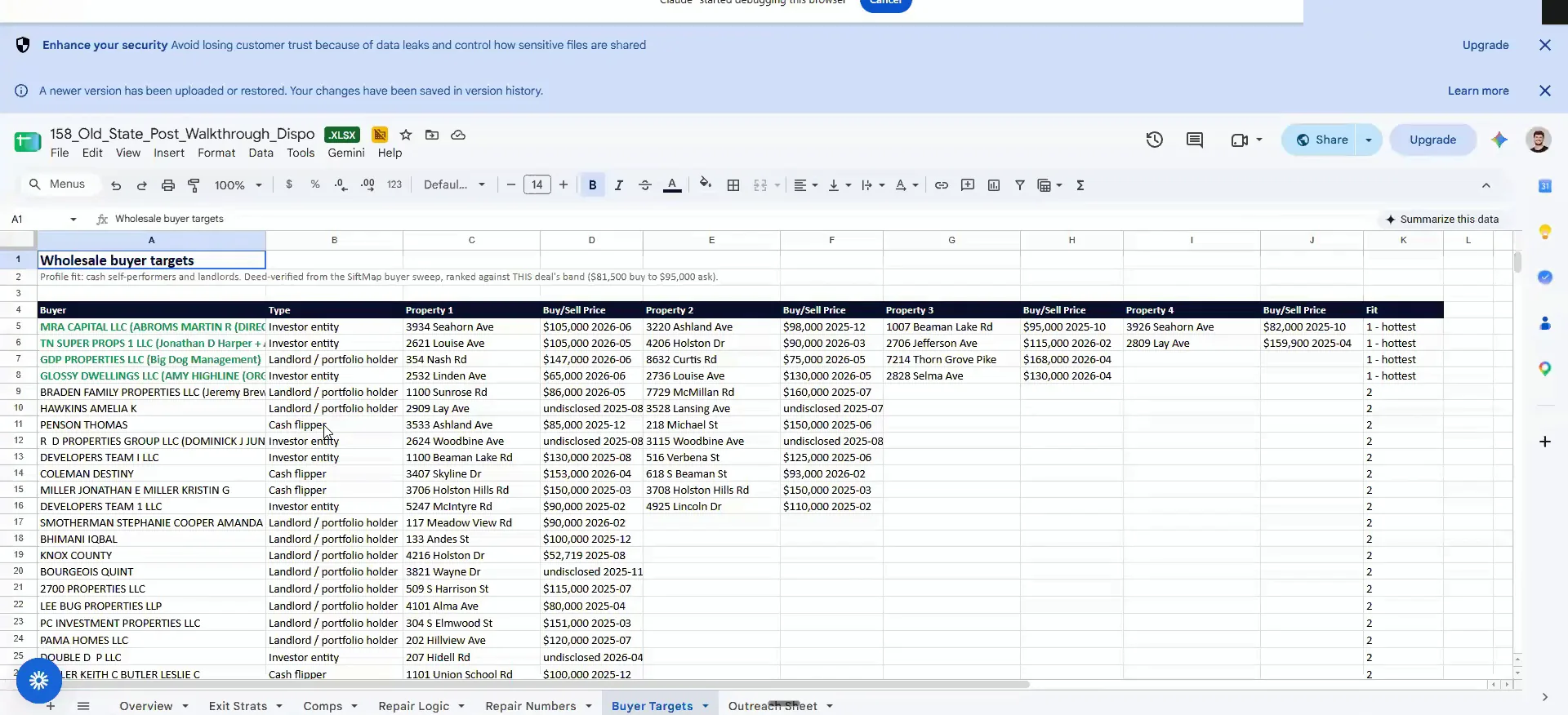
This is taking from SIFMAP every buyer that has the closest proximity to what I just looked at from a comping perspective, in order. It goes from the top all the way down.
It will tell you the entity type. It will tell you the last property they purchased that sits closest to the one we are walking. Then a second, a third and a fourth if those are available.
It will rank them from a fit perspective, I'll show you guys how to upload them into SIFT and actually, up all the details of it.
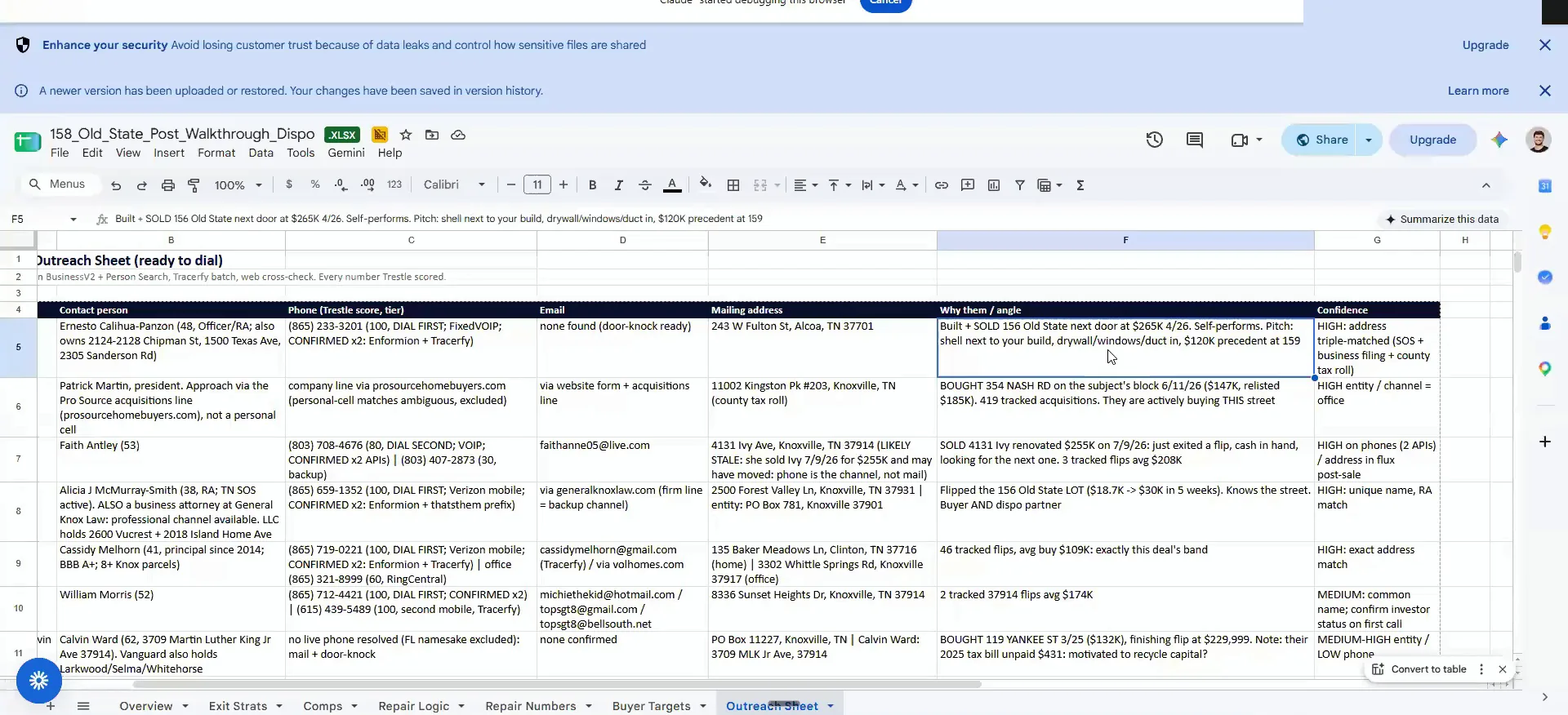
Open the call with the buyer's own nearby build.
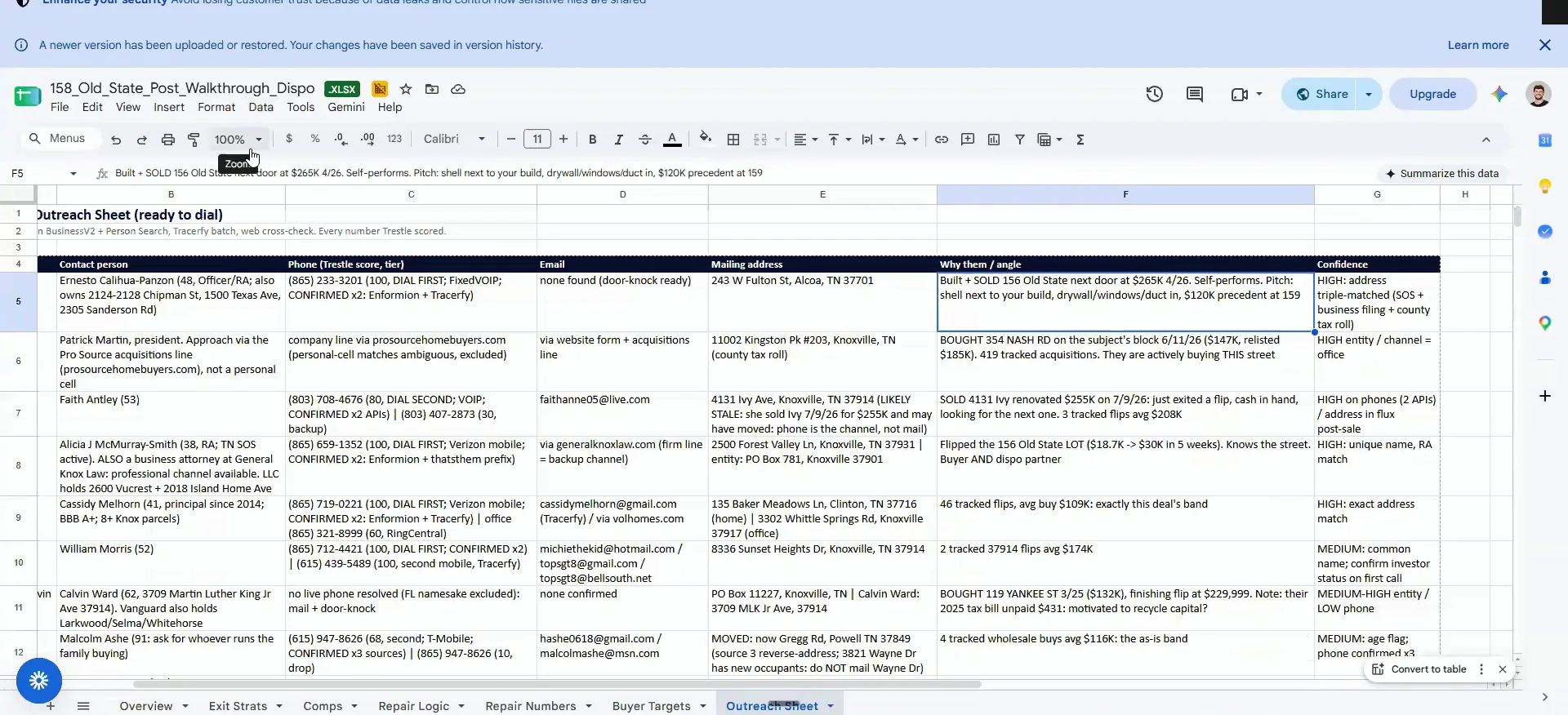
You also get a customized outreach sheet with points of conversation. This one was interesting because that buyer built and sold a new build that was the neighboring house to this one.
So I reached out and said, hey, I know you built the one next door on 156 Old State, this is 158 Old State. They came back and said they only do builds. That is now a land buyer for us.
This particular one here is super interesting because on this one, they actually built and sold a new build that was the neighboring house to this one.
Chain the asks, comps, then rehab, then packaging.
All you have to do to query this is ask in steps. I want you to run comps on this property. Here are the comps I just ran, can you now run the rehab costs.
Then, here are the rehab costs and the comps. Can you now package this for lenders, and can you package it for me to wholesale and dispo. This chain used to take hours just to set up once. Now I run it, jump to something else, and come back to double check it.
The chain
You ask for each piece of the chain in order.
- 1Run compsAll you have to do to query this is just ask.
- 2Run the rehab costsHand back the comps you just ran and ask for repairs.
- 3Package for lendersGive it the rehab costs and the comps together.
- 4Package to dispoLast ask is the wholesale and dispo package.
Upload the videos to Google Drive.
Right click the video file and hit download.
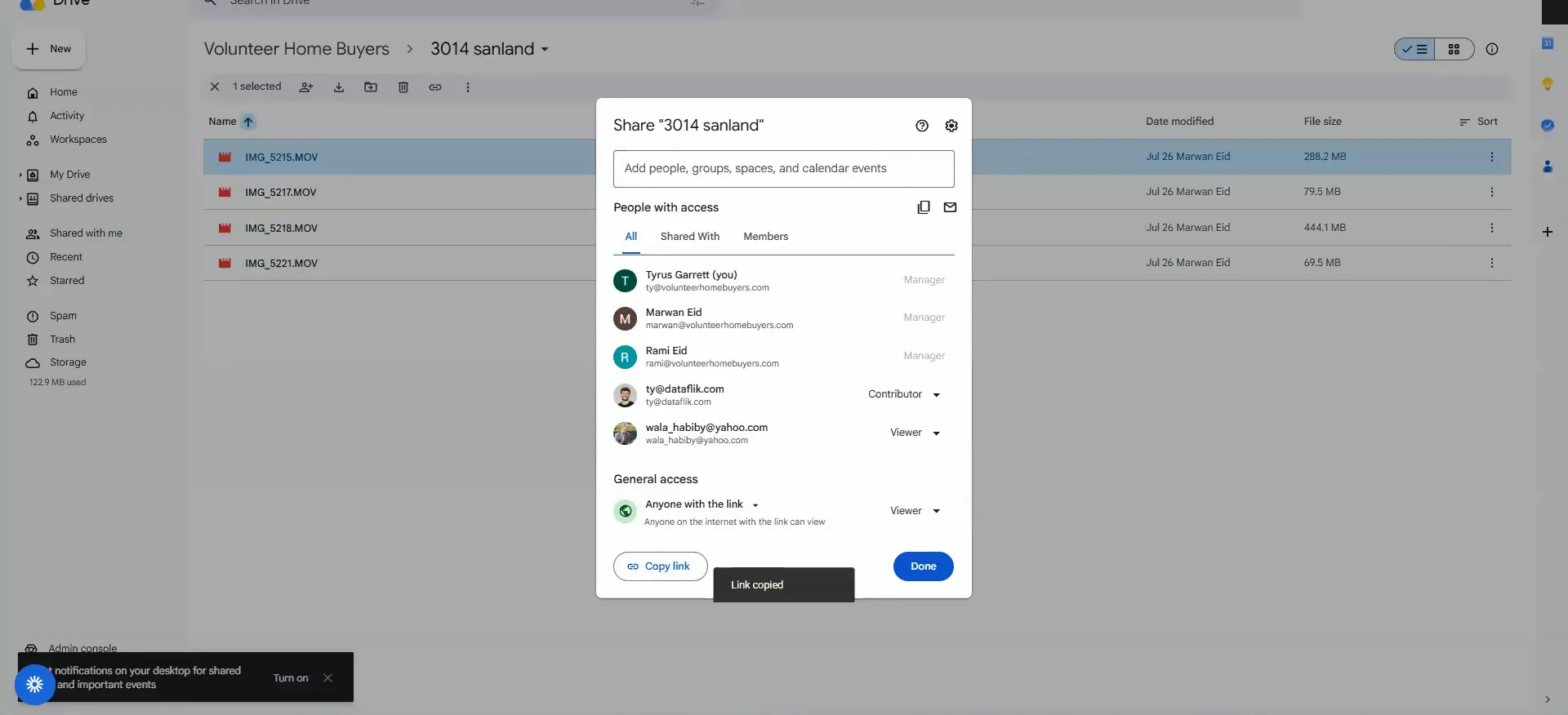
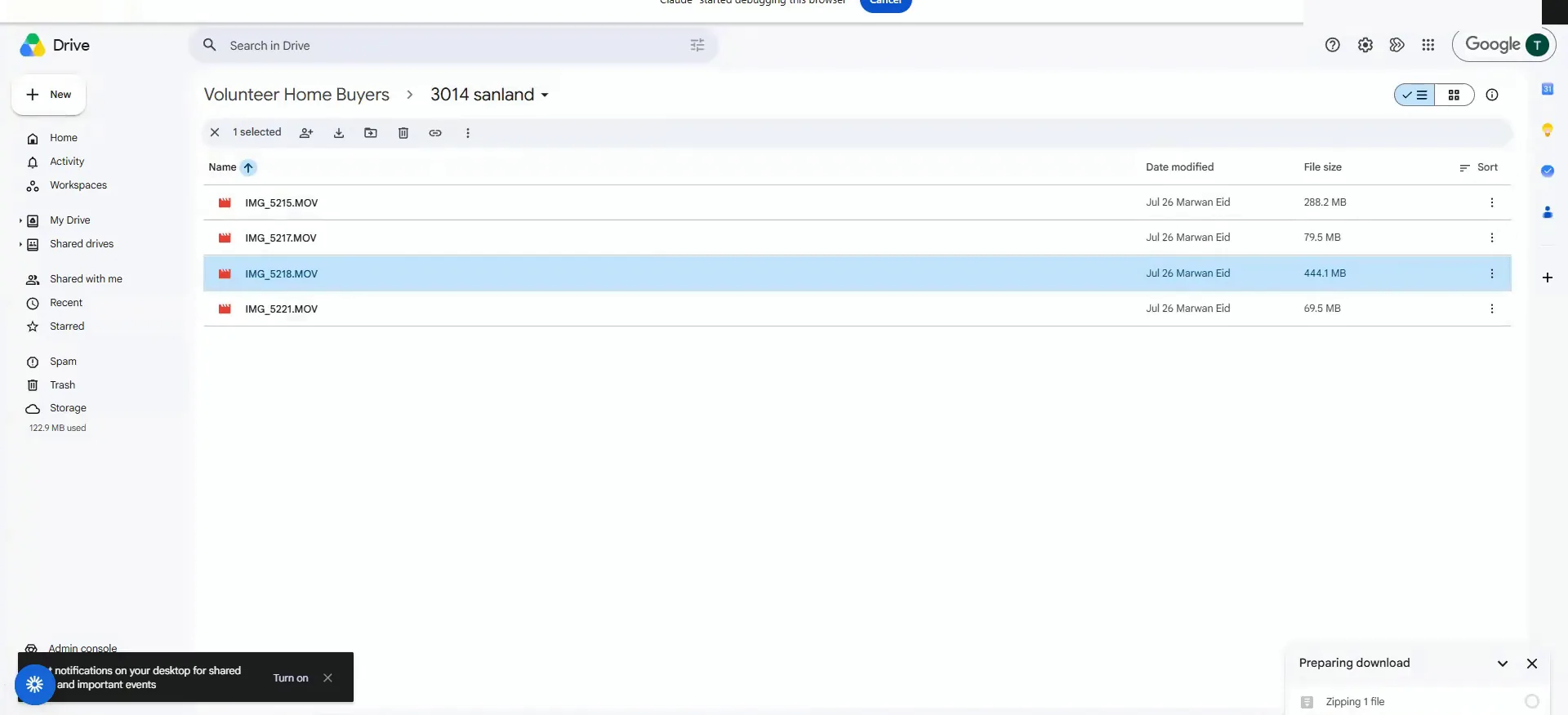
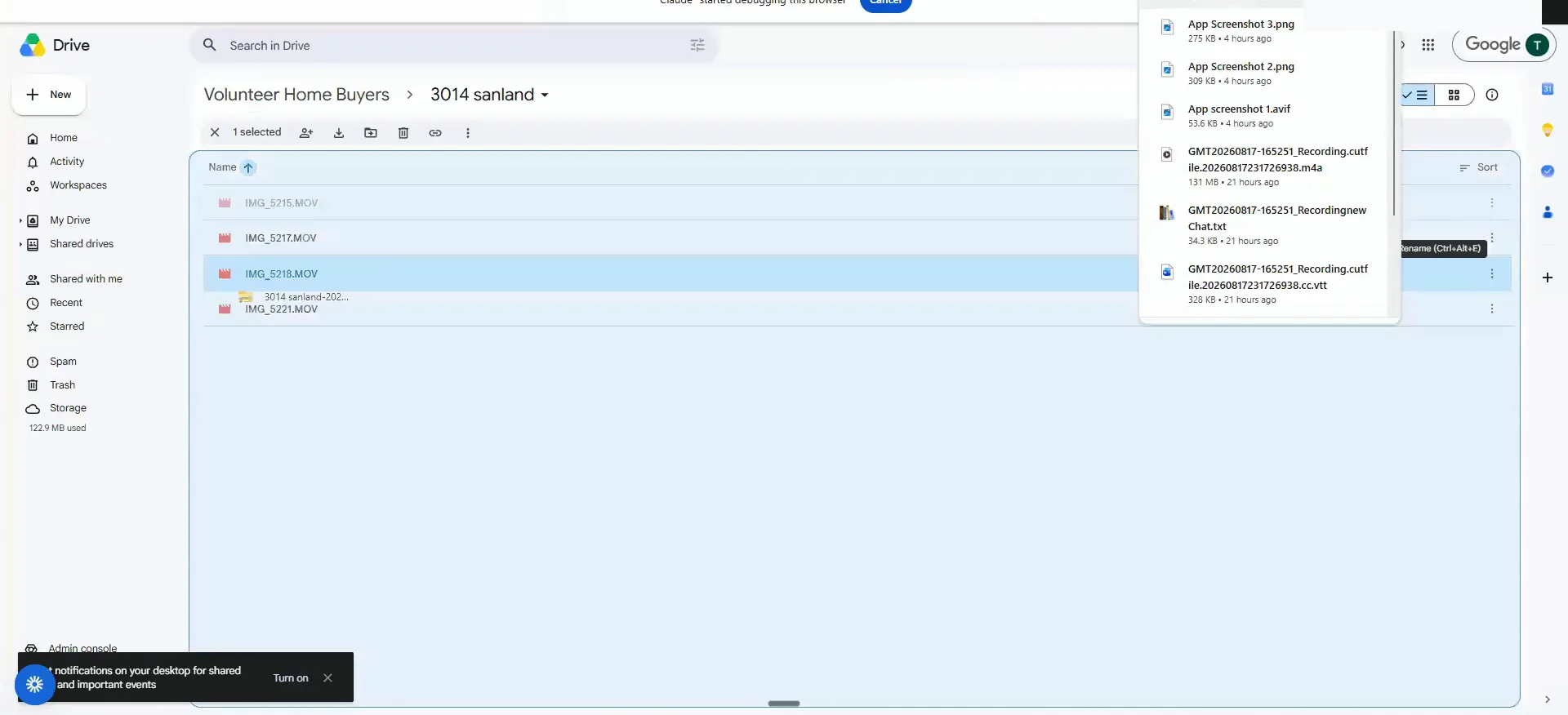
We upload the walkthrough to Google Drive the same way you see here. These are all the properties we ran recently, and we throw the photos into the drive too.
Say someone on your team walked this property. Right click the file that holds all the videos and hit download. It puts it in a zip drive for you. Videos take longer to download, so give it a minute.
you would right click on the file that has all the videos, hit download, and it's going to put it in a zip drive for you.
Drag the whole zip over in plan mode.
Once the zip is done, drag the whole thing over and pull it back into the chat. You will see it land as the 3014 Sanland zip drive. Make sure you are in plan mode before you send anything.
You can do this in Claude on the web. You will just get better results using Versus Code and SiftStack, because it is doing a lot of complex work to navigate those files.
Ask it to mirror the finishes on the comps.
Then you say something like this. I just uploaded a set of videos for 3014 Sanlan and it is inside a zip drive, there are four individual videos.
Take this, combine it with the comp package we created, and estimate the rehab costs off all the elements in the videos. And closely mirror the finishes on the comps you found, that way we do not over renovate this property.
That last line is critical. We want to mirror the comp finishes, because sometimes we have to put builder grade in and sometimes rental grade is fine. The finishes for tier one, two and three are hard coded into the agent system.
Mirror the finishes
Tell it to closely mirror the finishes that are on the comps it found, that way we do not overrenovate this property. Sometimes we have to put builder grade, and sometimes rental grade is fine.
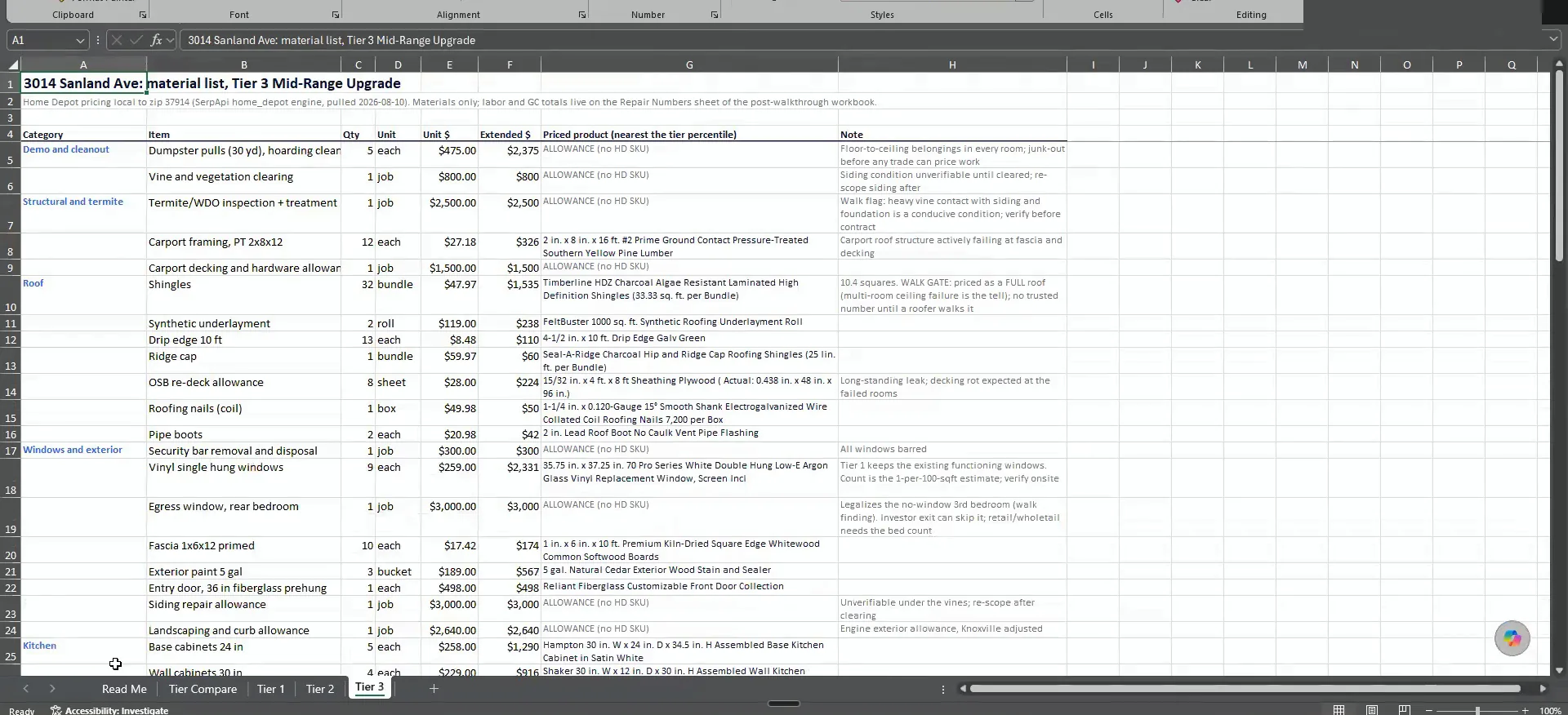
Tier one is rental grade.
Pick the tier that matches how you flip.
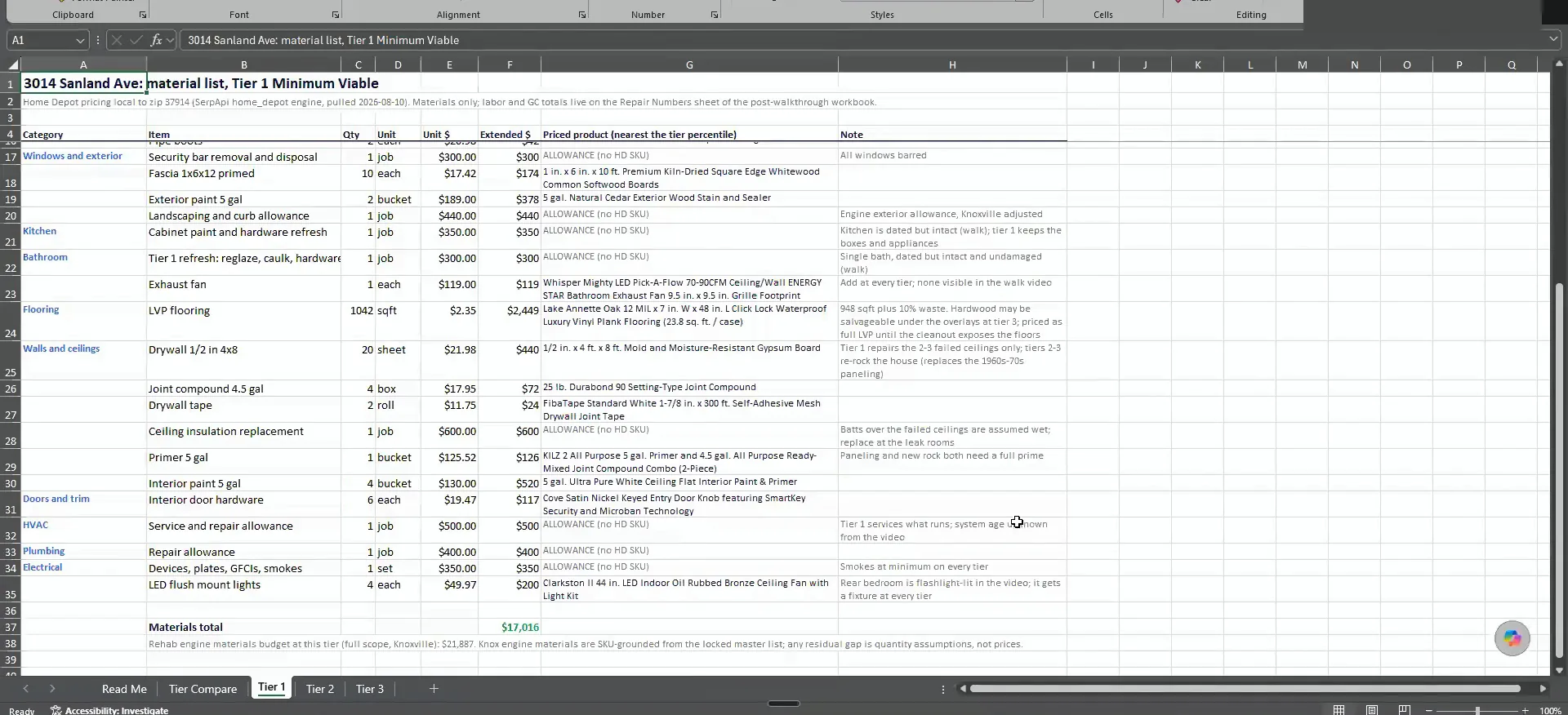
Tier three is builder grade and tier one is rental grade, so you will notice a massive difference in cost. The material and labor mirror exactly how you flip.
It does change across markets. I pull the labor costs of the city you are running the comps in, and the SKU costs default the same. If you are pulling California costs, ask it to adjust the material cost.
You can run all of this on a laptop or a desktop, no VPS. You just have to install Claude and have it learn the skill. You can also do it all without the API, except for finding these exact buyers, which needs the API to pull from SIFMAP.
And these are all real SKU costs from Home Depot and Amazon that I also built into it for you guys, so it's much more accurate that way.
BEFORE YOU MOVE ON