
PART 1
Installing the skills library.
This is the one-time setup that makes every other AI workflow in the modules work. I open the guide link, hand Claude the public resource, and let the library land. Do it once and you are done.
What you are setting up.
Install the entire skills library for DataSift and for Claude.
You will need this to use all these different AI workflows that we talked about in the entire challenge and all of our content curriculum. It also covers all the different things that the community has kinda put together.
It is super simple to set up. And once you set it up once, then you can use all the different workflows inside all the modules that you'll see down below.
This is one of the most important workflows that you actually need to do if you're trying to use all this AI stuff.
The market finder workflow.
Open day one and scroll down to the market finder workflow.
This is where we get more into our first cloud workflow. I know we had some people join and maybe people who didn't hear what I was saying, so I am walking it again.
This is where you get to really see kind of the power of what Claude can do. There are a lot of ways you could do this. Copying this link is the best and simplest way, and it carries you through the rest of the challenge.
So what we're gonna do is we're gonna come over to the day one and scroll on down here to the market finder workflow.
Copy the link to download the public resource.
When you copy this, it takes you to download my public resource of all of these different workflows. That is the whole library in one go.
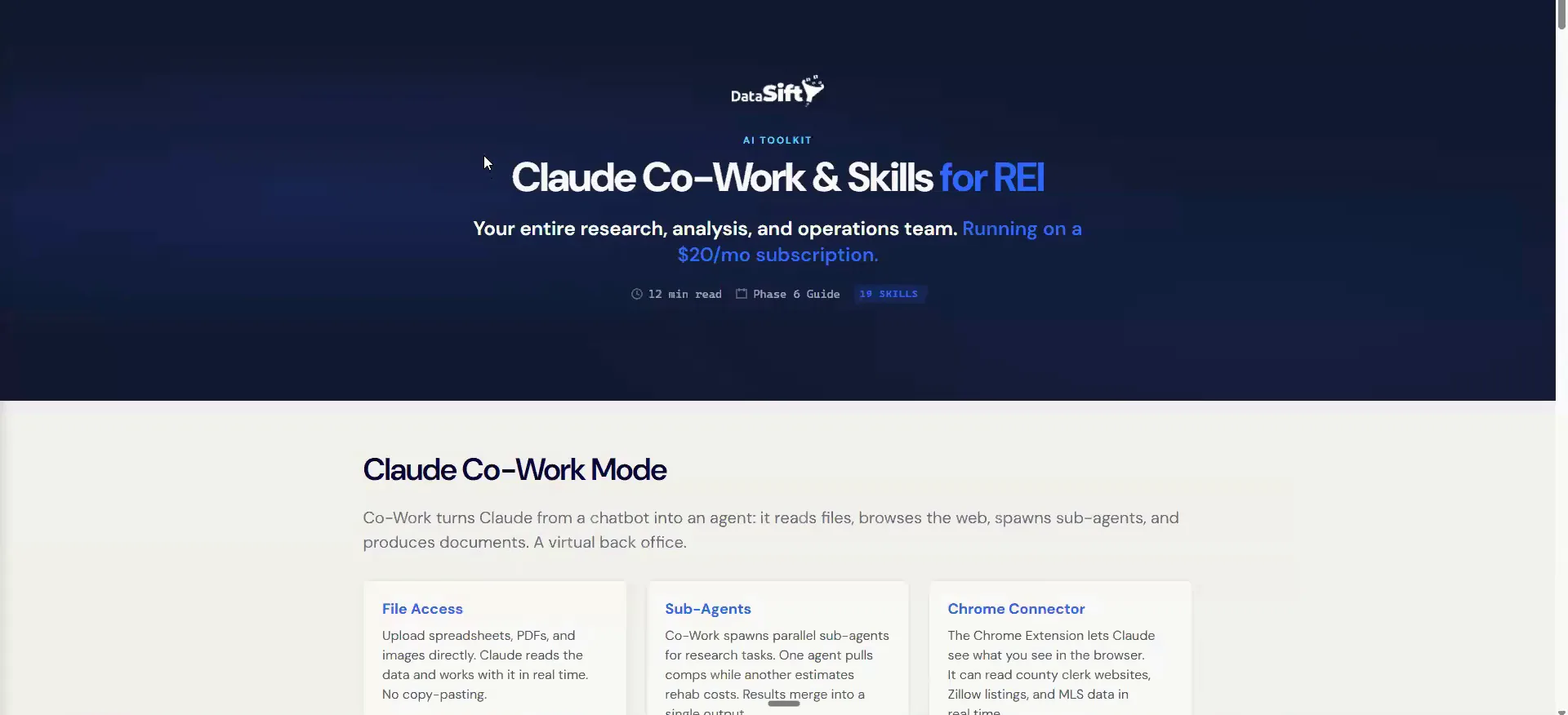
The other option, if you wanted to do it that way, is on the day one actual guides. There's a little page that says Claude Cowork and skills for REI. That page is a good visual representation of what some of this stuff looks like.
BEFORE YOU MOVE ON
PART 2
Hand Claude the link.
A skill is just a workflow I already built, packaged into one command. In this Part I show you what sits inside the install, then the two questions Claude asks before it hands the files over. Answer both the way I do and the whole library lands.
A skill is a specialized workflow.
Read the install line at the top of the page.
I know it's kinda hard to see, but it says 74 agents, nine division, and 22 Claude skills that drive them. All of that comes down on one install command.
A skill in the sense of Claude and just AI tools is a specialized workflow that I have already built for you. You are not writing anything. You are pulling down work that already runs.
A skill in the sense of Claude and just AI tools is a specialized workflow that I have already built for you.
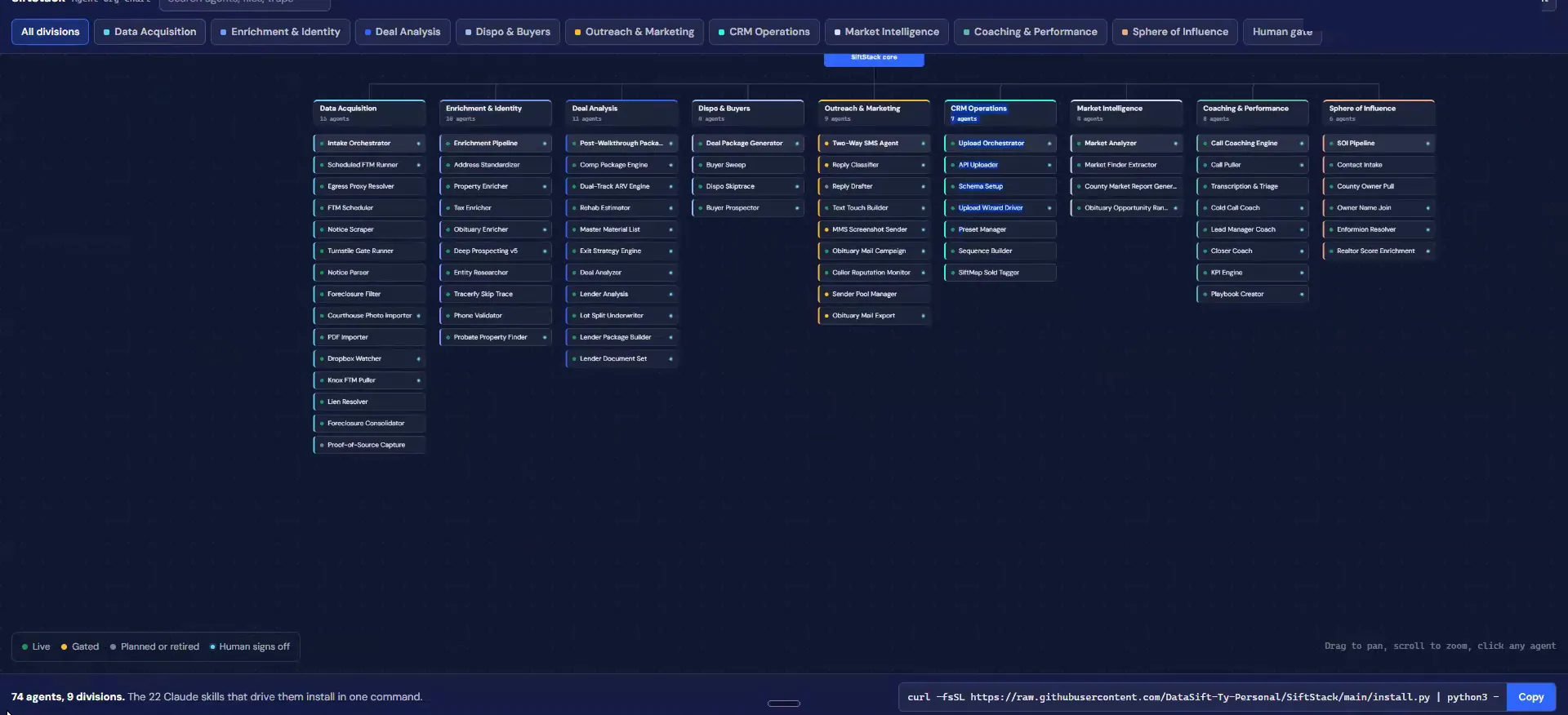
Open the rehab estimator to see one skill.
If I look at the rehab estimator, this is the exact workflow called the rehab skill. It pulls in real SKUs from Home Depot's API. It gives you a good estimate of local labor and all of these different elements.
All of that is packaged up inside this little command down here. That is what a skill means here.
One install command
One install command covers agents and skills.
Paste the link and ask Claude to download the repo.
Come back to Claude and hit that copy, which is the link I just gave you. I said, I want you to take a look at this link that I just posted above. Then I said, download all of the skills and workflows that are inside this repo.
Mine says the session has been stopped, because I just didn't respond to it for two hours. That happens. Start it again and paste the link command back in.
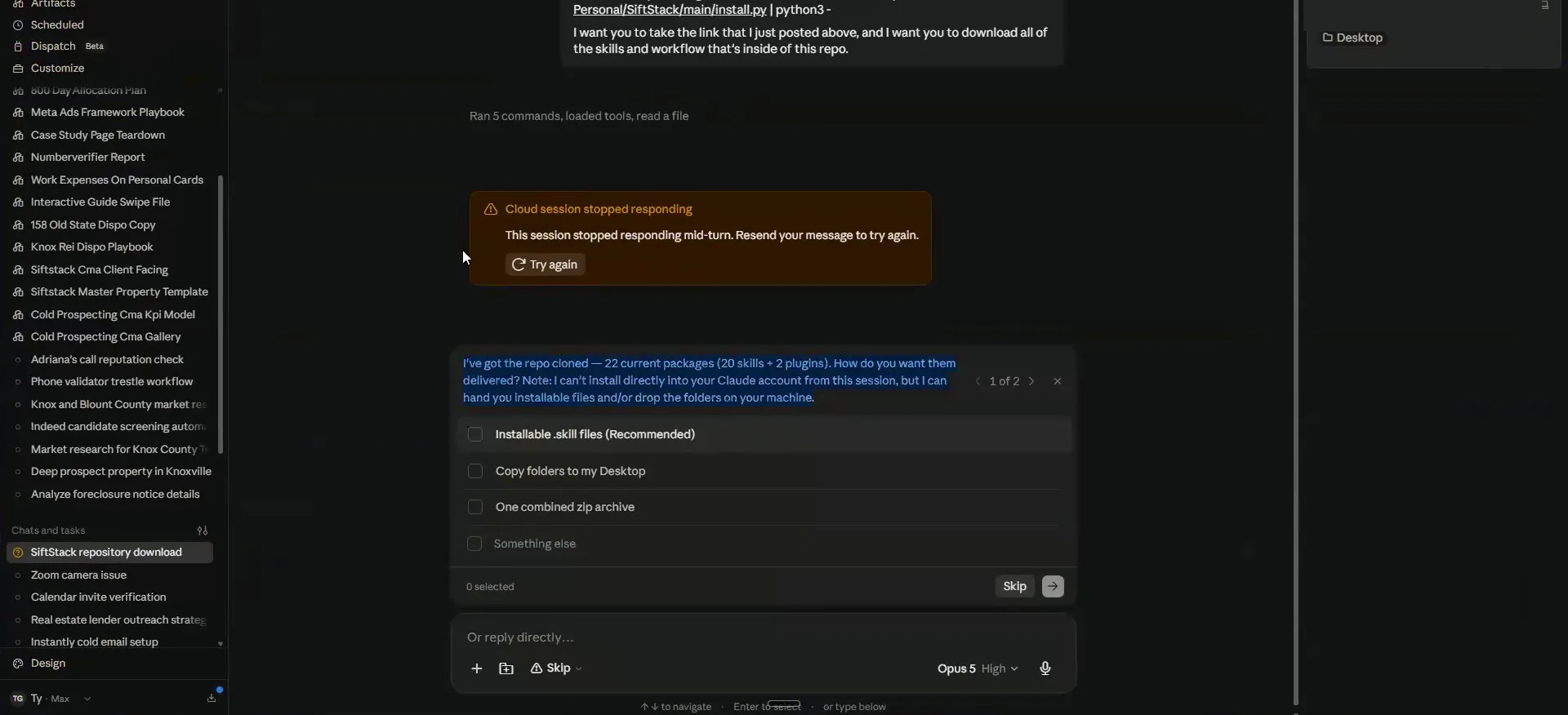
Answer the two delivery questions.
Paste the link one more time so everyone has it.
I'll put it in one more time just so everyone has it. This goes out to the people watching the recording inside of the day one challenge hub.
This is going to load in all of the updated versions of every workflow that me and Tyler use. One of the ones we start with that's a little bit easier is the market analysis skill.
And one of the ones that we're gonna start with that's a little bit easier is the market analysis skill.
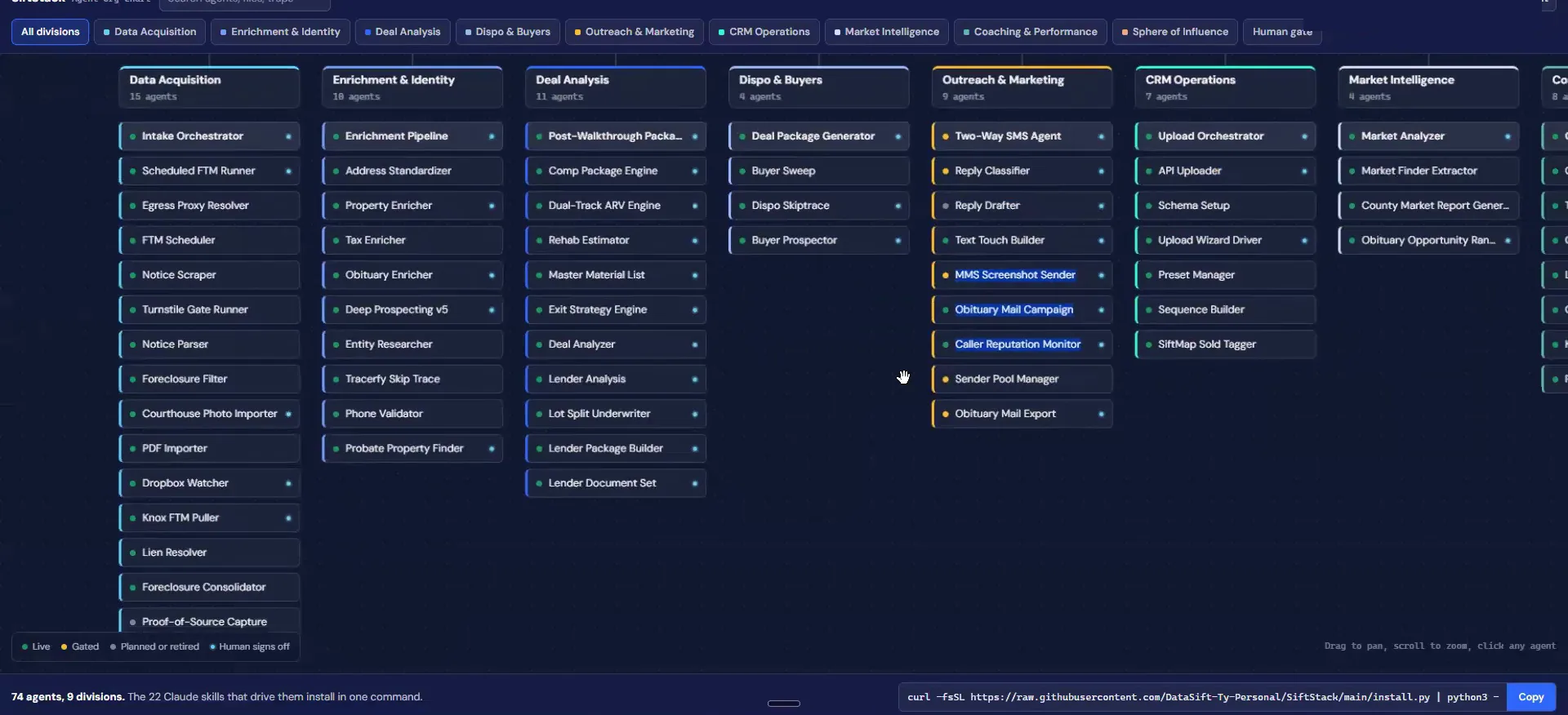
Say yes to installable files, then ask for all of them.
Claude will ask you questions to clarify what you are trying to get it to do. Mine said it has the repo cloned, with 22 current packages, 20 skills and two plug ins. Then it asks how you want them delivered. It can't install directly in your cloud account for the session, but it can hand you installable files.
In this case you say yes, I just want this, and click the button. Then the second one asks which packages to include. We wanna always say all 24 or all of them, and that gives you this nice library of all of these skills.
The repo clone
Claude reads back the packages, then asks how to deliver.
On the second question, always say all 24 or all of them.
BEFORE YOU MOVE ON