
PART 1
Editing a skill and the different APIs.
This part is about the feeds the stack leans on, starting with the MLS. Someone asked how to add MLS access to the skill, and there are two ways to do it. One is clean first party data, the other is a browser logging in for you.
All the different APIs you need.
Set up the APIs your stack needs to run.
For most people trying to build this, you will need all the different APIs. It also gets your head turning from a sheer creative perspective.
You start to see the ways Claude can be used when you connect tools like DataSift, Open Browser, or the scraping tools themselves. It adds so much more depth to what Claude is capable of.
Actually, editing a skill and all the different APIs that you need to have a fully functioning SIP stack exactly how mine is.
Two ways to add the MLS.
Ask Claude to find an IDX feed for your market.
This one is a little bit technical, so bear with me. Go into Google, or honestly Claude, and say you are an individual agent looking for API access or an IDX feed for your market.
That gives you first party data you can tie into the DataSift API. Use it for comps, for suppressing MLS actives inside your records, for MLS offers, all kinds of stuff.
So there's a ton of things you could do, but that would be the best way to do it.
Treat the browser login as the second best option.
The other way is the Chrome browser infrastructure I use, where it logs in and pulls the stuff in for a website session. It works, but it is going to be more unstable and you will use more tokens for Claude doing it that way.
Be careful what you point it at. I will not let Claude touch things that are super sensitive, and I would not give Claude access to banking.
Run Apify, ScrapFly and ToCaptcha alongside it.
Those are the tools that keep the login sessions working instead of getting flagged. They are the ones I talked about on day one, and I am using all three of them.
Still go easy on how much you pull in one session. Some sites really do not like it.
Just be careful because, if you pull a shitload of stuff, some sites do not like that.
BEFORE YOU MOVE ON
PART 2
Editing a skill, and the SERP API.
Two questions came in live. One was a skill throwing an error on a phone list, and one was where the rehab price per unit comes from. Both answers are the same shape, which is hand Claude the documentation and let it do the work.
Edit a skill that errors.
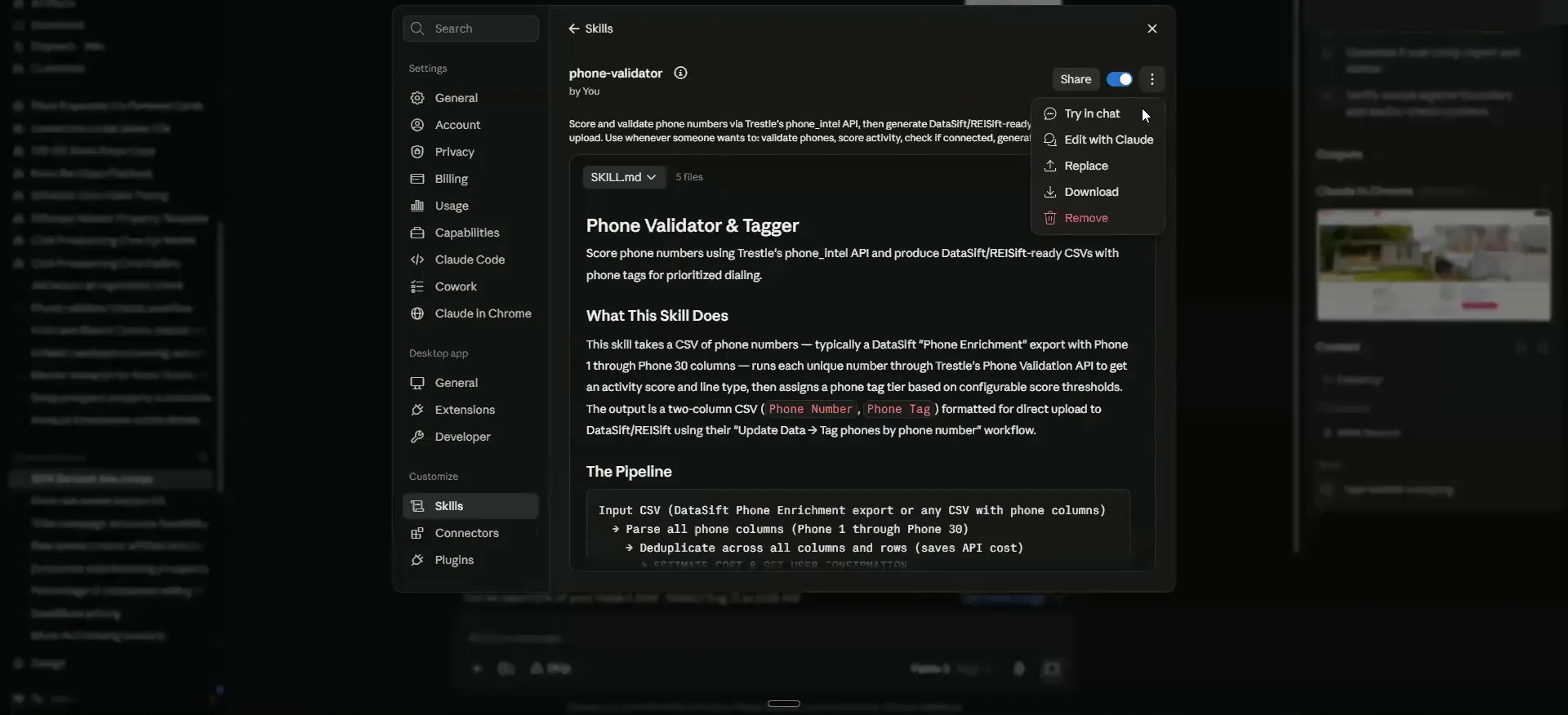
Open the phone validator skill and hit edit with Claude.
Cyrus was running a list and getting an error back, and it was discarding numbers he had already scored and paid for. Trestle support told him to feed it the phone validation API documentation and the forbidden errors.
So find the skill, which is right here, hit edit with Claude, then hit shift enter to give yourself some space. This is where it is really nice to have voice text stuff.
I'm trying to run a list, but I'm getting a forward fee error, and it's discarding all the numbers that have already been scored and paid for.
Paste the docs, the screenshots and the errors together.
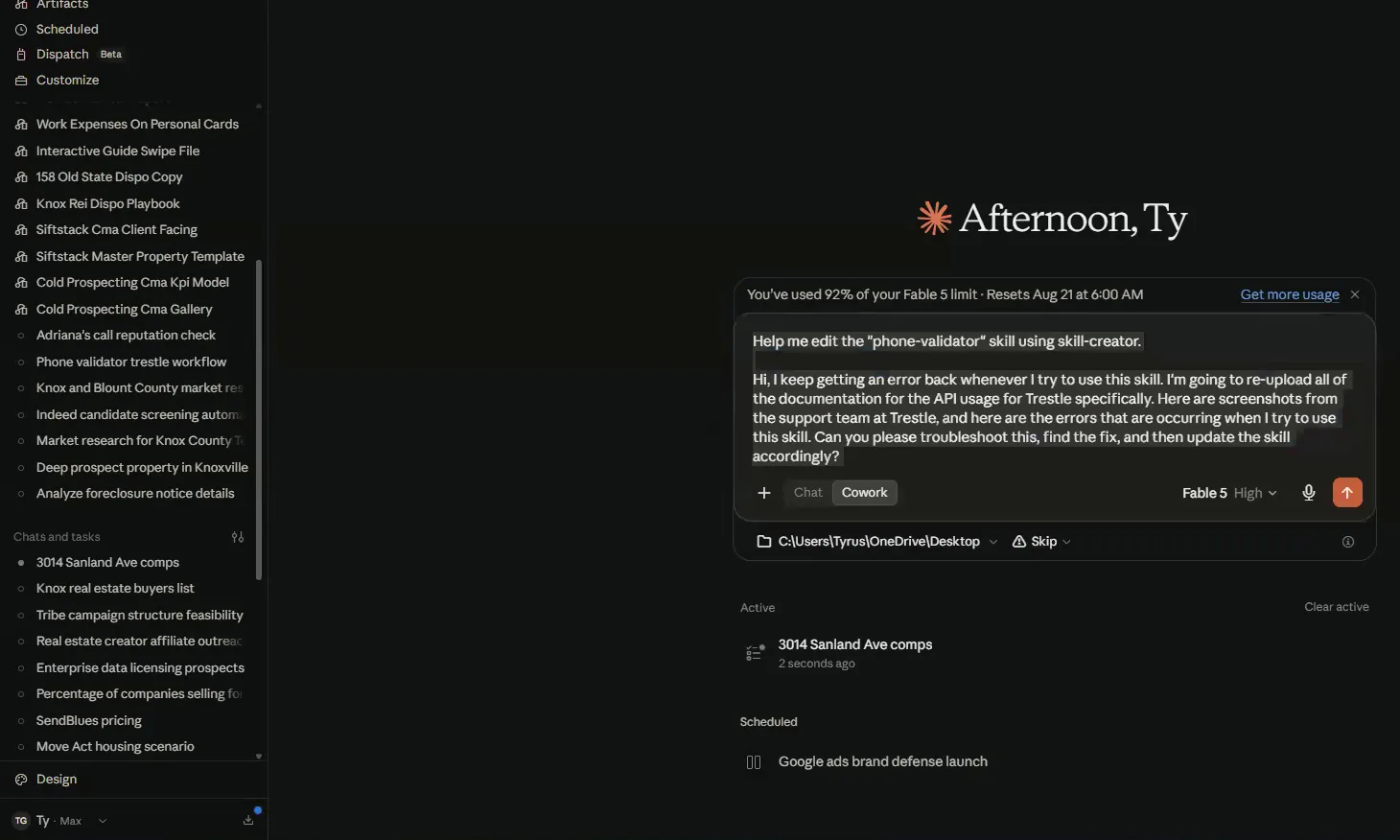
This is roughly what I would say if I were you. I keep getting an error back whenever I try to use this skill. I am going to reupload all the documentation for the API usage for Trestle specifically.
Then ask it to troubleshoot this, find the fix, and update the skill accordingly. That is the triaging workflow I go through as I am editing or building anything, because it is not perfect.
Here's also screenshots from the support team at Trestle, and here are the errors that are occurring when I try to use this skill.
Triage workflow
Give Claude the docs, the screenshots and the errors.
- 1Find the skillGo to the phone validator skill in your list.
- 2Hit edit with ClaudeThen hit shift enter to give yourself some space.
- 3Say you keep getting an errorTell it you keep getting an error back whenever you try to use the skill.
- 4Reupload the documentationUpload the API usage docs for Trestle specifically.
- 5Add screenshots and errorsPaste the support team screenshots and the errors that are occurring.
- 6Ask for the fixHave it troubleshoot, find the fix and update the skill.
Where price per unit comes from.
Get a SERP API key and plug it in.
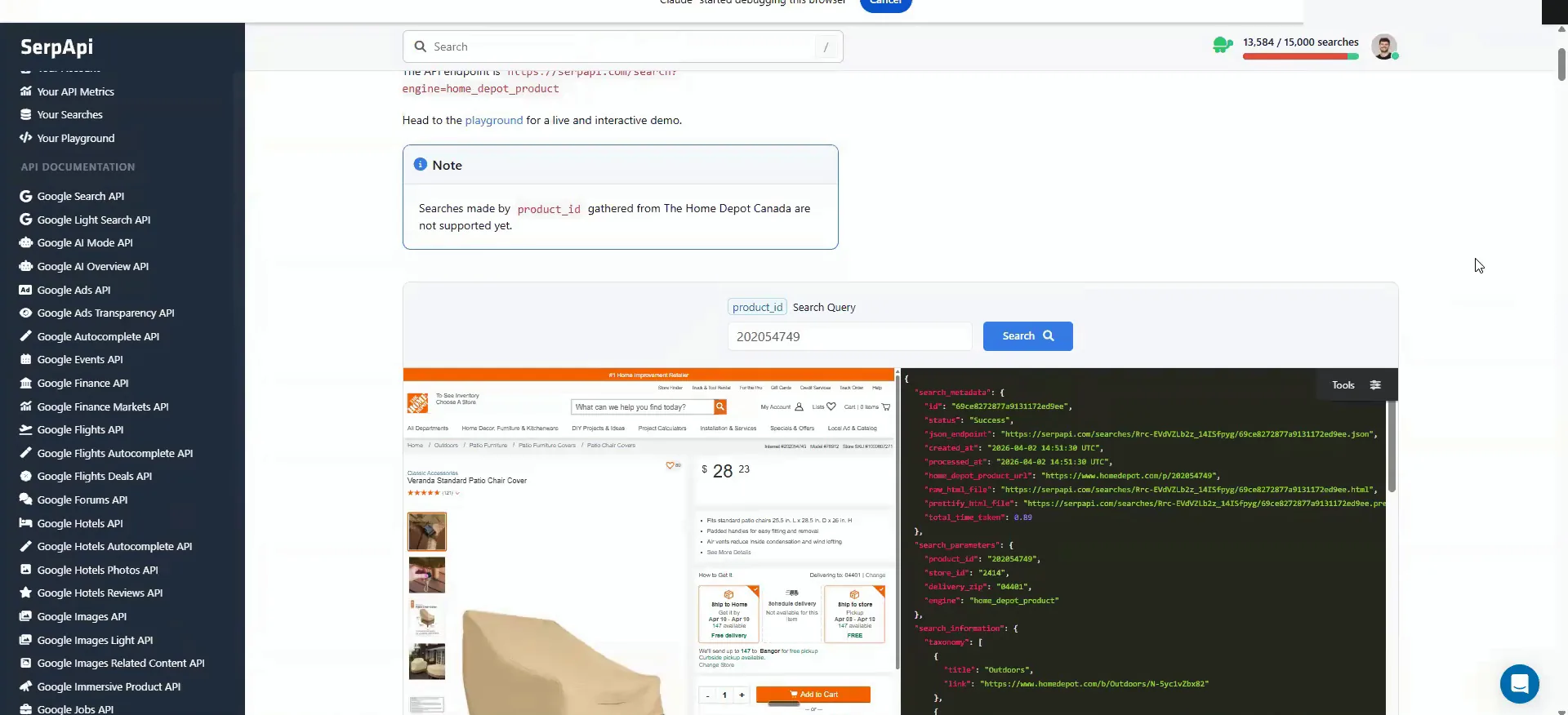
Nora asked whether price per unit comes from Home Depot. It does. A SERP API lets you do searches programmatically, and the Home Depot product API is what I used to build out all these skills.
It shows you pretty much every product that is in Home Depot, and I did the same for Amazon. If you ever want to adjust it, ask Claude, and it will ask you for a key. My subscription was free, so it should be pretty cost effective for you too.
The agent system will tell you that it needs access to this if you go to update it, but, there's something called a SERP API.
Only redo the pricing if your market is far off.
I do not think you have to get your own, because mine is probably pretty close to what you would need. I trained it on hard numbers.
If you are using it heavily, or you are in a radically different MSA than Knoxville, then do it for that. Los Angeles County is going to have higher costs, just as an example, because it is California. For most places it will be pretty close.
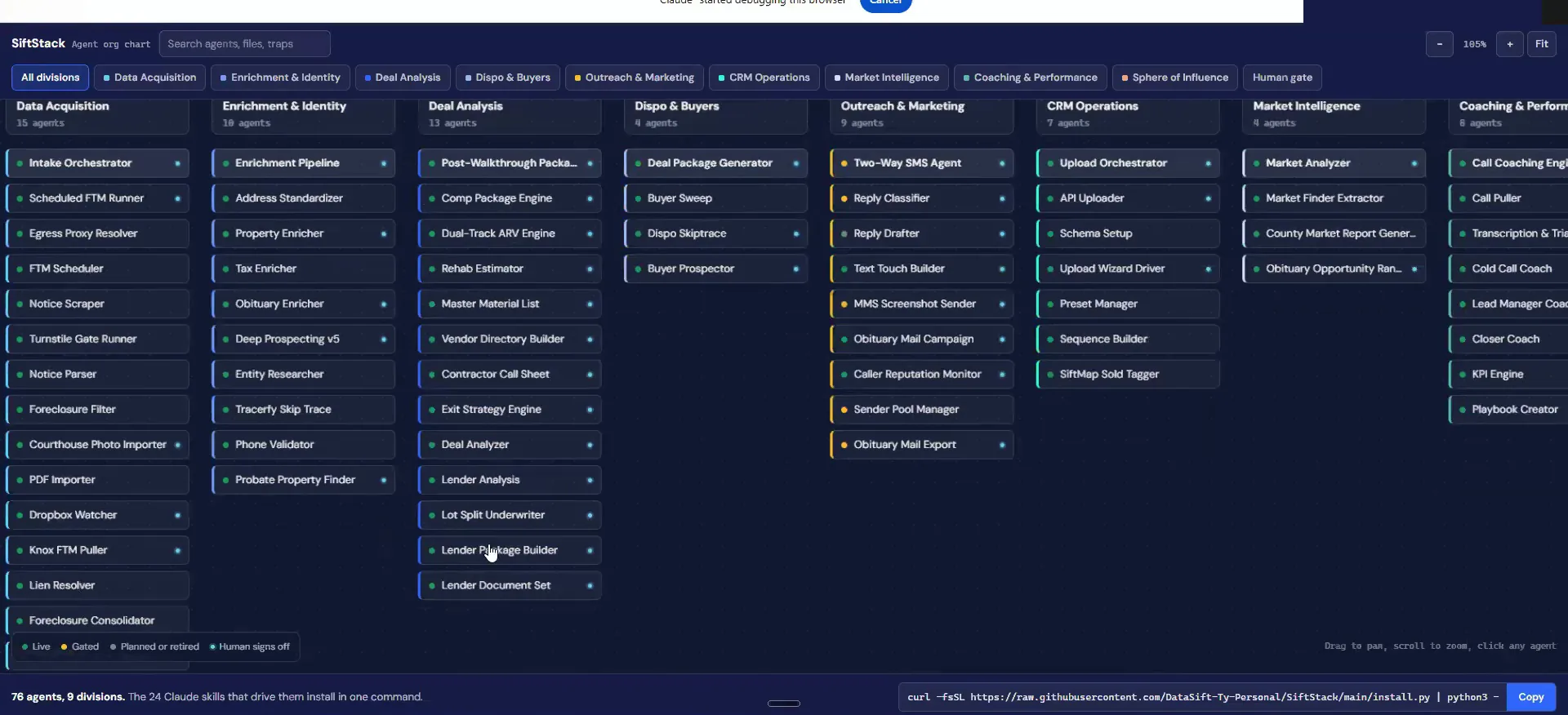
All of the agent system in SiftStack is set up already. The rehab estimators, the material lists, all that stuff, I hard programmed it in there.
When to redo it
If you are in a radically different MSA than Knoxville, do it for your market. For most places, mine is pretty close to what you would need.
BEFORE YOU MOVE ON